 EN
 IT Italiano
 ES Español
 FR Français
 DE Deutsch
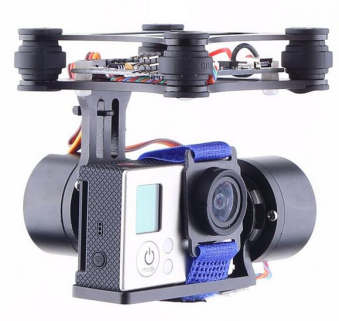
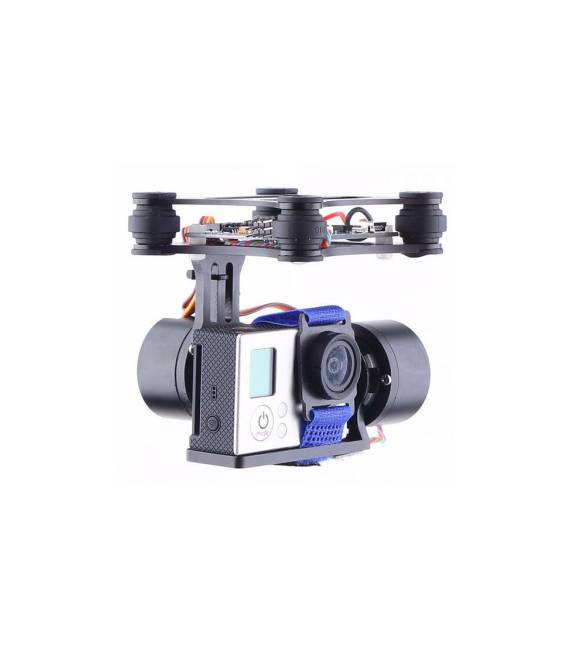
Description
What it is
The FPV PTZ 2-axis motor controller is a device designed to integrate a GoPro3 camera onto drones such as DJI Phantom and Walkera QRX35. This component allows for controlling the camera direction through two axes, offering drone pilots greater flexibility in image acquisition during flight.
Features
- 2-axis motor controller for GoPro3 camera
- Compatible with DJI Phantom and Walkera QRX35
- Cardanic camera control on two axes
What it is for
Ideal for drone pilots who want precise control over the camera direction during FPV flight. Useful for both beginners and intermediate model aircraft operators.
Tutorial: How to use FPV PTZ Motor Controller
The FPV PTZ 2-axis motor controller allows for cardanic camera control on two axes for DJI Phantom and Walkera. Ideal for beginners and intermediates in model aircraft.
What you need
- FPV PTZ Motor Controller
- Arduino
- DJI Phantom Walkera
- Connection Leads
Steps
- 1. Check that the FPZ motor controller is compatible with the DJI Phantom Walkera firmware version.
- 2. Connect the FPZ motor controller to the QRX35.
- 3. Connect the batteries to the FPZ motor controller. Check the datasheet for specifications.
- 4. Connect the motor wires to the FPZ motor controller. Check the datasheet for specifications.
- 5. Connect the FPZ motor controller to the Arduino. Check the datasheet for specifications.
- 6. Load the provided Arduino Sketch code.
- 7. Set up the remote control on the DJI Phantom Walkera.
- 8. Test the gimbal camera movements.
Example code
```void setup() {} void loop() { // Esempio di comando per il controllo della videocamera cardanica } ```Mini project
Build a gimbal camera control system on a DJI Phantom Walkera in 30 minutes.
Common mistakes
- Connect the motor wires backwards.
- Use incompatible batteries.
- Omit loading the Arduino Sketch code.
- Do not test the gimbal camera movements.
Recommended accessories
- Connection Leads
- Batteries
- QRX35
- Arduino
Frequently asked questions
Is the FPZ motor controller compatible with all firmware versions?
Check the datasheet for the compatible firmware specifications.
Which motor cables should be connected?
Check the datasheet for the motor cable specifications.
Is it necessary to install an Arduino Sketch code?
Yes, follow the instructions to upload the Arduino Sketch code.
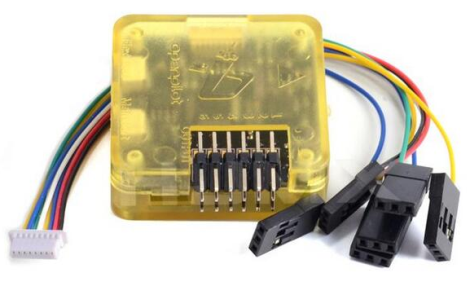
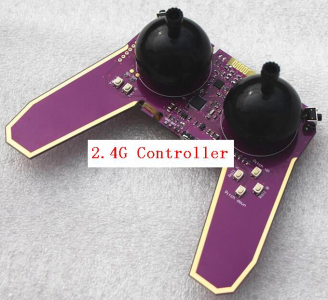
Reviews
There are no reviews yet.