 EN
 IT Italiano
 ES Español
 FR Français
 DE Deutsch

Description
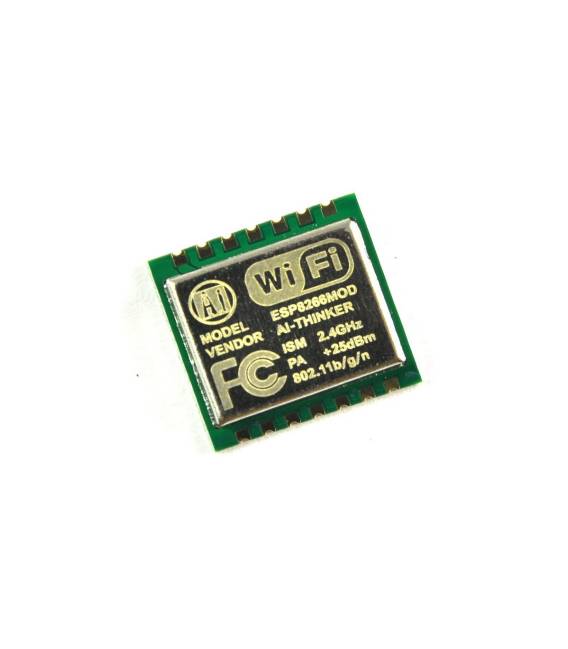
Esp8266 Serial Wireless Wifi Module Transceiver Esp-08 Size: 1.4*0.9MMLWIP agreementSupport 3 modes: AP, STA, AP + STAPerfect and simple AT commands ESP-06: Semi hole SMT technology,all are leaded by IO,with metal shielding case,type of antenna could be defined by customers.
Tutorial: How to Use Esp8266 Serial Wireless Wifi Module
The Esp8266 Serial Wireless Wifi Module is a fundamental component for wireless network applications. It allows Arduino projects to connect to the Internet or other Wi-Fi networks, making remote data transmission and smart device management possible from anywhere in the world. This tutorial is ideal for beginners and intermediate makers who want to start IoT projects without complications.
What you need
- Arduino Uno or compatible
- USB A-MicroB cable
- Wi-Fi Connection
Steps
- Connect the Esp8266 module to your Arduino using the VCC, GND, TX and RX pins.
- Download the latest version of the ESP8266 firmware for Arduino from the official website (check the datasheet for the correct version).
- Open the Arduino IDE software and install the necessary libraries to manage the ESP8266 module (ESP8266WiFi, ESP8266HTTPClient).
- Upload the example sketch provided by the module’s datasheet to Arduino.
- Access the Arduino IDE serial monitor and verify the Wi-Fi connection using the command ‘Serial.print(WiFi.SSID());’.
- If necessary, modify the Wi-Fi settings in the code (SSID and password).
- Reload the modified sketch onto Arduino.
- Test data transmission using an application or website that supports the HTTP POST API.
Example code
// Includi la libreria ESP8266WiFi
#include <ESP8266WiFi.h>
// Definisci le credenziali Wi-Fi e il nome del modulo
const char* ssid = "SSID";
const char* password = "PASSWORD";
void setup() {
  Serial.begin(115200);
  WiFi.begin(ssid, password);
  while (WiFi.status() != WL_CONNECTED) {
    delay(500);
    Serial.print(".");
  }
  Serial.println("rnConnesso a " + String(WiFi.localIP()));
}
void loop() {}
Mini project
Create a home alarm system with Wi-Fi connection: connect motion sensors and door sensors to the ESP8266 module, send notifications via email or message when the alarm is triggered.
Common mistakes
- Error in uploading the sketch to Arduino.
- Unstable Wi-Fi connection.
- Issues with the ESP8266WiFi library.
- Difficulty interpreting data received via serial.
Recommended accessories
- Arduino Uno R3
- PIR motion sensors
- 5V relay to control electrical actuators
- External antenna to improve Wi-Fi connectivity
Frequently asked questions
How can I access the Esp8266 module?
Use the Arduino IDE application with the serial terminal to interact with the module.
Which libraries do I need to install?
ESP8266WiFi and ESP8266HTTPClient are the main ones required.


Reviews
There are no reviews yet.