 EN
 IT Italiano
 ES Español
 FR Français
 DE Deutsch
Description
Technical Specifications
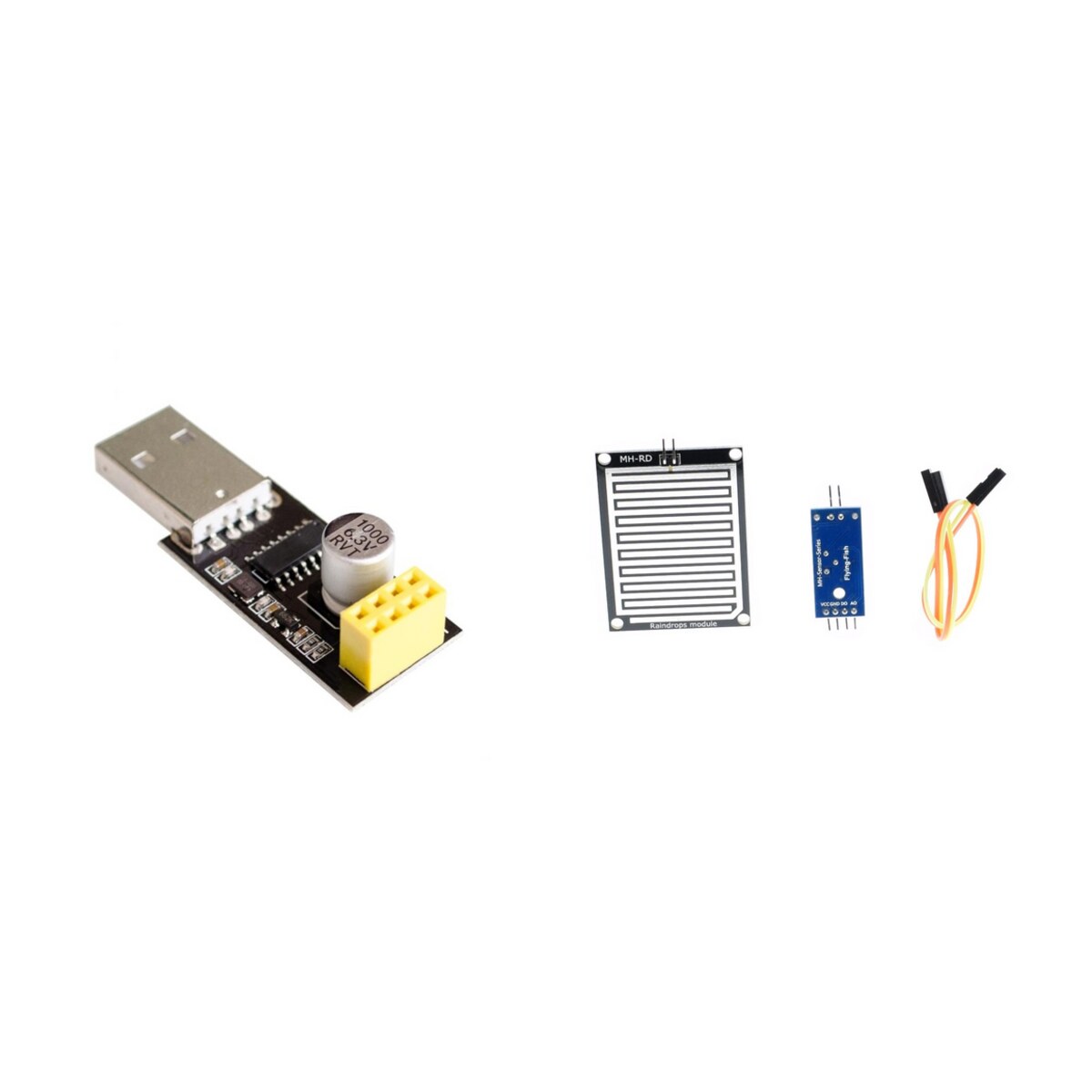
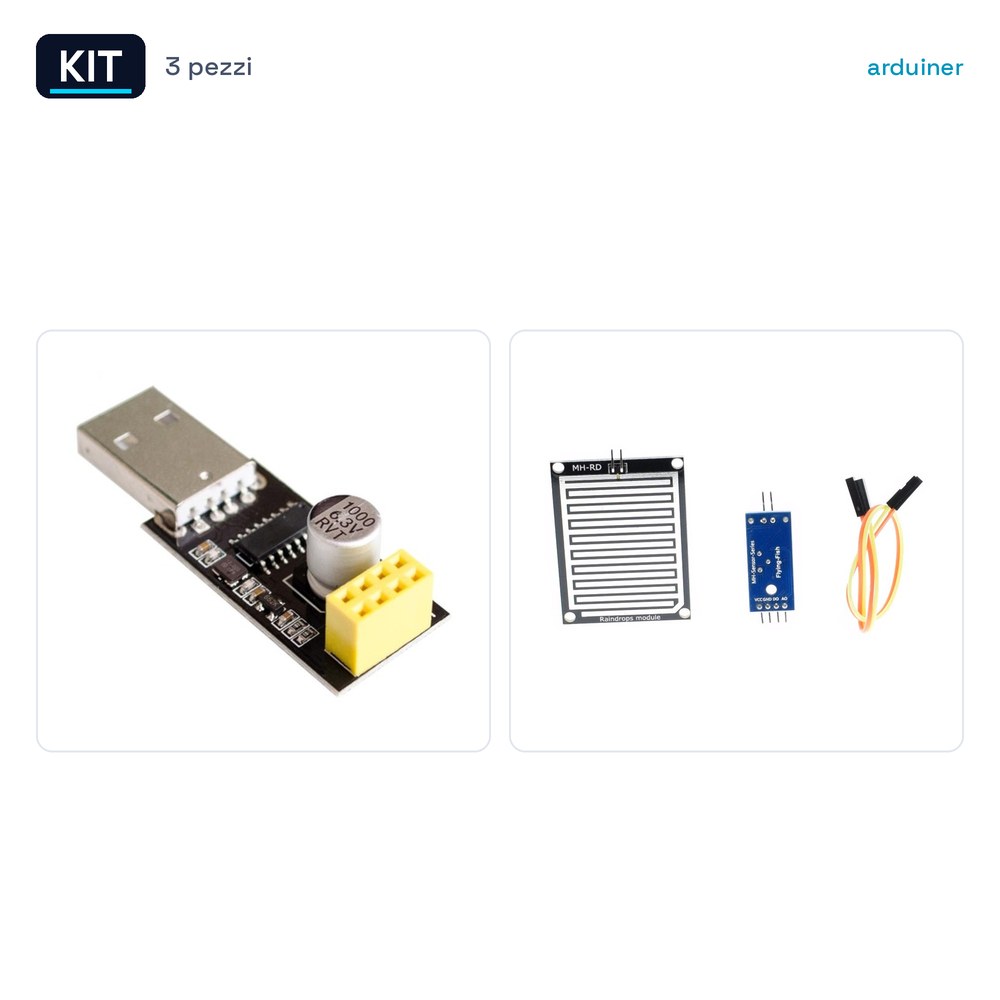
The ESP-01S ESP8266 Serial to Remote Wi-Fi Module Kit + USB to ESP8266 Wi-Fi Microcontroller + Rain Sensor Module includes three essential components for wireless communication and environmental monitoring projects. The ESP-01S ESP8266 module enables data transmission via Wi-Fi, while the USB to ESP8266 adapter provides a serial connection for debugging and programming. The rain sensor module, finally, detects atmospheric conditions and sends the data to the Wi-Fi module for analysis and visualization.
The ESP-01S ESP8266 module is a small and affordable Wi-Fi module suitable for small projects that require wireless connectivity. The USB adapter for ESP8266 allows connecting the ESP8266 module to a computer for software configuration and debugging. The rain sensor measures the amount of rainfall and sends the data to the Wi-Fi module for processing and display.
This kit is useful for projects that require the collection of environmental data and their transmission via Wi-Fi. It can be used in weather monitoring applications, home automation, or prototyping projects that need reliable wireless connectivity.
Key Specifications
| Parameter | Value |
| Model | ESP-01S ESP8266 |
| Quantity | 1 |
| Supply Voltage | N/D (see manufacturer’s datasheet) |
| Interface | Serial Port |
| Model | USB to ESP8266 WIFI Microcontroller Module Serial Adapter CH340 |
| Quantity | 1 |
| Supply Voltage | N/D (see manufacturer’s datasheet) |
| Interface | USB |
| Model | Rain Sensor Kit with Water Level Sensor Cables for Arduino |
| Quantity | 1 |
| Supply Voltage | N/D (see manufacturer’s datasheet) |
| Interface | Serial Port |
Installation and Usage
- Connect the ESP-01S ESP8266 module to the Arduino microcontroller via the serial port.
- Connect the USB to ESP8266 adapter to the computer and the ESP-01S ESP8266 module for configuration.
- Connect the rain sensor module to the ESP-01S ESP8266 module via the serial port.
- Configure the ESP-01S ESP8266 module for Wi-Fi connectivity.
- Run a data transmission test to verify the correct configuration.
Compatibility and Requirements
- This kit is compatible with Arduino and other microcontrollers that support the serial port.
- It can be used with Windows, macOS, and Linux operating systems.
- To use the kit, you need a computer with a USB interface and an Arduino microcontroller or similar.
Limitations and Important Notes
- The kit does not include the necessary software for configuration and data management.
- It is important to check the compatibility of the components with the chosen operating system and microcontroller.
- It is recommended to use a sufficient power supply to ensure proper functioning of the components.
- The kit does not include additional connectors or connection cables.
Troubleshooting
The ESP-01S ESP8266 module does not connect to Wi-Fi.
Probable cause: Incorrect Wi-Fi configuration.
Solution: Check the Wi-Fi configuration and repeat the connection procedure.
The rain sensor is not sending data.
Probable cause: Incorrect serial connection.
Solution: Check the serial connection between the sensor and the ESP-01S ESP8266 module.
The ESP-01S ESP8266 module does not respond.
Probable cause: Insufficient power supply.
Solution: Use an appropriate power supply for the module.
The rain sensor module is not working.
Probable cause: Damaged sensor.
Solution: Check the physical condition of the sensor and replace it if necessary.
Use cases
Parking sensor for the garage
Objective: Monitor the presence of vehicles in the garage.
What is needed: ESP-01S ESP8266, USB to ESP8266 adapter, presence sensor.
Steps: 1) Connect the presence sensor to the ESP-01S ESP8266 module. 2) Configure the ESP-01S ESP8266 module for Wi-Fi connectivity. 3) Verify data transmission through the USB to ESP8266 adapter.
Expected result: The system sends notifications when a vehicle enters or exits the garage.
Home Weather Monitoring
Objective: Detect atmospheric conditions and send data via Wi-Fi.
What’s needed: ESP-01S ESP8266, USB to ESP8266 adapter, rain sensor.
Steps: 1) Connect the rain sensor to the ESP-01S ESP8266 module. 2) Configure the ESP-01S ESP8266 module for Wi-Fi connectivity. 3) Verify data transmission through the USB to ESP8266 adapter.
Expected result: Rain sensor data is sent and displayed online.
Home Security Alarm System
Objective: Detect motion and send an alarm via Wi-Fi.
What is needed: ESP-01S ESP8266, USB to ESP8266 adapter, motion detector.
Steps: 1) Connect the motion detector to the ESP-01S ESP8266 module. 2) Configure the ESP-01S ESP8266 module for Wi-Fi connectivity. 3) Verify data transmission through the USB to ESP8266 adapter.
Expected result: The system sends alerts when motion is detected.
Smart Irrigation System
Objective: To regulate irrigation based on weather conditions.
What is needed: ESP-01S ESP8266, USB to ESP8266 adapter, rain sensor.
Steps: 1) Connect the rain sensor to the ESP-01S ESP8266 module. 2) Configure the ESP-01S ESP8266 module for Wi-Fi connectivity. 3) Verify data transmission through the USB to ESP8266 adapter.
Expected result: The system regulates irrigation based on rain sensor data.
Air Quality Monitoring
Objective: Detect air quality and send data via Wi-Fi.
What’s needed: ESP-01S ESP8266, USB to ESP8266 adapter, air quality sensor.
Steps: 1) Connect the air quality sensor to the ESP-01S ESP8266 module. 2) Configure the ESP-01S ESP8266 module for Wi-Fi connectivity. 3) Verify data transmission through the USB to ESP8266 adapter.
Expected result: Air quality data is sent and displayed online.
Home Security System
Objective: Detect motion and send a Wi-Fi alarm.
What’s needed: ESP-01S ESP8266, USB to ESP8266 adapter, motion sensor.
Steps: 1) Connect the motion sensor to the ESP-01S ESP8266 module. 2) Configure the ESP-01S ESP8266 module for Wi-Fi connectivity. 3) Verify data transmission through the USB to ESP8266 adapter.
Expected result: The system sends alerts when motion is detected.
Soil Monitoring System
Objective: To detect soil moisture and send data via Wi-Fi.
What you need: ESP-01S ESP8266, USB to ESP8266 adapter, soil moisture sensor.
Steps: 1) Connect the soil moisture sensor to the ESP-01S ESP8266 module. 2) Configure the ESP-01S ESP8266 module for Wi-Fi connectivity. 3) Verify data transmission through the USB to ESP8266 adapter.
Expected result: Soil moisture data is sent and displayed online.
Traffic Monitoring System
Objective: To detect motion and send data via Wi-Fi.
What you need: ESP-01S ESP8266, USB to ESP8266 adapter, motion sensor.
Steps: 1) Connect the motion sensor to the ESP-01S ESP8266 module. 2) Configure the ESP-01S ESP8266 module for Wi-Fi connectivity. 3) Verify data transmission via the USB to ESP8266 adapter.
Expected result: The system sends traffic data via Wi-Fi.
In the package
- 1 Kit consisting of 3 components
Complete the project
- ESP8266 ESP-12 Remote Serial Port Wireless Transceiver Module: For configuring the ESP-01S ESP8266 module.
Technical FAQs
How to configure the ESP-01S ESP8266 module for Wi-Fi connectivity?
To configure the ESP-01S ESP8266 module for Wi-Fi connectivity, a configuration software such as Arduino IDE or a similar platform is required. It is recommended to consult the manufacturer’s documentation for detailed instructions.
Why does the rain sensor not send data?
If the rain sensor is not sending data, check the serial connection between the sensor and the ESP-01S ESP8266 module. Also verify that the sensor is properly configured and powered.
What are the power requirements for the ESP-01S ESP8266 module?
The ESP-01S ESP8266 module requires adequate power supply voltage to function correctly. It is recommended to consult the manufacturer’s documentation for detailed specifications.
How to connect the rain sensor to the ESP-01S ESP8266 module?
To connect the rain sensor to the ESP-01S ESP8266 module, use a compatible serial cable for the module and the sensor. It is recommended to consult the manufacturer’s documentation for detailed instructions.

Reviews
There are no reviews yet.