 EN
 IT Italiano
 ES Español
 FR Français
 DE Deutsch
Description
What it is
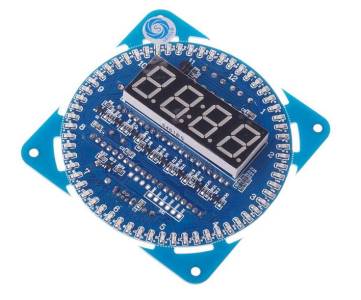
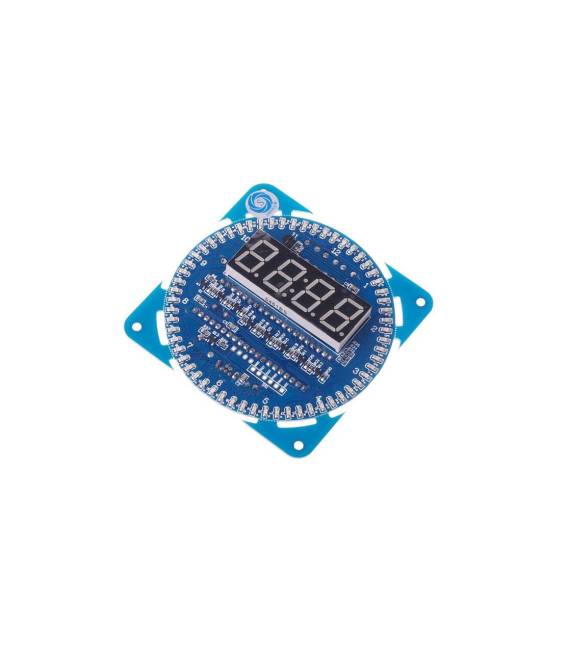
The DIY DS1302 Kit is a kit to build an electronic clock with a rotating LED display. It is designed for programmers and makers who want to learn and experiment.
Features
- DS1302 RTC Module
- Rotating LED Display
- 51 SCM Learning Board
What it is for
The kit allows you to create a simple digital clock with a rotating LED display that automatically updates the time and date. It is suitable for beginners and intermediates who want to explore time programming and I2C interface.
Tutorial: How to Use DS1302 Clock Kit with LED
This kit is ideal for those who want to learn how to create an electronic clock with a rotating LED display. It is suitable for beginners and intermediates who wish to explore time programming and I2C interface.
What you need
- Arduino Uno
- USB Connections
- Jumper Connections
- DS1302 Clock Kit with LED
Steps
- Connect the DS1302 clock kit with LED to the Arduino using jumper connectors.
- Check the power and data pins of the DS1302 clock kit on the datasheet.
- Load an Arduino sketch that supports the DS1302 clock and I2C interface.
- Configure the DS1302 clock and the rotating LED display in the code.
- Check the time and date on the rotating LED display.
- Test the automatic clock update functionality.
- Check the datasheet for any additional settings.
- Test the kit with various scenarios to understand its full capabilities.
Example code
/* Uno sketch di esempio per inizializzare l'orologio DS1202 e il display LED rotante */
#include <Wire.h>
#include <RTClib.h>

RTC_DS1302 rtc;

void setup() {
  Wire.begin();
  rtc.begin();
  Serial.begin(9600);
}

void loop() {
  DateTime now = rtc.now();
  Serial.print(now.hour());
  Serial.print(':');
  Serial.println(now.minute());
}
Mini project
Create a simple digital clock with a rotating LED display that automatically updates the time and date.
Common mistakes
- Connect the clock kit pins incorrectly.
- Do not load the correct sketch for the clock kit.
- Do not configure the DS1302 clock correctly.
- Do not check the rotating LED display for operational errors.
Recommended accessories
- Arduino Uno
- Jumper Connections
- USB Connections
- Electronic Prototyping Kit
Frequently asked questions
What is the power supply voltage for the DS1302 clock kit?
Check the datasheet of the DS1302 clock kit.
How can I configure the DS1302 clock?
Use the begin() method in the code to configure the DS1302 clock.
Which libraries are required to use the DS1302 clock kit?
Requires the libraries Wire.h and RTClib.h.



Reviews
There are no reviews yet.