 EN
 IT Italiano
 ES Español
 FR Français
 DE Deutsch
Description
What it is
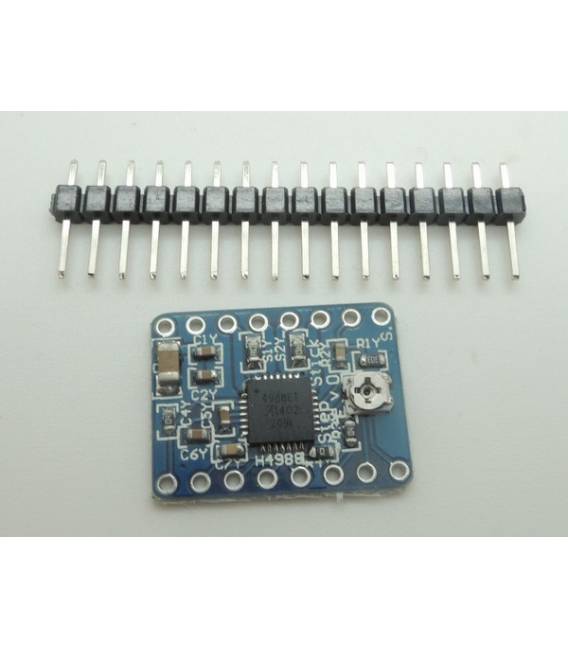
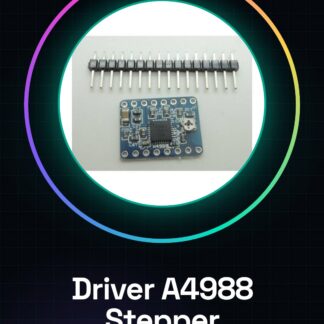
The A4988 Driver is an integrated circuit dedicated to the control of stepper motors. It is a fundamental component for the movement of components in 3D printers, CNC machines, and other devices that require precise and controlled movements.
Features
- Stepper motor connection
- Compatibility with Arduino and other microcontrollers
- Speed regulation
- Overload and short circuit protection
What it is for
The A4988 Driver is ideal for controlling stepper motors used in 3D printers, CNC machines, and other robotics projects. It allows defining the rotation speed and direction of the motor, ensuring precision and reliability. It is compatible with microcontrollers such as Arduino and ESP.
Tutorial: How to use A4988 Driver
The A4988 Driver is essential for controlling stepper motors used in 3D printers and CNC machines. It is ideal for beginner and intermediate makers.
What you need
- A4988 Driver
- Stepper Motors
- Arduino or compatible microcontroller
- 10kΩ Resistor
Steps
- Check the datasheet for your stepper motor specifications.
- Connect the driver’s VCC to the 5V of the Arduino.
- Connect the driver’s GND to the GND of the Arduino.
- Connect DIR to the motor direction pin.
- Connect STEP to the motor step pin.
- Connect the 10kΩ resistor between VCC and INH to protect the driver.
- Check the datasheet for the motor’s maximum current.
- Test the motor with an example sketch.
Mini project
Create a simple Arduino sketch that moves the motor forward and backward.
Common mistakes
- Connect VCC to 12V instead of 5V.
- Ignore the INH resistor.
- Do not check the motor specifications.
- Connect STEP and DIR backwards.
Recommended accessories
- Stepper Motors
- Arduino Uno
- 10kΩ Resistor
- Connection Cable
Frequently asked questions
Can the A4988 driver handle 1.8° stepper motors?
Yes, but check the datasheet for your motor’s specifications.
What are the minimum specifications for the motor?
Check the datasheet for the motor’s current and voltage range.
Can I use a different power supply than 5V?
Check the datasheet for the driver’s power supply range.
What happens if I connect the motor backwards?
The motor does not turn. Check the polarity of the motor connectors.
Reviews
There are no reviews yet.