 EN
 IT Italiano
 ES Español
 FR Français
 DE Deutsch
Description
What it is
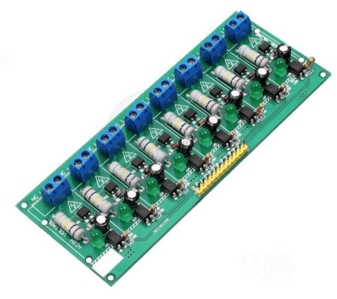
The 8-channel 220V AC optocoupler module is a device that allows the detection of voltage presence in 220V circuits in a safe and isolated manner. It provides electrical isolation between the detection circuit and the control circuit, protecting the system from potential damage due to unwanted voltages.
Features
- 8-Channel Optocoupler Module
- Works with 220V AC voltage
- 220V Optocoupler Isolation
- 220V Voltage Detection
- Connectable to PLC
What it is for
This module is ideal for home or industrial automation projects where it is necessary to detect the activation of various household appliances or industrial equipment and send this information to a control system such as Arduino or ESP. It can be used to create a home control system that monitors the activation of various electrical devices.
Tutorial: How to Use 8-Channel 220V Optocoupler Module
The 8-channel 220V optocoupler module is useful for safely and isolatedly detecting the presence of voltage in 220V circuits. Ideal for home or industrial automation projects.
What you need
- Arduino Uno or compatible
- 220V power supply cable
- Protection resistors
- Connectors
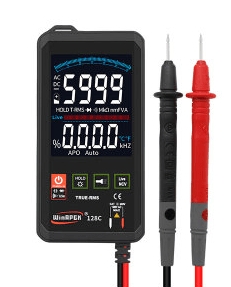
- Multimeter
- Arduino development program
Steps
- Check the operating voltage of the module on the datasheet.
- Connect the module to the 220V circuit using the connectors and protection resistors.
- Connect the module to an Arduino or PLC.
- Write an Arduino sketch to read the state of the channels.
- Verify the proper functioning of the module with a multimeter.
- Test the module with various voltages to check its stability.
- Implement the detection features in a larger project.
- Document the project and share it with the maker community.
Example code
void setup() {
  Serial.begin(9600);
}

void loop() {
  int val = digitalRead(pin); // Verifica sul datasheet il pin corretto
  Serial.println(val);
}
Mini project
Create a home control system that detects the activation of various appliances and sends information to the Arduino.
Common mistakes
- Do not check the operating voltage of the module before use.
- Do not use protective resistors.
- Connect the module without isolation.
- Do not test the stability of the module with different voltages.
Recommended accessories
- Protective resistors
- Connections suitable for 220V
- Multimeter
- Arduino Uno or compatible
Frequently asked questions
Can the module be used with voltages below 220V?
Check the datasheet to see if the module supports voltages below 220V.
What are the advantages of photo-coupler isolation?
Isolation protects the electronic circuit from electrical shocks.
How can I connect the module to a PLC?
Connect the module pins to the corresponding PLC inputs.
Reviews
There are no reviews yet.