 EN
 IT Italiano
 ES Español
 FR Français
 DE Deutsch
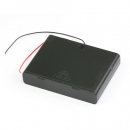
Description
What it is
The 6xAA Battery Holder with On/Off Switch and Cover is a power supply device designed to hold up to six AA batteries. This battery holder offers the convenience of an integrated on/off switch that allows you to activate or deactivate the power flow, making it easier to use and maintain the device.
Features
- Capacity: 6 AA batteries
- Integrated on/off switch
- Protective cover for batteries
What it is for
This battery holder is ideal for powering Arduino projects and other electronic devices that require a power source from six AA batteries. It is particularly useful for beginner and intermediate makers, offering an economical and efficient option for managing the power of their projects.
Tutorial: How to Use the 6xAA Battery Holder with On/Off Switch and Cover
This battery holder is ideal for powering Arduino projects and electronic devices that require 6 AA batteries. Useful for beginner and intermediate makers.
What you need
- 6xAA Battery Holder with Push Button and Cover
- 6 AA batteries
- Arduino or compatible electronic device
- Multimeter (optional)
Steps
- 1. Check that each battery has at least 1.2V.
- 2. Remove the battery holder cover.
- 3. Insert the AA batteries in series inside the battery holder.
- 4. Check the connection with the multimeter.
- 5. Replace the cover.
- 6. Connect the battery holder to your Arduino or electronic device.
- 7. Check the datasheet to see if your device requires an external power supply.
- 8. Press the button to check the current.
Mini project
Build a simple battery counter with a 7-segment display and an Arduino.
Common mistakes
- Do not use batteries with a voltage lower than 1.2V.
- Do not connect the batteries backwards.
- Do not forget to check the connection with the multimeter.
- Do not turn on the switch without connecting the battery holder to the device.
Recommended accessories
- 7-segment display
- Multimeter
- Connection cable
- Arduino Uno
Frequently asked questions
Can I use rechargeable AA batteries?
Yes, but check the maximum recommended voltage on your device’s datasheet.
What does the button do?
It is used to check the current or to interrupt the circuit in case of overload.
Can I use alkaline batteries or Li-ion batteries?
Check your device’s datasheet. Using incompatible batteries can damage the circuit.
Reviews
There are no reviews yet.