 EN
 IT Italiano
 ES Español
 FR Français
 DE Deutsch
Description
What it is
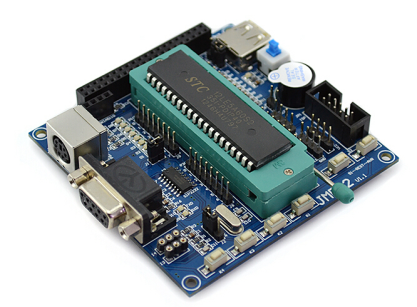
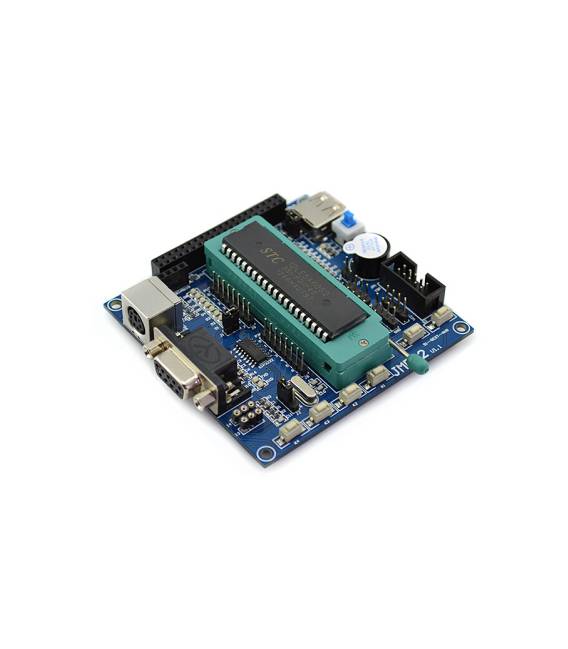
The 51 MCU JME-2 Core Board development board is a printed circuit board designed for electronic project development, particularly for robotic and intelligent vehicle projects.
Features
- Core: JME-2
- Microcontroller: 51 MCU
- SKU: ARD005918
- Price: 18.31 €
What it is for
The JME-2 Core Board is ideal for building simple rovers. You can connect DC motors and distance sensors to create an autonomous vehicle capable of avoiding obstacles. The board is compatible with Arduino, allowing you to take advantage of the development environment and the vast Arduino user community.
Tutorial: How to Use 51 MCU JME-2 Core Board Development Board
The 51 MCU JME-2 Core Board development board is ideal for anyone who wants to explore programming and electronics using microcontrollers. It is particularly useful for robotics, intelligent vehicle, or rover projects.
What you need
- 51 MCU JME-2 Core Board Development Board
- USB connector
- External power supply (check the datasheet)
- Computer with development software installed
Steps
- Connect the board to the computer via the USB connector.
- Install the Arduino IDE and upload the example sketch for the microcontroller 51.
- Check that the integrated LEDs on the printed circuit board are on or off as expected by the sketch.
- If necessary, connect an external power supply to power the board (check the datasheet).
- Explore the features of the microcontroller 51 through code examples included in the Arduino IDE.
Example code
// Esempio base: accendere e spegnere un LED collegato a una porta digitale
void setup() {
  pinMode(LED_BUILTIN, OUTPUT);
}

void loop() {
  digitalWrite(LED_BUILTIN, HIGH);   // Accende il LED
  delay(1000);                       // Attende per un secondo
  digitalWrite(LED_BUILTIN, LOW);    // Spengere il LED
  delay(1000);                       // Attende per un secondo
}
Mini project
Build a simple rover base with the JME-2 Core Board. Connect DC motors and distance sensors to create an autonomous vehicle that avoids obstacles.
Common mistakes
- Connect the external power supply without checking the specifications.
- Do not upload the correct sketch to the microcontroller 51.
- Ignore the datasheet documentation for the USB connector and power supply.
Recommended accessories
- Test connections
- Prototype board
- DC motors
Frequently asked questions
What is the required supply voltage?
Check the datasheet.
Where can I find code examples for this microcontroller?
In the Arduino IDE, look under ‘File > Examples > Atmel.’
Reviews
There are no reviews yet.