 EN
 IT Italiano
 ES Español
 FR Français
 DE Deutsch
Description
What it is
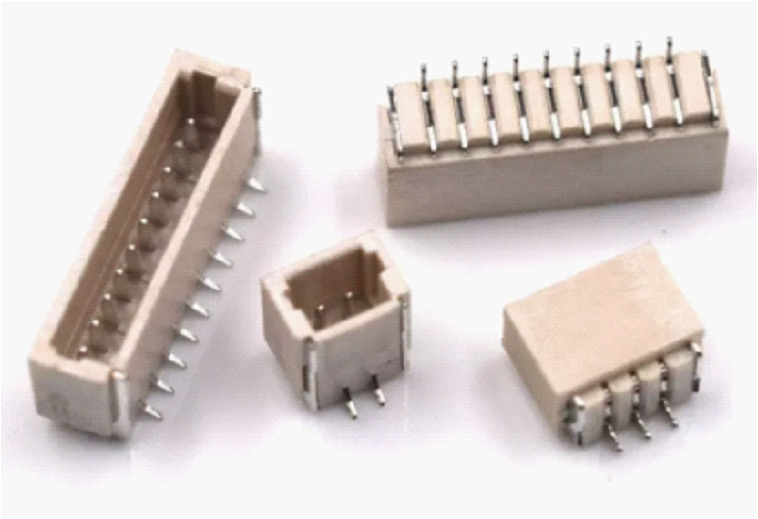
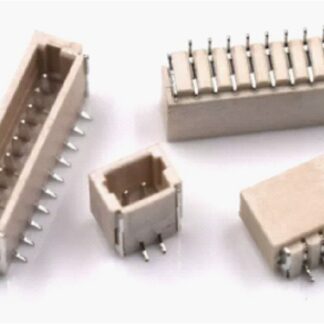
The PCB 2P SH1.0 vertical connector is a component used to establish secure and stable connections between PCBs and other electronic components. This connector is ideal for electronics projects that require easy connection between different parts of a circuit.
Features
- Type: PCB 2P SH1.0 vertical connector
- Number of contacts: 2
- Contact spacing: SH1.0 (1.0 mm)
- Position: Vertical
What it is for
This connector is used to connect PCBs to each other or to connect electronic components to a board. It is compatible with Arduino projects and other microcontrollers, offering a robust and reliable connection solution. It can be used to create simple test circuits or to integrate additional components into more complex projects.
Tutorial: How to use PCB 2P SH1.0 Vertical Connector
The PCB 2P SH1.0 vertical connector is an essential component for electronic projects that require stable and secure connections between boards. This connector is ideal for beginner and intermediate makers who want to create robust connections between their PCB boards.
What you need
- Electronic projects
- Connections between boards
- Arduino projects
- 3D printing
- Drone projects
Steps
- Check the datasheet dimensions of the connector to ensure it fits your PCB board.
- Use a soldering iron and the appropriate copper wire to connect the connector to the board.
- Check the connection by ensuring that the contacts are well soldered and there are no short circuits.
- Verify the connector connectivity using a multimeter or multiettolampada.
- If necessary, apply a protective coating to the connector to prevent corrosion or other damage.
- Check the stability of the connector to ensure it does not move when the board is mounted.
- Test the connection with a simple circuit to ensure the connector works correctly.
Mini project
Create a simple test circuit using two PCB boards and a vertical PCB 2P SH1.0 connector to verify connectivity and connection stability.
Common mistakes
- Poor soldering connections
- Connector dimensions incompatible with the board
- Unstable connections
- Corrosion issues
Recommended accessories
- Soldering iron
- Copper wire
- Multimeter
- Protective coating
Frequently asked questions
How can I verify that the connector is compatible with my board?
Check the datasheet of the connector and the board to ensure that the dimensions and contacts are compatible.
What tools are needed to install the connector?
Soldering iron, copper wire, multimeter, and protective coating.
What precautions should I take during installation?
Make sure that the contacts are well soldered and that there are no short circuits. Check the stability of the connector.
Reviews
There are no reviews yet.