 EN
 IT Italiano
 ES Español
 FR Français
 DE Deutsch
Description
What it is
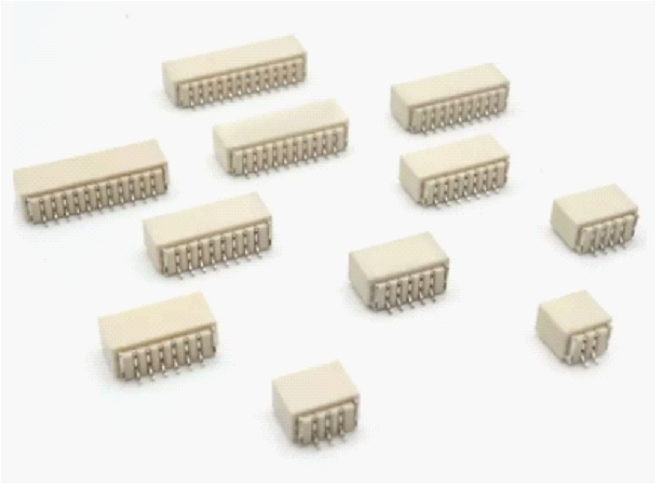
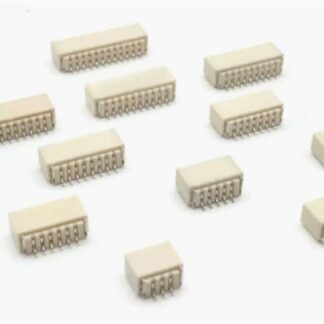
The SH1.0 horizontal 7P PCB connector is an electronic component used to establish secure and modular connections between different circuit boards. This type of connector is particularly suitable for projects that require a horizontal connection layout.
Features
- Number of poles: 7
- Connector type: SH1.0
- Orientation: horizontal
- SKU: ARD0012761
What it is for
Horizontal SH1.0 7P PCB connectors are ideal for projects that require stable and modular connections, such as creating remote control modules for devices like projectors or Blu-ray players. They are compatible with various Arduino and ESP32-based projects.
Tutorial: How to use SH1.0 horizontal 7P PCB connector
The SH1.0 horizontal 7P PCB connector is a fundamental component for robust connections between electronic boards. Ideal for projects requiring stable and modular connections, it is suitable for beginner and intermediate makers.
What you need
- PCB boards
- electronic power supply
- connection cable
Steps
- Check the datasheet for the type of connector required.
- Position the connector on the side of the PCB board where you want to make the connection.
- Use the soldering iron to solder the connector to the PCB board.
- Check that the contacts are well soldered and that there are no short circuits.
- Connect a connection cable to the connector to complete the connection.
- Verify connectivity using a multimeter.
- If necessary, apply thermal tape to protect the soldered contacts.
Mini project
Create a remote control module for a projector or a Blu-ray player by connecting the connector to a command button.
Common mistakes
- Do not check connectivity after soldering.
- Solder the contacts too tightly, preventing the cable from connecting.
- Do not apply thermal paste to protect the contacts.
- Use a connector that is not compatible with the PCB board.
Recommended accessories
- SH1.0 connection cable
- Thermal paste
- Multimeter
- Soldering kit
Frequently asked questions
What is the distance between the connector contacts?
Check the datasheet.
How can I avoid short circuits?
Ensure that the contacts are well separated and do not touch unintended parts of the board.
Can I use this connector with Arduino?
Yes, but make sure the connector is compatible with the Arduino board you are using.
Reviews
There are no reviews yet.