 EN
EN IT Italiano
 ES Español
 FR Français
 DE Deutsch
Description
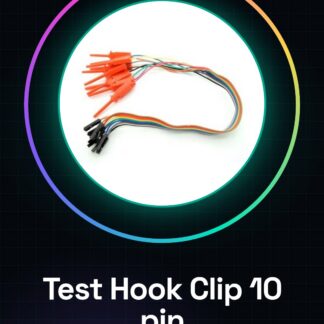
Tutorial: How to use 10 Pin Clip Test Hook with 30cm Dupont Cable Female
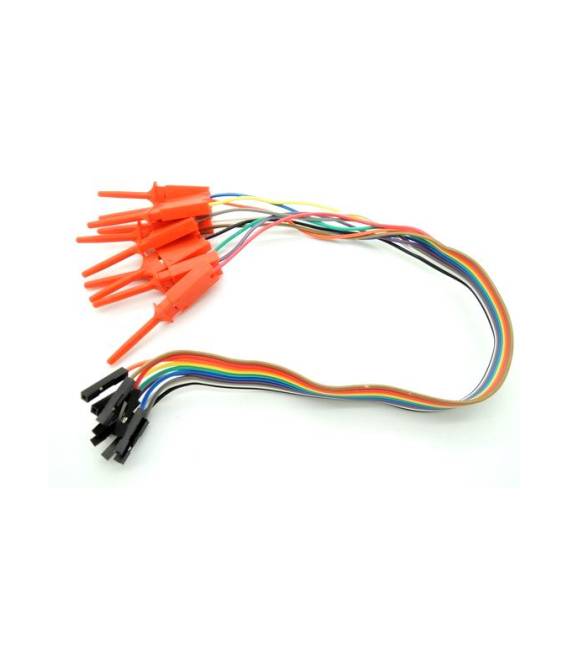
This 10 pin clip test hook is an essential accessory for Arduino makers and developers. It allows for easy connection and disconnection of components, both during design and debugging. Ideal for those learning to use Arduino or looking to improve their debugging skills.
What you need:
– Arduino Uno
– Circuit to test
Steps:
1. Connect the test hook to the circuit using the clip pins.
2. Verify the correct pin connection between the test hook and the circuit using a multimeter or LED.
3. Use the Dupont cable to connect the test hook to the Arduino or other test components.
Mini-project: [‘Design a simple debug interface with the Arduino. Connect the test hook pins to an LCD display to show sensor data.’, ‘Estimated time: 30 minutes’]
Common errors:
– Not verifying pin connections before use.
– Using the test hook with incompatible voltage.
– Omitting the use of a multimeter to check connections.
Recommended accessories:
– Arduino Uno
– 16×2 LCD
– Multimeter
Frequently asked questions:
– Which circuit pins can I test with this test hook? Check the datasheet of the component or specific circuit for usable pins.
– How can I protect myself from electrical shocks while using the test hook? Ensure you are not working on high-voltage circuits without appropriate precautions, such as insulating gloves or a safe environment.
Reviews
There are no reviews yet.