 EN
 IT Italiano
 ES Español
 FR Français
 DE Deutsch

Description
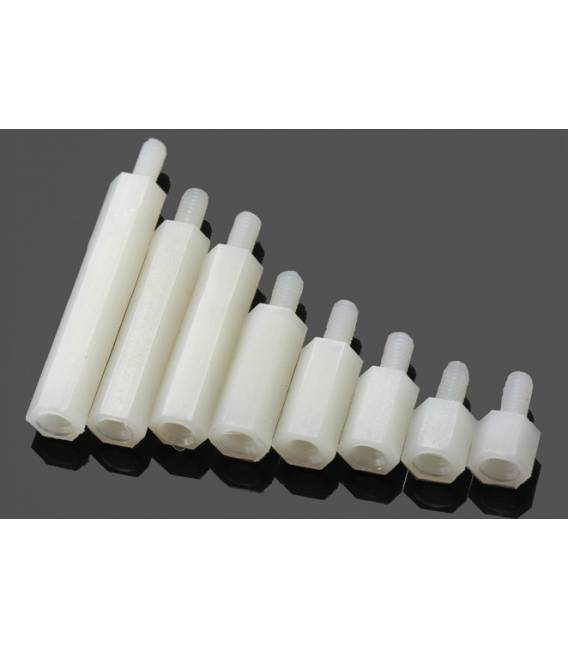
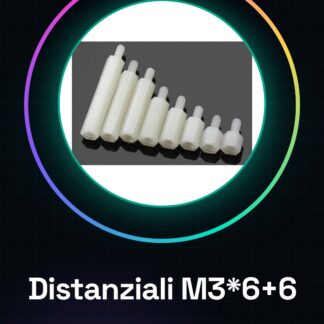
We have datasheets available for all components, if not present in the product download card, send us a message through the contact us module and we will publish it as soon as possible on the website. 10PCS Nylon column M3*6+6
Tutorial: How to use Spacers M3*6+6
The spacers M3*6+6 are useful for maintaining a constant distance between two components in 3d printers and CNC machines. Ideal for beginners and intermediates.
What you need
- Spacers M3*6+6
- Nut M3
- Bolt M3
- Collar M3
Steps
- Check the datasheet for the specifications of M3*6+6.
- Take a spacer M3*6+6.
- Insert the wide end of the spacer into the bolt M3.
- Place the spacer in the nut M3.
- Insert a small M3 screw into the center of the spacer.
- Check that the spacer moves easily between the two components.
- Repeat for all necessary spacers.
- Verify that the distance between the components is uniform.
Mini project
Mount a spacer between the 3d printer and the filament holder to maintain a constant filament distance during use.
Common mistakes
- Use spacers of different sizes.
- Do not check M3 compatibility.
- Do not use compression screws.
- Do not verify the distance between components.
Recommended accessories
- M3 screws
- M3 rod
- M3 nut
- M3 washer
Frequently asked questions
How can I check M3 compatibility?
Check that the diameter of your parts is exactly 1.6 mm.
Can I use spacers of different lengths?
Make sure the length is compatible with the required distance.
Can I use these spacers also in a laser?
Check if the distance is appropriate for your laser device.
Do I need other tools?
An M3 nut and an M3 rod are sufficient.


Reviews
There are no reviews yet.