 EN
 IT Italiano
 ES Español
 FR Français
 DE Deutsch
Description
Technical Description
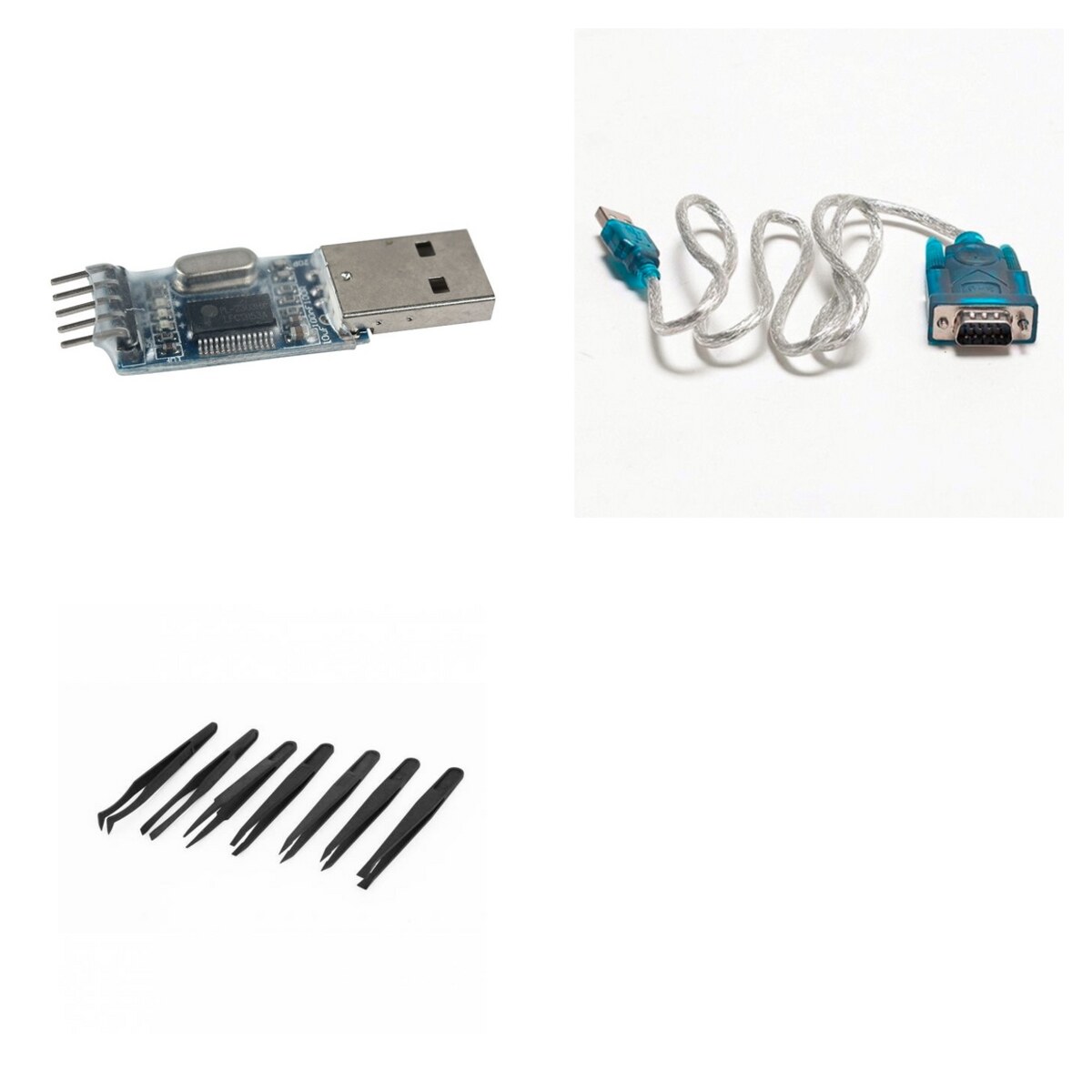
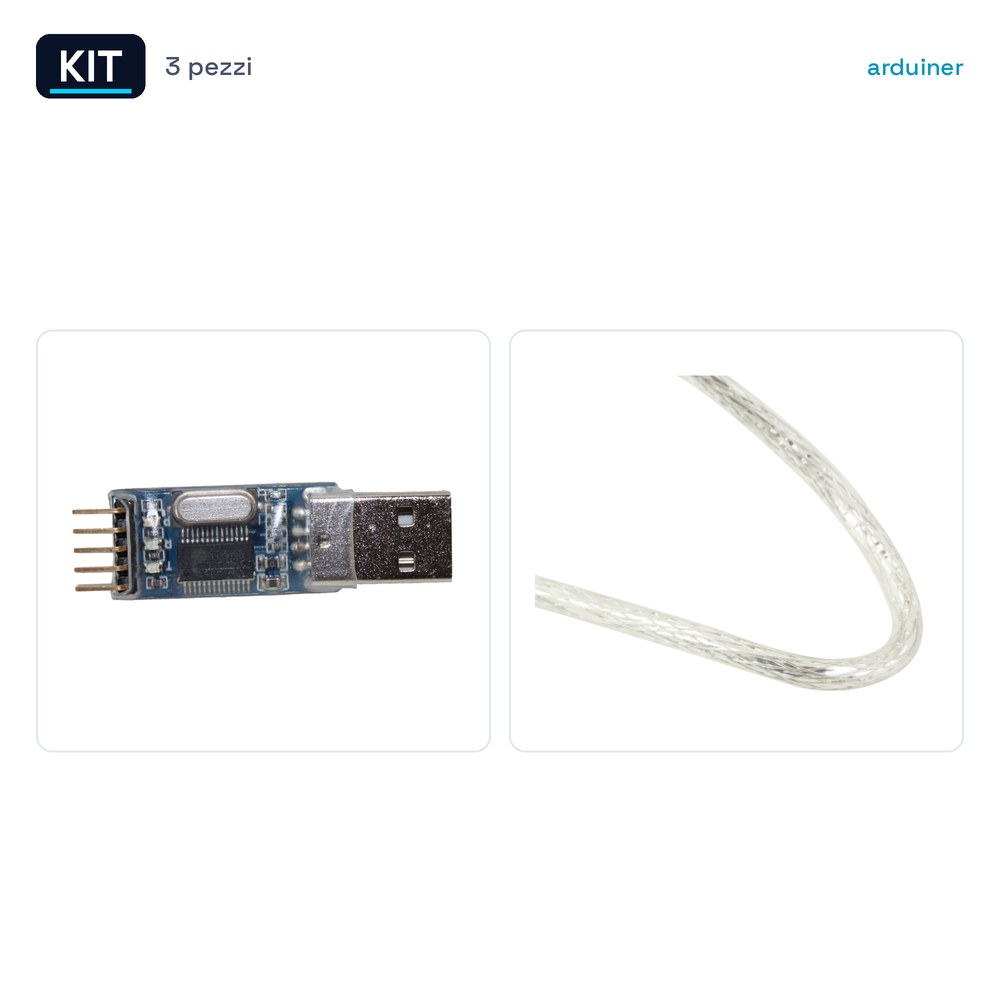
The PL2303 USB to TTL Serial Adapter + USB to RS232 Converter Cable + Anti-static Pliers Kit is a set of tools useful for programming and serial communication. The PL2303 converter allows connecting TTL devices to standard USB ports, while the RS232 cable enables connecting serial devices to a USB port. Anti-static pliers are essential for protecting sensitive components during handling.
The PL2303 converter is designed to provide bidirectional TTL serial communication between a microcontroller or serial module and a computer’s USB port. The RS232 cable has one end with a USB connector and the other with a DB9 connector, allowing serial devices to be connected to a computer.
This kit is particularly useful for developers, hobbyists, and professionals who work with microcontrollers and printed circuit boards that require serial communication for programming and debugging.
Key Specifications
| Parameter | Value |
| Model | PL2303 |
| Quantity | 1 |
| Supply Voltage | N/D (see manufacturer’s datasheet) |
| Interface | USB |
| Dimensions | N/D (see manufacturer’s datasheet) |
| Package | Kit in plastic packaging |
| Model | USB to RS232 Serial Converter Cable DB9 9 pin |
| Quantity | 1 |
| Supply Voltage | N/D (see manufacturer’s datasheet) |
| Interface | USB |
| Dimensions | N/D (see manufacturer’s datasheet) |
| Container | Kit in plastic packaging |
| Model | Plastic Flat Tip Anti-static Pliers Set 7 Pieces |
| Quantity | 1 |
| Supply Voltage | N/D (see manufacturer’s datasheet) |
| Interface | N/D (see manufacturer’s datasheet) |
| Dimensions | N/D (see manufacturer’s datasheet) |
| Container | Kit in plastic packaging |
Installation and Usage
- Connect the PL2303 converter to a USB port on the computer.
- Connect the RS232 cable to the PL2303 converter and the serial device.
- Check that the serial device is properly powered.
- Open a serial communication software such as PuTTY or Tera Term.
- Configure the software to use the USB port as a serial port.
- Perform a serial communication test.
Compatibility and Requirements
- The PL2303 converter is compatible with Windows, Linux, and Mac OS operating systems.
- The RS232 cable can be used with serial devices that use the DB9 connector.
- The static-safe tweezers can be used on any sensitive electronic component.
Limitations and Important Notes
- The PL2303 converter does not support bidirectional serial communication without a microcontroller or a serial module.
- The RS232 cable is not designed to support power supply voltages.
- The anti-static tweezers are not suitable for handling large or heavy electronic components.
Troubleshooting
The PL2303 converter is not recognized by the computer.
Probable cause: The PL2303 driver is not installed correctly.
Solution: Download and install the PL2303 driver from the manufacturer’s website.
Serial communication does not work.
Probable cause: The serial device is not properly connected.
Solution: Check the connections of the RS232 cable and the serial device.
The anti-static tweezers do not work.
Probable cause: The tweezers are damaged.
Solution: Replace the anti-static tweezers.
The PL2303 converter overheats.
Probable cause: The converter is overloaded.
Solution: Check that the serial device is not drawing too much current.
Use cases
Parking Sensor for Garage
Objective: Program a distance sensor to monitor parking level.
What’s needed: PL2303 converter, RS232 cable.
Steps: 1) Connect the PL2303 converter to the distance sensor. 2) Configure the serial communication software. 3) Program the distance sensor. 4) Verify serial communication.
Expected result: The distance sensor sends data to the computer.
Remote Climate Monitoring
Objective: Collect climate data from a remote sensor.
What’s needed: PL2303 converter, RS232 cable.
Steps: 1) Connect the PL2303 converter to the climate sensor. 2) Configure the serial communication software. 3) Collect climate data. 4) Send data to the server.
Expected result: Climate data is sent to the server.
Lab Access Control
Objective: Control access to a lab with a card reader.
What’s needed: PL2303 converter, RS232 cable.
Steps: 1) Connect the PL2303 converter to the card reader. 2) Configure the serial communication software. 3) Verify access. 4) Send access data to the system.
Expected result: Access data is sent to the system.
Printed Circuit Board Integrity Test
Objective: Verify the integrity of a printed circuit board.
What’s needed: Static-safe tweezers.
Steps: 1) Use static-safe tweezers to handle components. 2) Verify correct component connections. 3) Verify the integrity of the printed circuit board.
Expected result: The printed circuit board is intact.
Programming a microcontroller
Objective: Program a microcontroller for a home automation project.
What’s needed: PL2303 converter, RS232 cable.
Steps: 1) Connect the PL2303 converter to the microcontroller. 2) Configure the serial communication software. 3) Program the microcontroller. 4) Verify serial communication.
Expected result: The microcontroller executes the programmed code.
Security system monitoring
Objective: Monitor a security system with a motion sensor.
What’s needed: PL2303 converter, RS232 cable.
Steps: 1) Connect the PL2303 converter to the motion sensor. 2) Configure the serial communication software. 3) Collect motion data. 4) Send data to the security system.
Expected result: Motion data is sent to the security system.
Serial module testing
Objective: Verify the proper functioning of a serial module.
What’s needed: PL2303 converter, RS232 cable.
Steps: 1) Connect the PL2303 converter to the serial module. 2) Configure the serial communication software. 3) Verify serial communication. 4) Verify the correct functioning of the serial module.
Expected result: The serial module functions correctly.
Programming an industrial control system
Objective: Program an industrial control system with a microcontroller.
What’s needed: PL2303 converter, RS232 cable.
Steps: 1) Connect the PL2303 converter to the microcontroller. 2) Configure the serial communication software. 3) Program the microcontroller. 4) Verify serial communication.
Expected result: The industrial control system executes the programmed code.
In the package
- Kit in plastic packaging
Complete the project
- PL2303 USB to TTL Serial Programmer Adapter with STC microcontroller: The USB 2.0 to TTL/RS232 TTL UART converter module with 6-pin and CH340G chip is another option for serial communication.
- USB 2.0 to TTL/RS232 TTL UART Converter Module 6 Pin with CH340G Chip: The USB to RS232 serial converter cable DB9 9-pin is another option for serial communication.
- USB 2.0 to TTL/RS232 TTL UART Converter Module 5 Pin with CH340G Chip: The plastic flat-tip static-safe tweezers set of 7 pieces are essential for protecting sensitive components during handling.
Technical FAQs
Why is the PL2303 converter not recognized by the computer?
Check that the PL2303 driver is installed correctly.
How to check serial communication?
Use a serial communication software like PuTTY or Tera Term to check serial communication.
What are the limitations of the PL2303 converter?
The PL2303 converter does not support bidirectional serial communication without a microcontroller or a serial module.
How to check the integrity of a printed circuit board?
Use static-safe tweezers to handle components and verify the proper connection of components.
Reviews
There are no reviews yet.