 EN
 IT Italiano
 ES Español
 FR Français
 DE Deutsch
Description
Technical Description
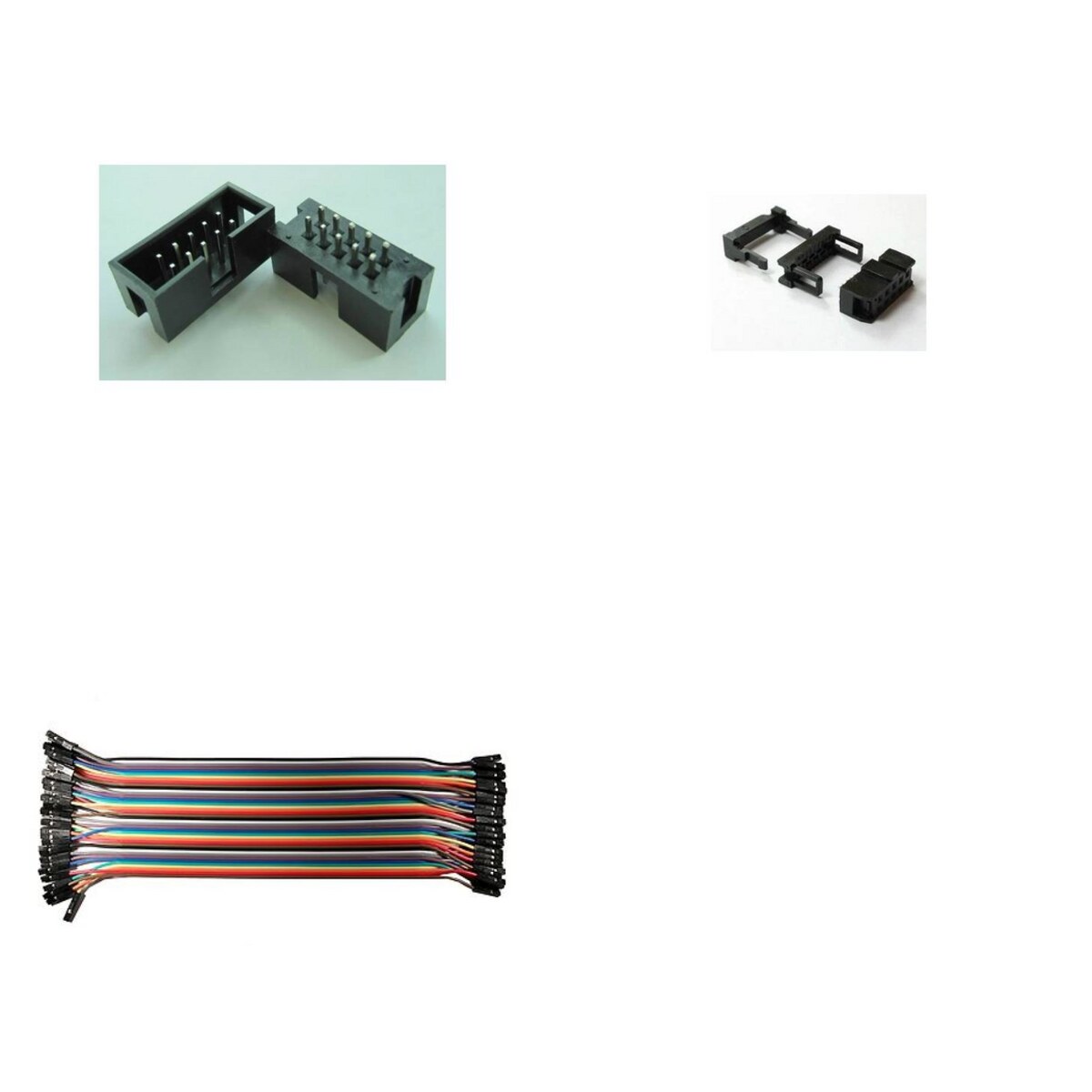
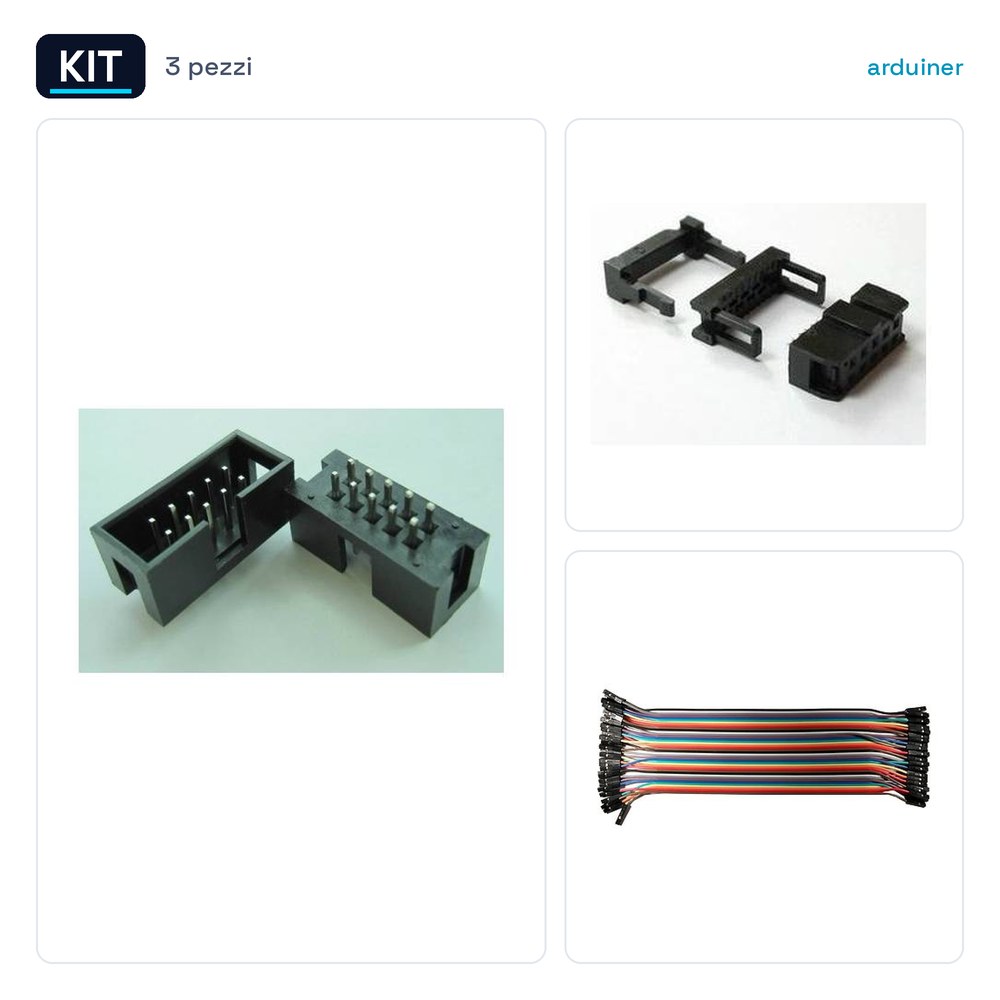
The DC3-10P IDC and Jumper 20cm Kit includes IDC connectors and jumper cables used for connecting various electronic devices. The IDC connectors are suitable for connecting flat cables to boards or other devices, while the 20cm jumper cables with female-to-female connectors are useful for connecting specific points on a board or for testing circuits.
The DC3-10P connectors have a pitch of 2.54mm and can be used for connecting IDC flat cables to female sockets, allowing for stable and secure connections. The 20cm jumper cables with female-to-female connectors are suitable for quick and temporary connections between test points or for circuit configuration.
This kit is useful for electronic prototyping projects, circuit testing, and temporary connections between devices.
Key Specifications
| Parameter | Value |
| Model | DC3-10P IDC and Jumper 20cm Connector Kit |
| Quantity | 4 pieces |
| Pitch | 2.54mm |
| Number of poles | 10 |
| Connector type | IDC, Jumper |
| Length of jumper wires | 20cm |
| Connector type of jumper wires | Female-Female |
| Container | N/D (see manufacturer’s technical sheet) |
Installation and Usage
- Ensure that the DC3-10P connectors are properly positioned on the IDC flat cable.
- Connect the IDC connectors to the female sockets.
- Use the jumper wires to connect test points or to configure circuits.
- Check the stability and proper connection of the connectors.
- Perform a functionality test to ensure that the connections are correct.
Compatibility and Requirements
- The kit is compatible with boards and other electronic devices that use IDC connectors and female sockets.
- An IDC flat cable is required to connect the DC3-10P connectors.
- Jumper cables can be used with any device that requires temporary or test connections.
Limitations and Important Notes
- The DC3-10P connectors are not designed for permanent connections.
- Jumper cables are not suitable for long-distance connections.
- Ensure that the connectors are adequately protected from mechanical damage.
- Use only compatible connectors and jumper cables to avoid device damage.
Troubleshooting
The connectors do not connect properly.
Probable cause: Incorrect position or damage to the connectors.
Solution: Check the position and integrity of the connectors.
The jumper wires do not work.
Probable cause: Incorrect connection or damage to the wires.
Solution: Check the connections and replace damaged wires.
The connectors come loose easily.
Probable cause: Weak connections or mechanical damage.
Solution: Check the stability of the connectors and protect them from damage.
The jumper wires are too short.
Probable cause: Insufficient length for connections.
Solution: Use longer jumper wires or alternative connections.
Use cases
Parking sensor for the garage
Objective: Connect a distance sensor to a board.
What is needed: IDC connector and jumper wire.
Steps: 1) Connect the sensor to the IDC cable. 2) Connect the IDC cable to the board. 3) Use jumper wires to connect test points.
Expected result: The distance sensor is correctly connected to the board.
Testing an electronic circuit
Objective: To verify the correct functioning of a circuit.
What is needed: Jumper wires.
Steps: 1) Connect the test points with jumper wires. 2) Verify the correct connection. 3) Perform the circuit test.
Expected result: The circuit test was performed correctly.
Prototype project
Objective: To connect various components for a prototype.
What is needed: IDC connector and jumper wires.
Steps: 1) Connect the components to the IDC cable. 2) Connect the IDC cable to the board. 3) Use jumper wires to connect the test points.
Expected result: The prototype was correctly connected.
Home security system
Objective: To connect a motion detector to a security system.
What is needed: IDC connector and jumper wires.
Steps: 1) Connect the detector to the IDC cable. 2) Connect the IDC cable to the alarm system. 3) Use jumper cables to connect the test points.
Expected result: The motion detector is correctly connected to the alarm system.
Testing a power supply circuit
Objective: To verify the correct functioning of a power supply circuit.
What is needed: Jumper cables.
Steps: 1) Connect the test points with jumper cables. 2) Verify the correct connection. 3) Perform the circuit test.
Expected result: The power supply circuit test was performed correctly.
Home automation project
Objective: To connect a light sensor to a control system.
What is needed: IDC connector and jumper cables.
Steps: 1) Connect the sensor to the IDC cable. 2) Connect the IDC cable to the control system. 3) Use jumper cables to connect the test points.
Expected result: The light sensor is correctly connected to the control system.
Control circuit test
Objective: To verify the proper functioning of a control circuit.
What’s needed: Jumper cables.
Steps: 1) Connect the test points with jumper cables. 2) Verify the correct connection. 3) Perform the control circuit test.
Expected result: The control circuit test was performed correctly.
Prototype project for instruction
Objective: To connect various components for a teaching prototype.
What’s needed: IDC connector and jumper cables.
Steps: 1) Connect the components to the IDC cable. 2) Connect the IDC cable to the board. 3) Use jumper cables to connect the test points.
Expected result: The teaching prototype was correctly connected.
In the package
- 4 pieces
Complete the project
- 4 Pieces IDC Ribbon Cable Connector 10 Pole 2.54MM Pitch Female Socket FC-10P: To connect DC3-10P connectors to female socket.
- 4 Pieces IDC Ribbon Cable Connector 10 Pole 2.54MM Pitch Header Socket for DC3-10P JTAG: To connect IDC connectors to female socket.
- 4 Pieces IDC Ribbon Cable Connector 16 Pole 2.54MM Pitch Female Socket FC-16P: To connect IDC connectors to female socket with a higher number of poles.
- 2 Pieces IDC Ribbon Cable Connector 40 Pole 2.54MM Pitch Female Socket FC-40P: To connect IDC connectors to female socket with a smaller number of poles.
- 2 Pieces IDC Ribbon Cable Connector 10 Pole 2.0MM Pitch Female Socket FC-10P: To connect IDC connectors to female socket with a different number of poles.
Technical FAQs
Do the DC3-10P connectors easily disconnect?
Check the stability of the connectors and protect them from mechanical damage.
Are jumper wires suitable for long-distance connections?
Jumper wires are not suitable for long-distance connections; use longer cables or alternative connections.
What are the usage limitations of DC3-10P connectors?
DC3-10P connectors are not designed for permanent connections and must be adequately protected from mechanical damage.
What are the requirements for using jumper wires?
A jumper wire is needed to connect test points or to configure temporary circuits.

Reviews
There are no reviews yet.