 EN
 IT Italiano
 ES Español
 FR Français
 DE Deutsch
Description
Technical Description
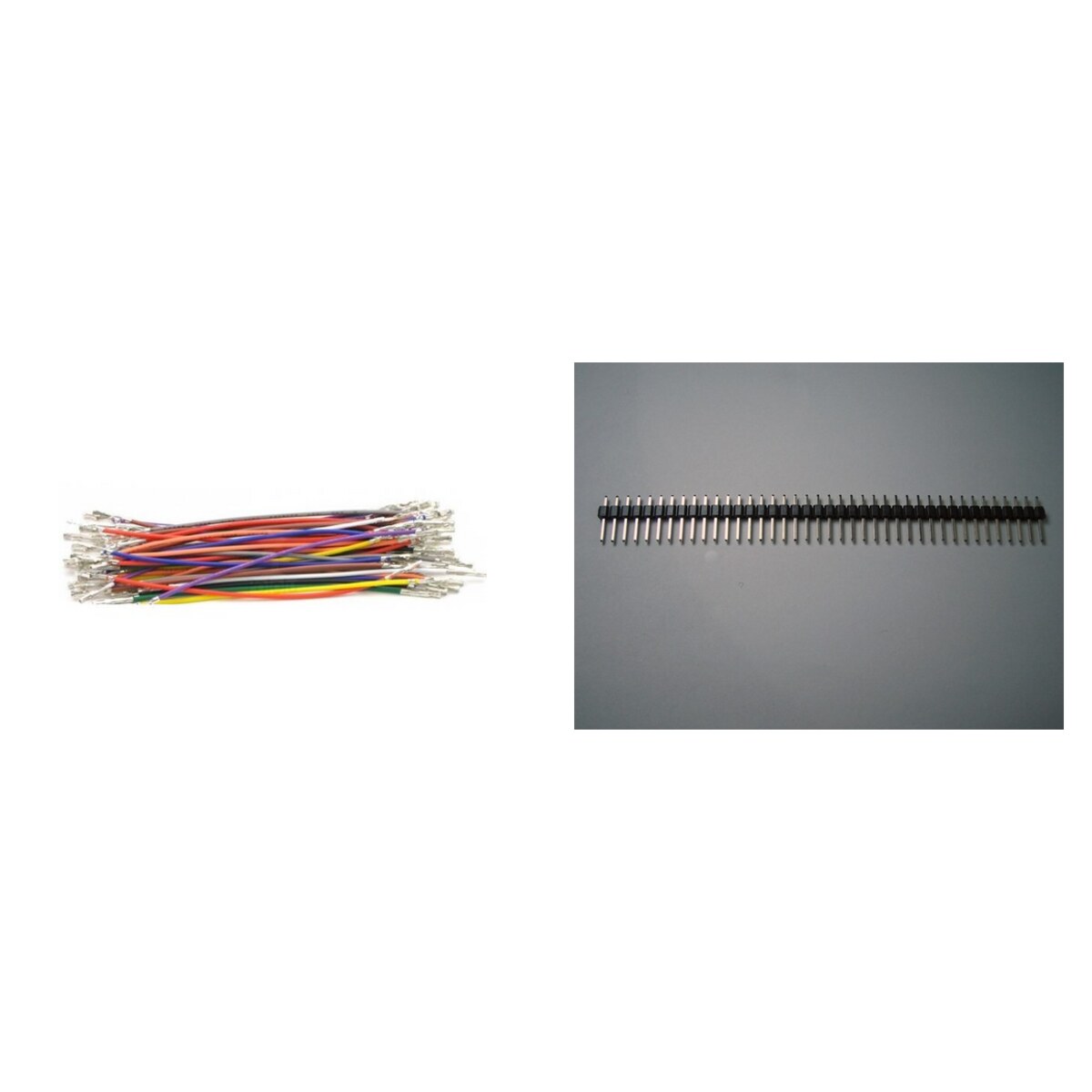
The 25-Piece Cable Set with Pre-Crimped Terminals Multicolour + 4-Piece Male Pin Header 2 + 20-Piece 6P Dupont Head is a set of electrical connectors used for the realization of electronic circuits and prototypes. The multicolour cables with pre-crimped terminals facilitate the connection between various electronic components, while the male pin headers and Dupont connectors are essential for connecting electronic boards such as Arduino.
These connectors are used to connect various electronic components to each other, allowing the creation of circuits and prototypes without having to perform manual crimping operations. The multicolour cables are marked with pre-crimped terminals that facilitate the identification and connection of various signals.
The kit is suitable for electronic prototyping projects, testing and circuit development, offering a ready-to-use solution for connecting various electronic components.
Key Specifications
| Parameter | Value |
| Model | 25-Piece Multicolored Cable Kit with Pre-Crimped Terminals + 4 Pieces Male 2-Pin Header + 20 Pieces 6P Dupont Head |
| Quantity of multicolored cables | 25 |
| Quantity of male 2-pin headers | 4 |
| Quantity of Dupont connectors | 20 |
| Interface | N/D (see manufacturer’s technical sheet) |
| Container | N/D (see manufacturer’s technical sheet) |
Installation and Usage
- Check that all connectors and cables are present in the kit.
- Select the connectors and cables needed for the project.
- Connect the multicolored cables to the electronic components using the pre-crimped terminals.
- Use the male 2-pin headers to connect the electronic boards.
- Test the connection with a multimeter to verify the integrity of the connections.
Compatibility and Requirements
- This kit is compatible with various electronic boards such as Arduino.
- A compatible connector is required to connect the various components.
- A multimeter is necessary to verify the connections.
Limitations and Important Notes
- Multicolored wires are not suitable for long-distance connections.
- Male pin headers are not suitable for permanent mechanical connections.
- Ensure the use of compatible connectors to avoid damage to the components.
- Check the electrical compatibility before using the connectors.
Troubleshooting
The connectors do not connect.
Possible cause: The connectors may be dirty or damaged.
Solution: Clean the connectors with a dry cloth and check for damage.
The multicolored wires disconnect.
Probable cause: The pre-crimped terminals may not be properly applied.
Solution: Check that the terminals are properly applied and replace the cables if necessary.
Male pin headers do not insert.
Probable cause: The connectors may not be aligned correctly.
Solution: Align the connectors and try inserting again.
DuPont Connectors connectors do not work.
Probable cause: The connectors may be damaged or dirty.
Solution: Check that the connectors are clean and undamaged.
Use cases
Home temperature sensor
Objective: Connect a temperature sensor to an Arduino board.
What is needed: Multi-color cables, male pin headers, DuPont connectors.
Steps: 1) Connect the temperature sensor to the multi-color cables. 2) Use the male pin headers to connect the cables to the Arduino board. 3) Verify the connection with a multimeter.
Expected result: The temperature sensor is correctly connected to the Arduino board.
Lighting project
Objective: Connect LEDs to an Arduino board.
What’s needed: Multicolored wires, male pin headers, Dupont connectors.
Steps: 1) Connect the LEDs to the multicolored wires. 2) Use the male pin headers to connect the wires to the Arduino board. 3) Check the connection with a multimeter.
Expected result: The LEDs are correctly connected to the Arduino board.
Home automation project
Objective: Connect motion sensors to an Arduino board.
What’s needed: Multicolored wires, male pin headers, Dupont connectors.
Steps: 1) Connect the motion sensors to the multicolored wires. 2) Use the male pin headers to connect the wires to the Arduino board. 3) Check the connection with a multimeter.
Expected result: The motion sensors are correctly connected to the Arduino board.
Environmental Monitoring Project
Objective: Connect temperature and humidity sensors to an Arduino board.
What’s needed: Multicolored wires, male pin headers, Dupont connectors.
Steps: 1) Connect the temperature and humidity sensors to the multicolored wires. 2) Use the male pin headers to connect the wires to the Arduino board. 3) Check the connection with a multimeter.
Expected result: The temperature and humidity sensors are correctly connected to the Arduino board.
Light Control Project
Objective: Connect light sensors to an Arduino board.
What’s needed: Multicolored wires, male pin headers, Dupont connectors.
Steps: 1) Connect the light sensors to the multi-colored cables. 2) Use male pin headers to connect the cables to the Arduino board. 3) Verify the connection with a multimeter.
Expected result: The light sensors are correctly connected to the Arduino board.
Environmental Conditions Monitoring Project
Objective: Connect environmental condition sensors to an Arduino board.
What you need: Multi-colored cables, male pin headers, Dupont connectors.
Steps: 1) Connect the environmental condition sensors to the multi-colored cables. 2) Use male pin headers to connect the cables to the Arduino board. 3) Verify the connection with a multimeter.
Expected result: The environmental condition sensors are correctly connected to the Arduino board.
Temperature Control Project
Objective: Connect temperature sensors to an Arduino board.
What’s needed: Multicolored cables, male pin headers, Dupont connectors.
Steps: 1) Connect the temperature sensors to the multicolored cables. 2) Use the male pin headers to connect the cables to the Arduino board. 3) Check the connection with a multimeter.
Expected result: The temperature sensors are correctly connected to the Arduino board.
Humidity control project
Objective: Connect humidity sensors to an Arduino board.
What’s needed: Multicolored cables, male pin headers, Dupont connectors.
Steps: 1) Connect the humidity sensors to the multicolored cables. 2) Use the male pin headers to connect the cables to the Arduino board. 3) Check the connection with a multimeter.
Expected result: The humidity sensors are correctly connected to the Arduino board.
In the package
- 25 pieces of multicolored cables with pre-crimped terminals
- 4 pieces of male pin headers
- 20 pieces of Dupont connectors
Complete the project
- 4 Pieces Male Pin Header 2.54 1*40 Arduino: To connect electronic components to an Arduino board.
- 20 Pieces Metal Terminal Dupont Male Crimp: To connect electronic components to an Arduino board.
- 6 Pieces Bent Header Pin Male 2.54 1*40
- 4 Pieces Blue 1*40 2.54 in gold plated copper, Male pin header
- 4 Pieces Header Pin Male 2.54 2*40
Technical FAQs
Which connectors are included in the kit?
The kit includes 25 multi-color wires with pre-crimped terminals, 4 pin headers male and 20 Dupont connectors.
How can I verify the connection of the connectors?
Use a multimeter to verify the connection of the connectors.
What are the usage limitations of the connectors?
The connectors are not suitable for long-distance connections and are not suitable for permanent mechanical connections.
How can I solve the problem of unconnectable connectors?
Clean the connectors with a dry cloth and check that they are not damaged.
Reviews
There are no reviews yet.