 EN
 IT Italiano
 ES Español
 FR Français
 DE Deutsch
Description
Technical Description
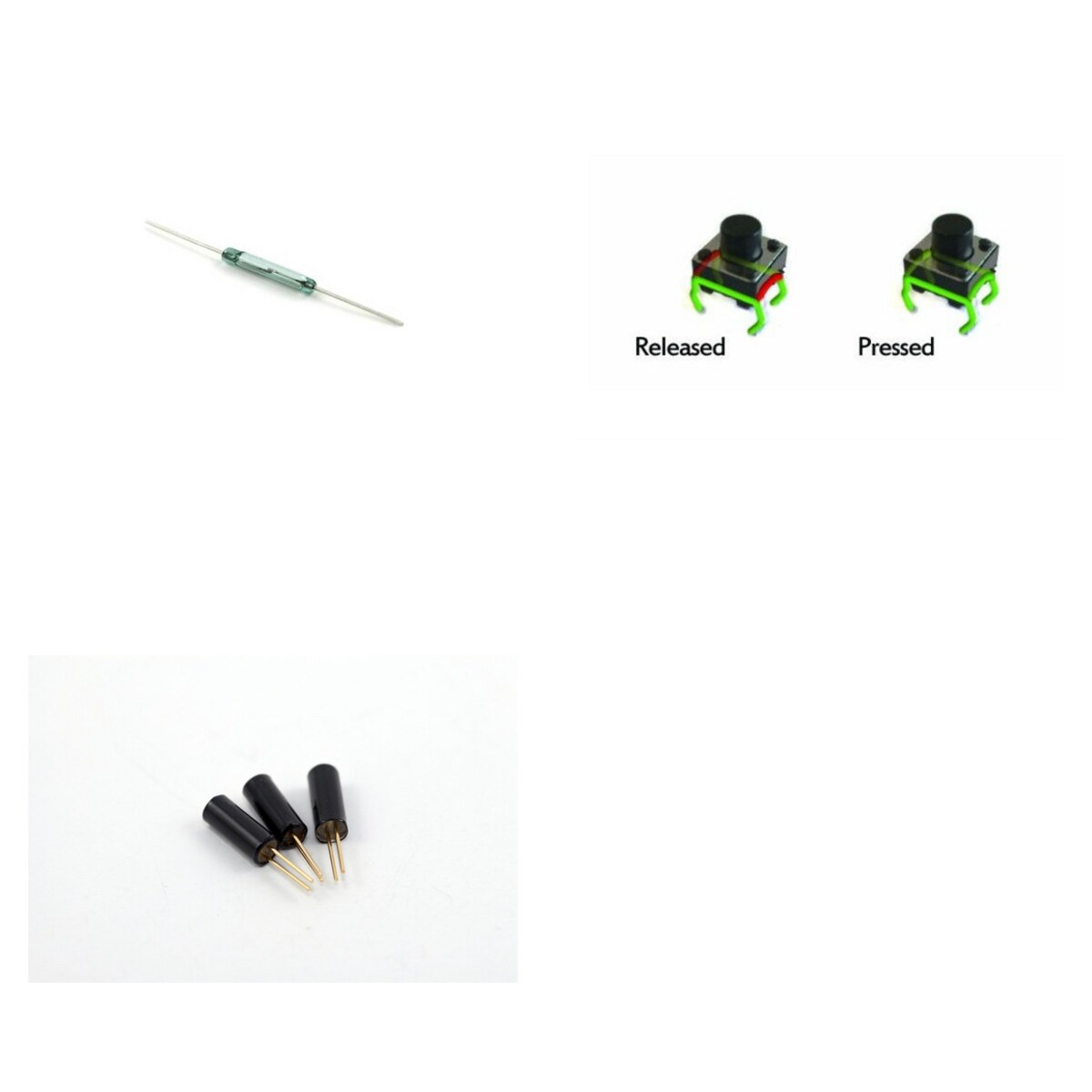
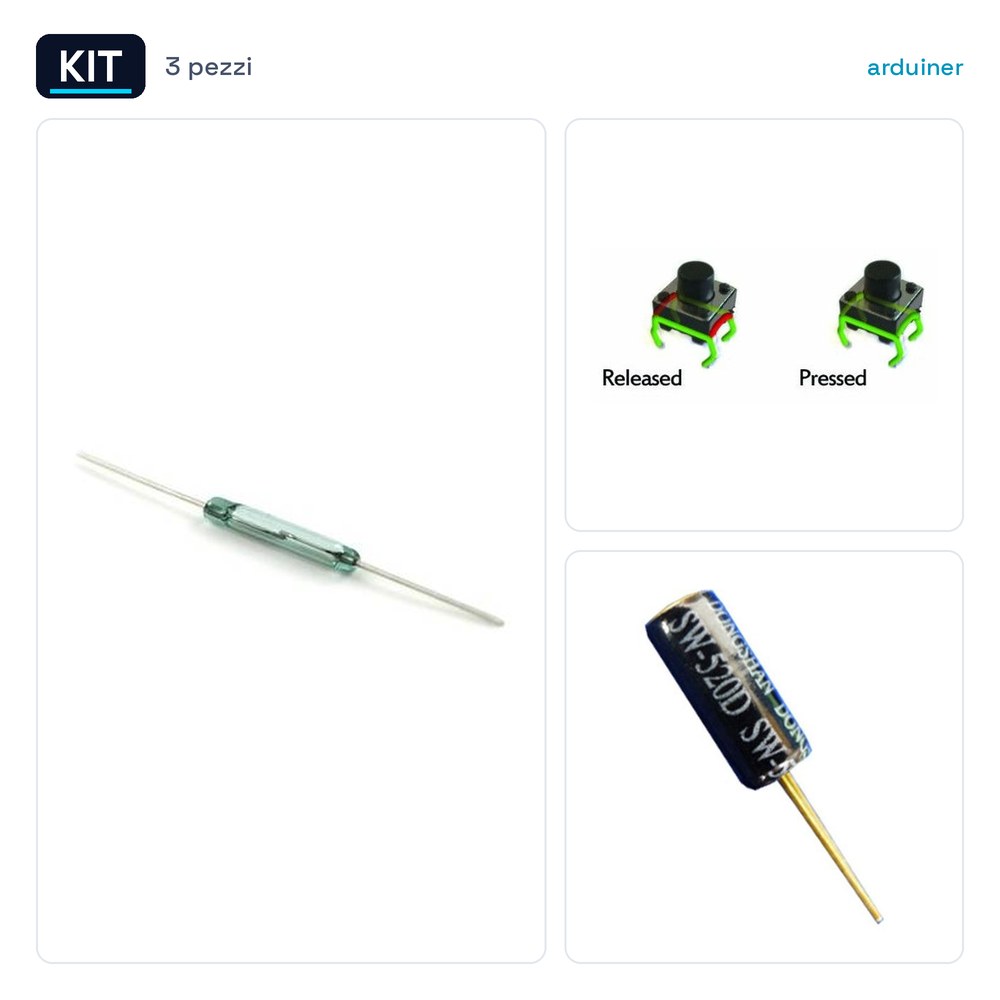
The kit includes three types of sensors and buttons useful for electronic projects and prototyping. The reed magnetic sensors are useful for detecting the presence of a magnetic field, for example to check if a door or a window is open or closed. The tactile buttons are small momentary switches to mount on printed circuits for user interactions. The vibration sensors detect movements and tilts, useful for security and monitoring applications.
The reed magnetic sensors are normally open and close in the presence of a magnetic field. The tactile buttons have reduced dimensions and are compatible with various microcontrollers such as Arduino. The vibration sensors have an internal ball that detects movements and rotations.
These components are useful for home automation projects, electronic device prototypes, and simple alarm systems.
Key Specifications
| Parameter | Value |
| Reed Sensor Model | 3 Pieces Magnetic Reed Switch Relay Switch 2*14mm Normally Open |
| Quantity Reed Sensor | 3 |
| Tact Button Model | 12 Pieces Tact Button Type PCB 6*6*6mm Momentary SPST Compatible with Arduino |
| Quantity Tact Button | 12 |
| Vibration Sensor Model | 3 Pieces Vibration Tilt Switch SW-520d Ball Rolling High Quality |
| Quantity Vibration Sensor | 3 |
| Reed Sensor Dimensions | 2*14mm |
| Reed Sensor Contact Type | Normally Open |
| Tact Button Dimensions | 6*6*6mm |
| Contact Type Momentary Push Button | Momentary SPST |
| Sensor Vibration Dimensions | N/D (see manufacturer’s datasheet) |
| Contact Type Vibration Sensor | N/D (see manufacturer’s datasheet) |
| Enclosure | Kit in single package |
Installation and Usage
- Connect the reed sensors to the digital pins of the microcontroller.
- Connect the tactile push buttons to the digital pins of the microcontroller.
- Connect the vibration sensors to the digital pins of the microcontroller.
- Power the system with the correct voltage.
- Run a test program to verify the proper functioning of the sensors.
Compatibility and Requirements
- Works with microcontrollers like Arduino.
- Can be used in home alarm systems.
- Compatible with electronic prototyping projects.
- Suitable for door and window monitoring applications.
Limitations and Important Notes
- Reed sensors require the presence of a magnetic field to operate.
- Tactile buttons are small and delicate.
- Vibration sensors may respond to random movements.
- Ensure the correct voltage is used to power the components.
Troubleshooting
The reed sensor does not activate.
Probable cause: Lack of magnetic field.
Solution: Check for sufficient magnetic field presence.
The tactile button does not work.
Probable cause: Damaged internal contact.
Solution: Check the connection and replace the button if necessary.
The vibration sensor responds incorrectly.
Probable cause: Random movements.
Solution: Position the sensor in a stable area.
The vibration sensor does not respond.
Probable cause: Internal ball stuck.
Solution: Check the position of the ball and the internal contact.
Use cases
Parking sensor for the garage
Objective: Detect the entry and exit of a vehicle.
What is needed: Magnetic reed sensor.
Steps: 1) Mount the reed sensor on the garage door. 2) Connect the sensor to the microcontroller. 3) Program the microcontroller to detect the door opening.
Expected result: The system sends a signal when the vehicle enters or exits the garage.
User interface for a device prototype
Objective: Add a control button.
What is needed: Touch button.
Steps: 1) Mount the touch button on the printed circuit board. 2) Connect the button to the digital pins of the microcontroller. 3) Program the microcontroller to handle the button input.
Expected result: The prototype responds to the button action.
Window Alarm System
Objective: Detect the opening of a window.
What is needed: Magnetic reed sensor.
Steps: 1) Mount the reed sensor on the window. 2) Connect the sensor to the microcontroller. 3) Program the microcontroller to detect the opening of the window.
Expected result: The system sends a signal when the window is opened.
Door Alarm System
Objective: Detect the opening of a door.
What is needed: Magnetic reed sensor.
Steps: 1) Mount the reed sensor on the door. 2) Connect the sensor to the microcontroller. 3) Program the microcontroller to detect the opening of the door.
Expected result: The system sends a signal when the door is opened.
Door and Window Alarm System
Objective: Detect the opening of doors and windows.
What is needed: Magnetic reed sensor.
Steps: 1) Mount the reed sensors on doors and windows. 2) Connect the sensors to the microcontroller. 3) Program the microcontroller to detect door and window openings.
Expected result: The system sends a signal when a door or window is opened.
User interface for a device prototype
Objective: Add a control button.
What’s needed: Touch button.
Steps: 1) Mount the touch button on the printed circuit board. 2) Connect the button to the digital pins of the microcontroller. 3) Program the microcontroller to handle the button input.
Expected result: The prototype responds to the button action.
Door and window alarm system
Objective: Detect door and window openings.
What’s needed: Magnetic reed sensor.
Steps: 1) Mount the reed sensors on doors and windows. 2) Connect the sensors to the microcontroller. 3) Program the microcontroller to detect the opening of doors and windows.
Expected result: The system sends a signal when a door or window is opened.
User interface for a device prototype
Objective: Add a control button.
What’s needed: Tactile button.
Steps: 1) Mount the tactile button on the printed circuit board. 2) Connect the button to the digital pins of the microcontroller. 3) Program the microcontroller to handle the button input.
Expected result: The prototype responds to the button action.
In the package
- Kit 3 Pieces Reed magnetic Sensor Switch relay s + 12 Pieces Type ta Button + 3 Pieces Vibration Sensor I
Complete the project
- 3 Pieces Reed magnetic Sensor Switch relay 2*14mm Normally Open: To power the reed sensors and tactile buttons.
- Magnetic Reed Sensor Relay Switch 2.5*14mm N/O N/C: To connect the reed sensors and tactile buttons to the microcontroller.
- 12 Pieces Tact PCB Button 6*6*6mm Momentary SPST Compatible with Arduino: To connect the vibration sensors to the microcontroller.
- 3 Pieces Vibration Tilt Sensor SW-520d Tilt Button / Ball Rolling High Quality: To connect the reed sensors and tactile buttons to the microcontroller.
- Momentary Push Button 12V 16MM Metal Panel Waterproof Anti Vandalo: To connect the reed sensors and tactile buttons to the microcontroller.
Technical FAQs
The reed sensor does not activate?
Check for sufficient magnetic field presence.
The tactile button does not work?
Check the connection and replace the button if necessary.
Is the vibration sensor responding incorrectly?
Position the sensor in a stable area.
The vibration sensor is not responding?
Check the position of the ball and the internal contact.
Reviews
There are no reviews yet.