 EN
 IT Italiano
 ES Español
 FR Français
 DE Deutsch
Description
Technical Description
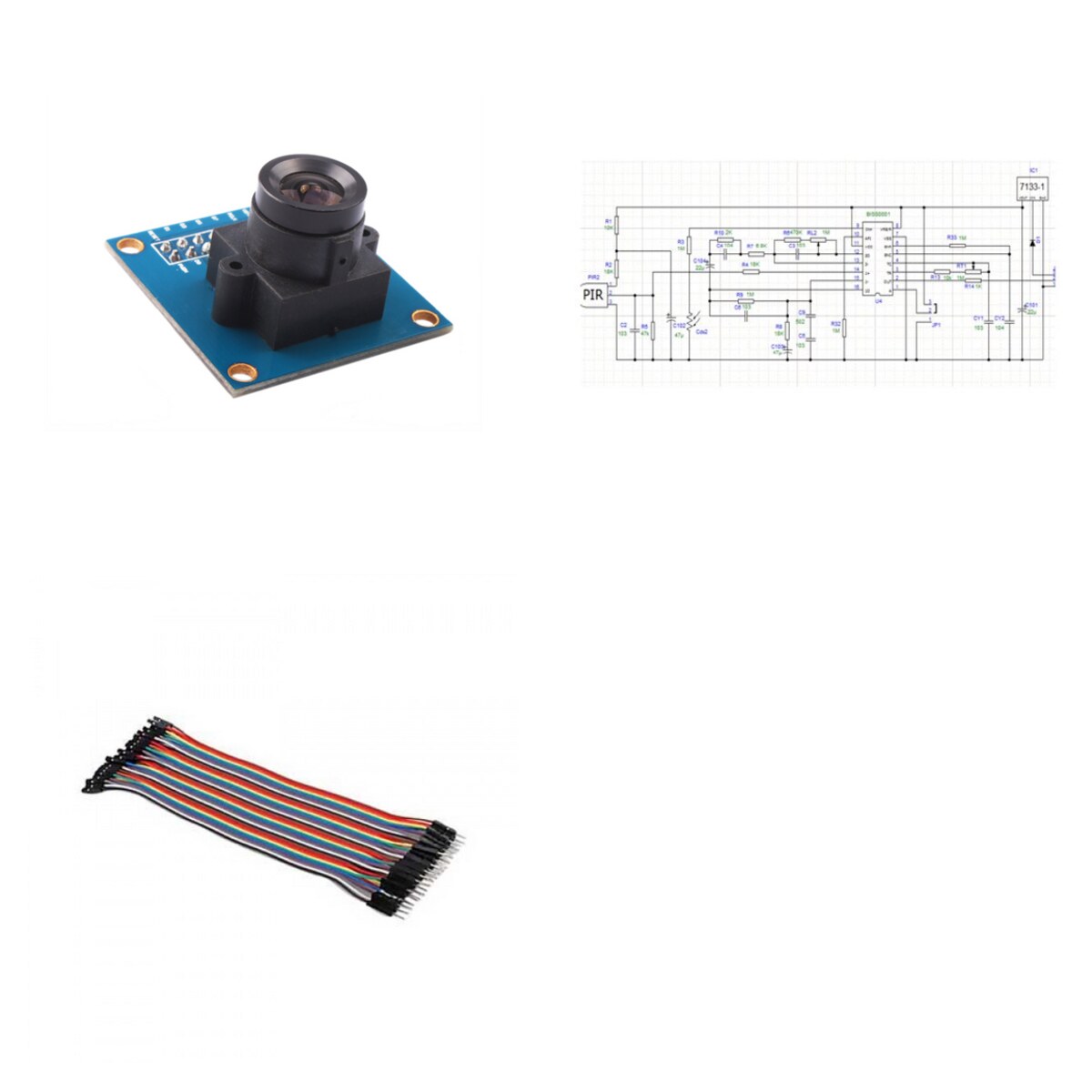
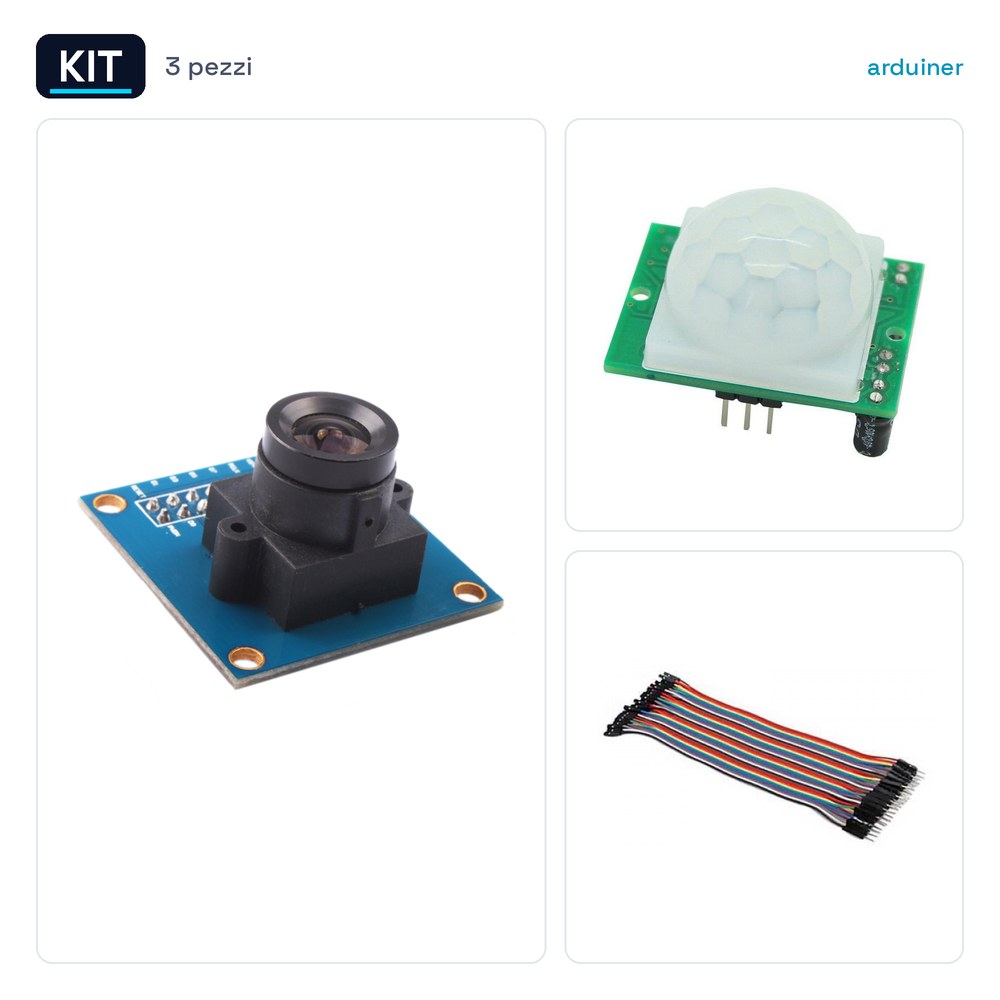
The OV7670 Camera Module 640×480 pixels Arduino Compatible + PIR Motion Sensor + 40 Jumper Cables 20cm Male is a set of components for the realization of computer vision and motion detection projects. The OV7670 camera module provides a resolution of 640×480 pixels and can be used to acquire real-time images. The PIR motion sensor is designed to detect human movement in a specific area. The jumper cables are useful for connecting various electronic components to each other.
The OV7670 camera module is compatible with microcontrollers such as Arduino and can be integrated into home automation, security monitoring, and robotics projects. The PIR sensor can be used to trigger specific actions when movement is detected, for example turning on a light or starting a video recording system.
To use this kit, it is necessary to connect the OV7670 camera module and the PIR sensor to the chosen microcontroller through jumper cables. Make sure to configure the microcontroller pins correctly to send the data acquired from the sensors.
Key Specifications
| Parameter | Value |
| Camera Model | OV7670 |
| Resolution | 640×480 pixels |
| PIR Sensor Model | HC-SR501 |
| Number of Jumper Cables | 40 |
| Jumper Cable Length | 20cm |
| Jumper Cable Connector Type | Male |
| Compatibility | Arduino Compatible |
| Container | N/D (see manufacturer’s technical sheet) |
Installation and Usage
- Connect the OV7670 camera module to the Arduino microcontroller using jumper cables.
- Connect the PIR motion detector to the Arduino microcontroller using jumper cables.
- Configure the microcontroller pins to receive data from the sensors.
- Test the connectivity and functionality of the sensors.
- Verify that the data acquired from the sensors is correctly processed by the microcontroller.
Compatibility and Requirements
- The kit is compatible with Arduino microcontrollers and can be used in home automation and security projects.
- The OV7670 camera module can be integrated into computer vision and monitoring systems.
- The PIR motion detector can be used to trigger specific actions when motion is detected.
Limitations and Important Notes
- The kit does not include image processing software or motion data management software.
- Make sure to use appropriate jumper cables for the required length and connector type.
- Consider the maximum detection distance of the PIR sensor when designing the system.
Troubleshooting
The PIR sensor does not detect motion.
Probable cause: Incorrect jumper cable connection.
Solution: Check and reconnect the jumper cables according to the sensor specifications.
The OV7670 camera does not acquire images.
Probable cause: Incorrect microcontroller pin configuration.
Solution: Recalibrate the microcontroller pin configuration.
The system does not respond when motion is detected.
Probable cause: Synchronization issues between the sensors and the microcontroller.
Solution: Check the synchronization between the sensors and the microcontroller.
The quality of the images acquired by the camera is low.
Probable cause: Insufficient lighting in the detection area.
Solution: Increase the lighting in the detection area.
Use cases
Home security system
Objective: Monitor the entrance of the house.
What is needed: OV7670 camera module, PIR motion detector, jumper wires.
Steps: 1) Connect the camera module and the PIR sensor to the microcontroller. 2) Configure the microcontroller pins. 3) Test the connectivity and functionality of the sensors.
Expected result: The system monitors the entrance of the house and records any movements.
Parking lot monitoring system
Objective: Detect the occupancy of parking spots.
What is needed: OV7670 camera module, PIR motion detector, jumper wires.
Steps: 1) Connect the camera module and the PIR sensor to the microcontroller. 2) Configure the microcontroller pins. 3) Test the connectivity and functionality of the sensors.
Expected result: The system detects car park occupancy and sends an alert when a vehicle enters or exits.
Lab Monitoring System
Objective: Detect activity in the lab.
What’s needed: OV7670 camera module, PIR motion sensor, jumper wires.
Steps: 1) Connect the camera module and the PIR sensor to the microcontroller. 2) Configure the microcontroller pins. 3) Test the connectivity and functionality of the sensors.
Expected result: The system monitors activity in the lab and records any movements.
Shop Monitoring System
Objective: Detect movements in the shop.
What’s needed: OV7670 camera module, PIR motion sensor, jumper wires.
Steps: 1) Connect the camera module and PIR sensor to the microcontroller. 2) Configure the microcontroller pins. 3) Test the connectivity and functionality of the sensors.
Expected result: The system monitors movements in the store and sends an alarm when movement is detected.
Parking Lot Monitoring System
Objective: To detect parking spot occupancy.
What’s needed: OV7670 camera module, PIR motion sensor, jumper wires.
Steps: 1) Connect the camera module and PIR sensor to the microcontroller. 2) Configure the microcontroller pins. 3) Test the connectivity and functionality of the sensors.
Expected result: The system detects parking spot occupancy and sends an alarm when a vehicle enters or exits.
Warehouse Monitoring System
Objective: To detect movements in the warehouse.
Required: OV7670 camera module, PIR motion detector, jumper wires.
Steps: 1) Connect the camera module and PIR sensor to the microcontroller. 2) Configure the microcontroller pins. 3) Test the connectivity and functionality of the sensors.
Expected result: The system monitors movements in the warehouse and sends an alarm when motion is detected.
Office monitoring system
Objective: Detect activity in the office.
Required: OV7670 camera module, PIR motion detector, jumper wires.
Steps: 1) Connect the camera module and PIR sensor to the microcontroller. 2) Configure the microcontroller pins. 3) Test the connectivity and functionality of the sensors.
Expected result: The system monitors activity in the office and records any movements.
Garage monitoring system
Objective: Detect movements in the garage.
Needed: OV7670 Camera Module, PIR Motion Sensor, Jumper Wires.
Steps: 1) Connect the camera module and PIR sensor to the microcontroller. 2) Configure the microcontroller pins. 3) Test the connectivity and functionality of the sensors.
Expected Result: The system monitors movements in the garage and sends an alarm when motion is detected.
In the package
- 1 Kit OV7670 Camera Module 640×480 pixels Arduino Compatible + PIR Motion Sensor + 40 Jumper Wires 20cm Male
Complete the project
- 40 Jumper Wires 20cm Male-Male for Arduino: Male-male jumper wires are useful for connecting various electronic components to each other.
- 40 Jumper Wires 20cm Male-Female for Arduino: Male-female jumper wires are useful for connecting various electronic components to each other.
- Infrared PIR Motion Sensor HC-SR501 for Arduino: The PIR motion sensor is a key component for implementing motion monitoring projects.
- 15CM Dupont 3P Male Male Parallel 3 Pin Jumper Wire Arduino 3d Printer: Variable length jumper wires are useful for connecting various electronic components to each other.
- 30CM Dupont 3P Male Male Parallel 3 Pin Jumper Wire Arduino 3d Printer: Variable length jumper wires are useful for connecting various electronic components to each other.
Technical FAQs
Does the PIR sensor not detect motion?
Check the jumper wire connections and pin configuration of the microcontroller.
Is the quality of the images acquired by the camera low?
Check the lighting in the detection area.
Does the system not respond when motion is detected?
Check the synchronization between the sensors and the microcontroller.
What are the limitations of the kit?
The kit does not include image processing software or motion data management software.
Reviews
There are no reviews yet.