 EN
 IT Italiano
 ES Español
 FR Français
 DE Deutsch
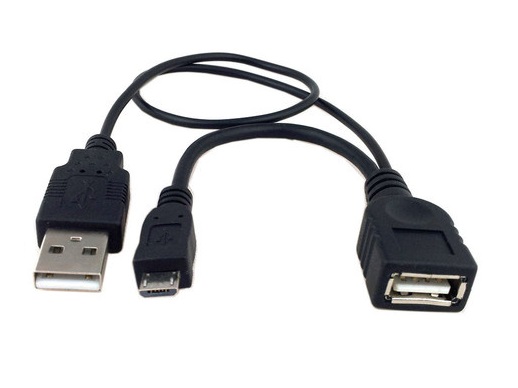
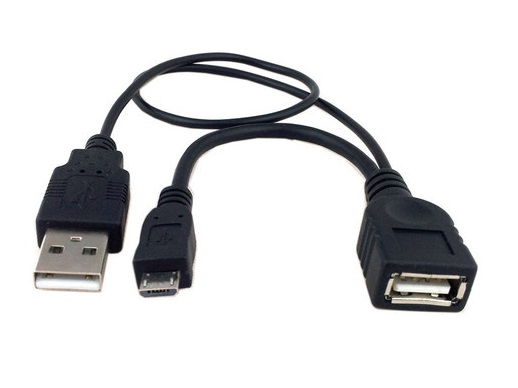
Description
What it is
The USB Extend OTG Micro USB is a device that allows extending USB On-The-Go (OTG) connectivity between devices without compromising communication quality. This component is particularly useful for connecting Arduino devices or other peripherals over long distances.
Features
- Allows extending USB OTG connectivity on devices without a USB port
- Ideally usable with phones, tablets, and other mobile devices
- Enables connection between Arduino microcontrollers and sensors or other USB peripherals
What it is for
Serves to extend USB OTG connectivity so that devices can be connected without interruptions, making it possible to use sensors or other USB peripherals even when direct access to the USB port of the device is not available. Useful for Arduino projects that require greater flexibility in connectivity.
Tutorial: How to use USB Extend OTG Micro USB
This component allows you to extend USB OTG connectivity on devices without a USB port, ideal for devices such as phones or tablets.
What you need
- USB Extend OTG Micro USB
- Device that supports USB OTG
Steps
- 1. Check the datasheet for specific device OTG specifications.
- 2. Ensure that the device supports the Micro USB connector.
- 3. Connect the Micro USB cable to the USB Extend OTG.
- 4. Connect the other end of the cable to the OTG device.
- 5. Verify that the device recognizes the USB connection.
- 6. Try connecting a USB device to check functionality.
- 7. If necessary, check the device settings to enable USB OTG.
- 8. If problems, check the correct installation of drivers.
Mini project
Connect an Arduino microcontroller to a USB device such as a sensor and check communication through the USB Extend OTG cable.
Common mistakes
- Do not verify the device specifications before connecting.
- Do not connect the cable incorrectly.
- Do not enable USB OTG on the device.
- Do not have the necessary drivers installed.
Recommended accessories
- Arduino microcontroller
- USB sensor / detector
- Phones or tablets with USB OTG
- Different USB cables for testing
Frequently asked questions
The cable does not seem to work?
Check the correct connection and device specifications.
Which devices support USB OTG?
Check the device datasheet.
Can I connect any USB device?
Check compatibility on the device datasheet.
How long does the connection last?
The connection is permanent until the device is turned off.

Reviews
There are no reviews yet.