 EN
 IT Italiano
 ES Español
 FR Français
 DE Deutsch
Description
What it is
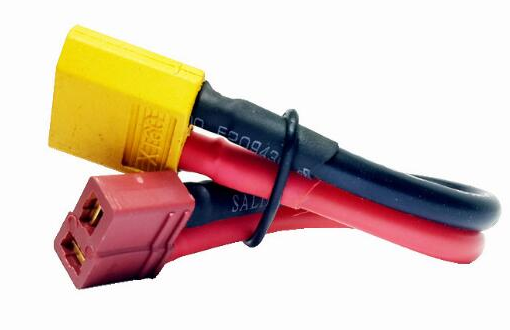
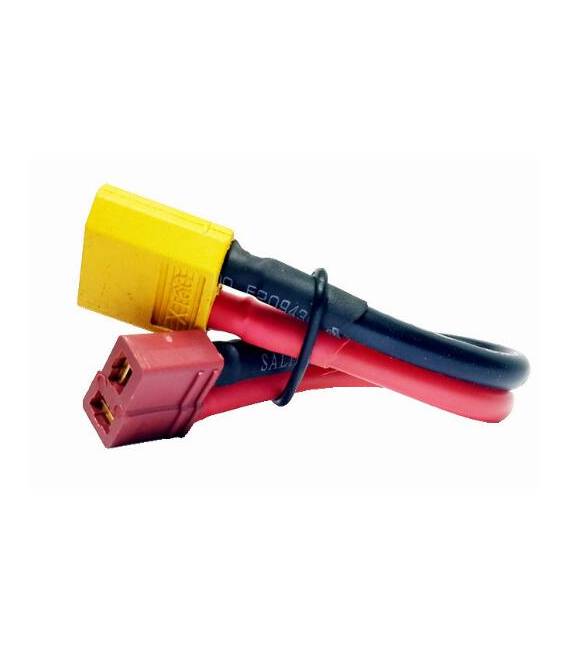
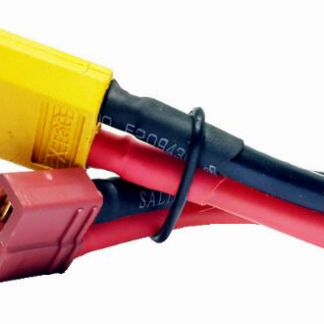
The T-Plug Female to XT60 Male connector is used to connect electronic components, particularly in drone applications. This connector provides a secure connection between the sensor or device and the drone platform.
Features
- Female connector type: T-Plug
- Male connector type: XT60
What it is for
This connector is used to connect sensors and devices to a drone, for example to monitor data during flight. It is suitable for both beginners and experts.
Tutorial: How to use T-Plug Female to XT60 Male connector
The T-Plug Female to XT60 Male connector is a useful cable for connecting sensors to a drone. Suitable for beginners and intermediates.
What you need
- T-Plug Female to XT60 Male
- Power or signal connection for sensors
- Drone or electronic circuit
- Connection tools
Steps
- Check the datasheet for cable specifications.
- Prepare the drone or electronic circuit.
- Connect the female T-Plug to the sensors or circuit.
- Connect the XT60 male to the drone or circuit.
- Ensure the connection is soldered securely.
- Check the connection with a multimeter.
- Test the system with the drone in flight or with the circuit.
- If necessary, adjust the connection.
Mini project
Connect a pressure sensor to the T-Plug Female and the drone to monitor data during flight.
Common mistakes
- Do not check the connection with a multimeter.
- Do not ensure that the connection is soldered securely.
- Connect the cable without checking the specifications on the datasheet.
- Ignore error signals during testing.
Recommended accessories
- Multimeter
- Electrical connections
- Soldering tools
- Pressure sensor
Frequently asked questions
How can I verify the connection?
Use a multimeter to check the continuity of the circuit.
Can I use this cable with any drone?
Check that your drone specifications match those of the cable.
What are the common errors to avoid?
Do not check the connection, do not ensure that the connection is soldered properly, connect the cable without checking the specifications on the datasheet, ignore error signals during testing.
Reviews
There are no reviews yet.