 EN
EN IT Italiano
 ES Español
 FR Français
 DE Deutsch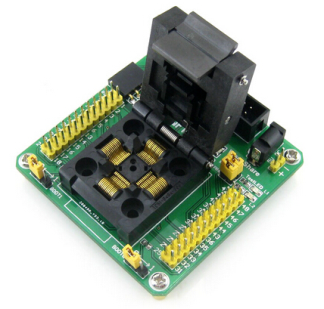
Description
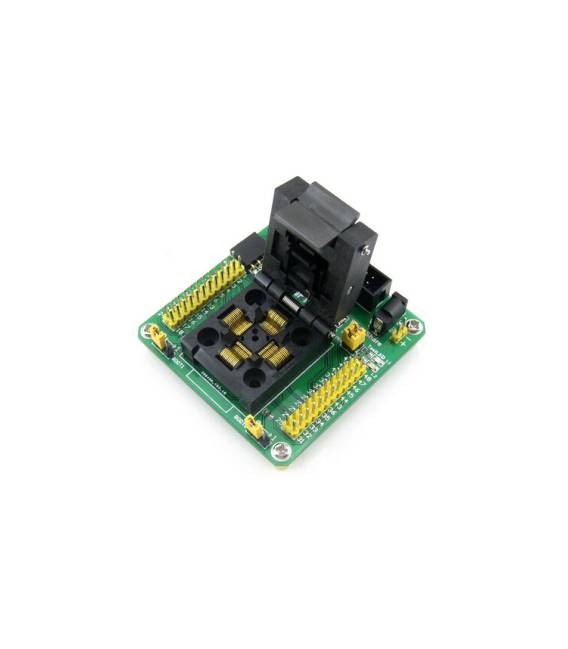
The STM32 QFP48 LQFP48 Test and Programming Socket with Yamaichi IC JTAG Adapter is an essential tool for developers and makers working with STM32 microcontrollers. This socket allows testing and programming of STM32 microcontrollers in QFP48 or LQFP48 packages.
Features:
– STM32 QFP48 and LQFP48 Socket
– Yamaichi IC JTAG Adapter
Use:
This socket is useful for testing and programming STM32 microcontrollers. It can be used to perform various types of tests and programming, such as counting button presses and displaying the count on a display.
Tutorial: How to Use STM32 QFP48 LQFP48 Test and Programming Socket with Yamaichi IC JTAG Adapter
This socket allows you to test and program STM32 microcontrollers in QFP48 or LQFP48 packages. Useful for makers and hardware programmers.
What is Needed:
– STM32 Microcontroller (QFP48 or LQFP48)
– PC with programming software
– JTAG cable
Steps:
1. Check the datasheet for microcontroller specifications.
2. Connect the JTAG cable to the socket.
3. Connect the microcontroller to the socket.
4. Attach the JTAG cable to the PC.
5. Start the programming software.
6. Configure the software with the microcontroller specifications.
7. Load code onto the board.
8. Verify correct programming.
Mini-project:
Program an STM32 microcontroller to count button presses and display the count on a 7-segment display.
Common Mistakes:
– Connecting the microcontroller to the socket with incorrect pins.
– Forgetting to correctly configure the programming software.
– Using an incompatible JTAG cable.
– Lack of programming software.
Recommended Accessories:
– STM32 Microcontrollers
– 7-segment display
– Buttons
– JTAG cable
FAQ:
Does the programming software work only with Windows?
No, many solutions support Windows, macOS, and Linux. Check the documentation.
Can I use this socket with non-STM32 microcontrollers?
Only STM32 microcontrollers in QFP48 or LQFP48 packages.
Is the JTAG cable included?
No, purchase a compatible JTAG cable separately.
Reviews
There are no reviews yet.