 EN
 IT Italiano
 ES Español
 FR Français
 DE Deutsch
Description
Tutorial: How to Use SN-06WF Wiring
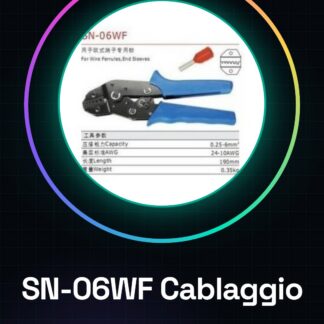
The SN-06WF wiring connector is a useful tool for anyone working with Arduino or other electronic projects that require a sturdy connection between wires. This tool allows you to create secure connections without having to use solder.
What you need
- Electronic Projects
- Arduino
- 3d printer
- Drones
- Connecting wires for prototypes
Steps
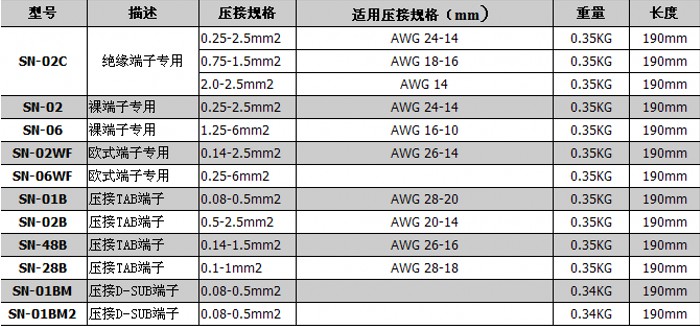
- Check the size of your wire and make sure the SN-06WF wiring is compatible.
- Cut a piece of wire long enough for your application, leaving some extra length for any mistakes.
- Insert the wire into the open side of the connector and push it all the way in.
- Use an appropriate tool such as pliers or a crimper to gently bend the inside part of the connector around the wire, ensuring a secure connection.
- Check that the wire is securely fastened and not at risk of coming loose.
- Repeat steps 2-4 for each end of the wire if necessary.
Mini project
Create a simple Arduino circuit with two LEDs that alternate, using the SN-06WF wiring to connect the wires to the output pins.
Common mistakes
- Do not bend the internal part of the connector around the wire too gently.
- Insert a wire that is too thick or too thin into the connector, causing a weak connection.
- Omit the final check to ensure that the wires are securely fastened.
Recommended accessories
- Wire crimper
- SN-06WF specific crimp tool
- Set of various test pins
- Wire stripper tool
Frequently asked questions
How can I check if my wire is compatible with this connector?
Check the product datasheet for the specific wire dimensions.
Can I use a simple pair of pliers instead of the specific crimp tool?
Yes, but you may not achieve as strong a connection. The crimp tool is designed to optimize the crimp.
What are the advantages of using this type of connector compared to soldering?
Fast, does not require special equipment such as a soldering station and allows for subsequent modifications to the circuit.
Reviews
There are no reviews yet.