 EN
 IT Italiano
 ES Español
 FR Français
 DE Deutsch
Description
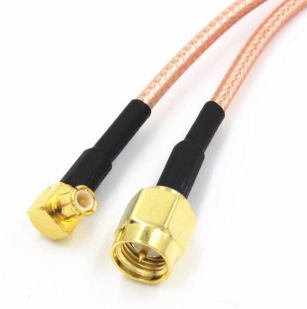
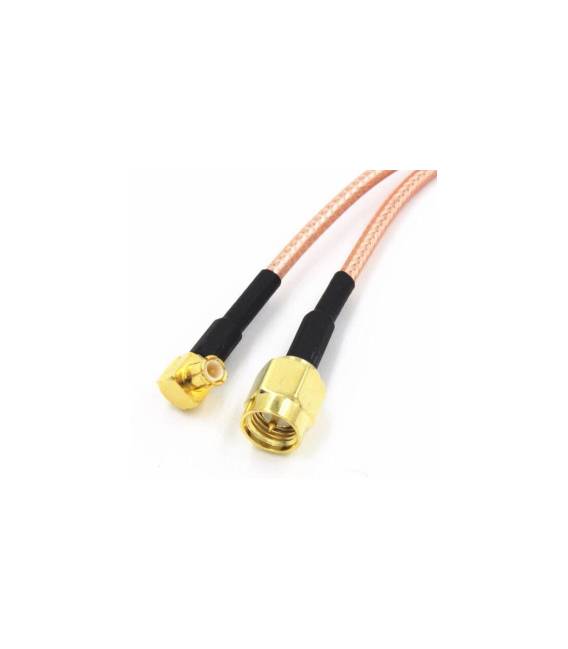
SMA-J Male Internal to MCX-J Bend Male Internal 15CM RG316 Cable
Tutorial: How to Use SMA-J to MCX-J Bend Cable RG316
This SMA-J to MCX-J cable is ideal for connecting radio devices and antennas in a flexible manner. Suitable for projects requiring a stable and high-quality connection between antenna and radio module.
What you need
- SMA Antenna
- Radio Module MCX
- Crimping Pliers
- Control Lamp
Steps
- Check that there is an SMA-J connector on the antenna side and an MCX-J connector on the radio module.
- Use crimping pliers to remove any plastic sleeves from the connectors.
- Gently insert the SMA-J connector from the antenna into the RG316 cable.
- Insert the MCX-J connector from the radio module into the RG316 cable.
- Verify the connection with a control lamp to ensure that the signal goes in and out correctly.
- If necessary, apply electrical tape to secure the cable.
- Check that the cable is not damaged and that the connection is stable.
- Configure the radio module to use the connected antenna.
Mini project
Connect a LoRa radio module to an SMA antenna to create a long-range communication system.
Common mistakes
- Unstable connection due to damaged connectors.
- Incorrect insertion of the connector which may damage the cable.
- Cable too long or short for the project.
- Missing connection check with a control lamp.
Recommended accessories
- Pressure Pliers
- Control Lamp
- SMA Antenna
- LoRa Radio Module
Frequently asked questions
How do you verify the connection?
Use a control lamp to verify that the signal goes back and forth correctly between the antenna and the radio module.
What are the advantages of this cable compared to standard ones?
This cable offers greater flexibility and stability in the connection, suitable for projects that require movement or relocation.

Reviews
There are no reviews yet.