 EN
EN IT Italiano
 ES Español
 FR Français
 DE Deutsch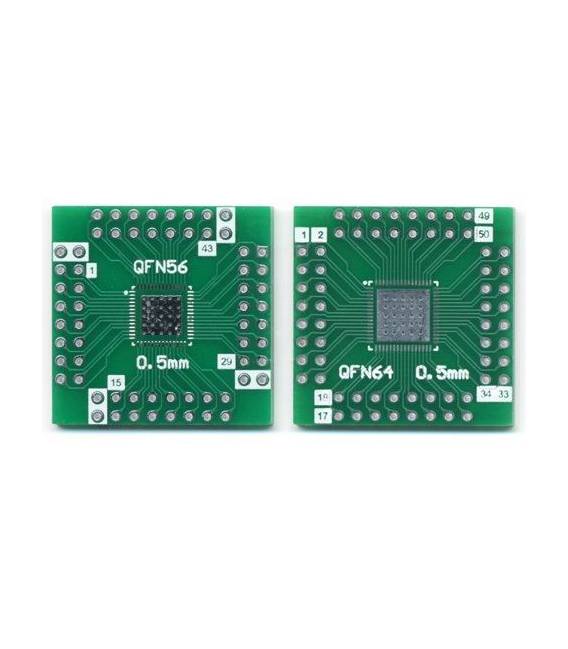
Description
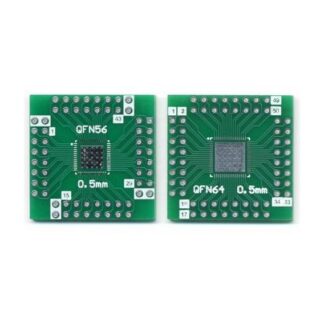
The QFN to QFP Adapter Board QFN32-44-56-64-80-100P is an adapter designed to facilitate the use of QFN (Quad Flat No-Leads) components in electronic projects. It allows for the conversion of QFN connectors to the more common QFP (Quad Flat Package) format, simplifying connections to printed circuit boards like Arduino.
Features:
– Compatible with QFN packages from 32 to 100 pins
– Compatible with QFP packages from 32 to 100 pins
SKU: ARD009588
Price: €1.97
What it serves: This board is useful for projects requiring pinout conversion between QFN and QFP components. For example, it can be used to connect a QFN sensor to an Arduino board or to convert a QFN circuit to a QFP circuit.
How to use the QFN to QFP Adapter Board:
1. Check the pinout compatibility between the QFN/QFP component and the adapter board.
2. Connect the power pins (VCC and GND) of the QFN/QFP component to the corresponding pins on the adapter board.
3. Connect the signal pins of the QFN/QFP component to the corresponding pins on the adapter board.
4. Connect the adapter board to your Arduino using the I/O pins.
5. Check the datasheet for any additional pins or specific details.
6. Load a simple Arduino sketch to test communication.
7. Verify the correct operation of the circuit.
8. Repeat the steps as necessary to resolve any issues.
Example Code:
“`cpp
void setup() {
Serial.begin(9600);
while (!Serial);
// Wait for connection with the PC
Serial.println(“Test of connection”);
}
void loop() {}
“`
Mini-Project: Create a simple circuit that reads values from a QFN/QFP sensor and displays them on an LCD.
Common Errors:
– Incorrect power pin connection.
– Omission of test steps.
– Lack of ESD protection.
– Use of incompatible pins.
– Missing datasheet verification.
Recommended Accessories:
– LCD Display
– QFN/QFP Sensor
– ESD Protection
– Multimeter
Reviews
There are no reviews yet.