 EN
 IT Italiano
 ES Español
 FR Français
 DE Deutsch
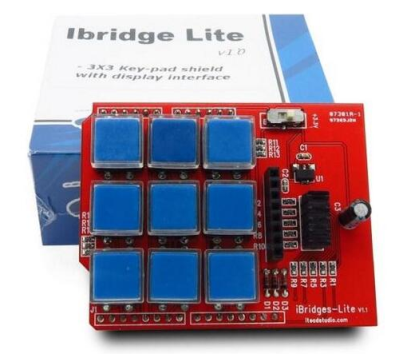
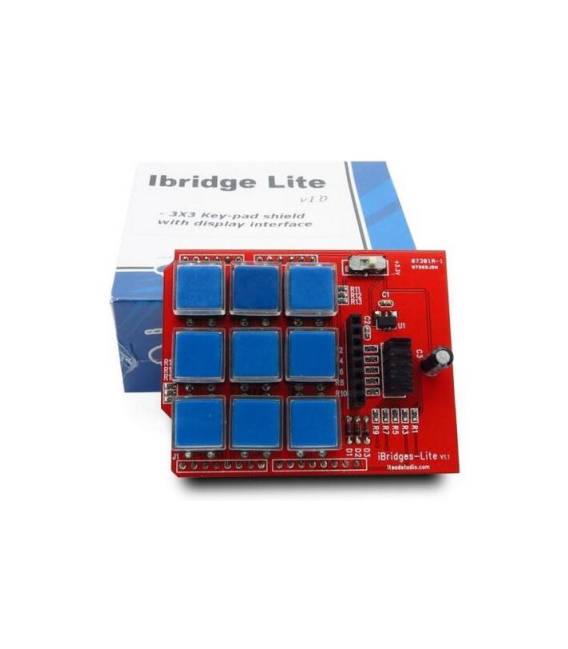
Description
What it is
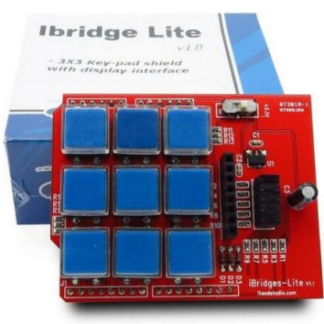
L’IBridge Lite is a programmable keyboard compatible with Arduino, ideal for beginners and intermediate makers who want to create custom interfaces for device control.
Features
- Digital Keyboard for Arduino
- Ideally suited for remote control and interfacing projects
What it is for
L’IBridge Lite can be used to create a remote control system, for example by connecting it to a button and a relay to turn a light on or off. It is compatible with Arduino.
Tutorial: How to Use IBridge Lite
The IBridge Lite is a digital keyboard for Arduino, ideal for remote control and interfacing projects. Useful for beginners and intermediate makers.
What you need
- IBridge Lite
- Arduino UNO or compatible
- USB cable
- AA battery (optional)
Steps
- 1. Download the code for IBridge Lite from the Arduino library.
- 2. Connect IBridge Lite to the USB port of your Arduino.
- 3. Load the code onto your Arduino.
- 4. Configure IBridge Lite in your Arduino development software.
- 5. Connect IBridge Lite to the main circuit.
- 6. Check if your keyboards are functioning correctly.
- 7. Verify the power specifications in the datasheet.
- 8. Add custom features to your project.
Example code
```void setup() { IBridge.begin(); // Inizia IBridge}void loop() {}```Mini project
Create a remote control system for a light. Connect IBridge to a button and a relay to turn the light on/off.
Common mistakes
- Do not connect IBridge directly to 5V without a resistor.
- Ensure the code is correct for the IBridge version.
- Check the correct power supply.
- Check if IBridge is correctly configured in the software.
Recommended accessories
- Relays
- Buttons
- Lights
- Resistors
Frequently asked questions
How can I customize the features of IBridge?
Modify the code for specific features, check the datasheet.
What are the power specifications of IBridge?
Check the datasheet.
Can I use IBridge with other microcontrollers?
Check compatibility on the datasheet.
Does IBridge work with AA batteries?
Check the power supply specifications on the datasheet.
Reviews
There are no reviews yet.