 EN
EN IT Italiano
 ES Español
 FR Français
 DE Deutsch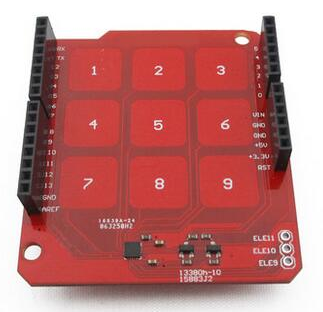
Description
What it is
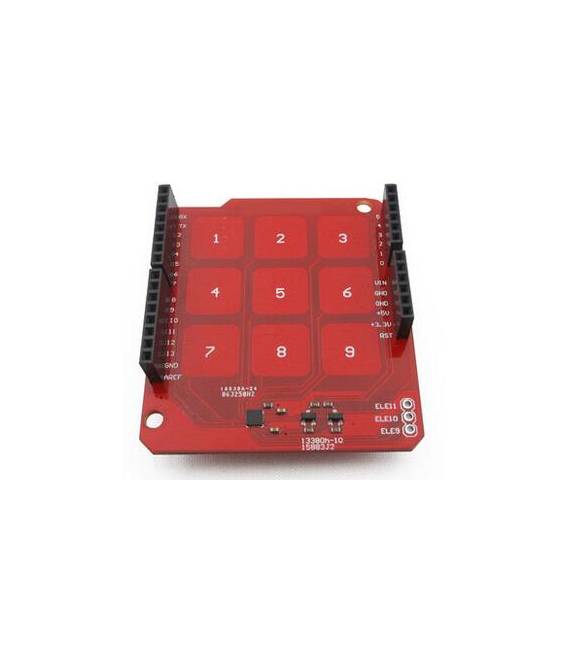
The Produino MPR121 capacitive touch module is a component for Arduino projects that allows the creation of capacitive touch interfaces. It offers a 3×3 capacitive sensor matrix, ideal for integration into electronic devices.
Features
- 3×3 capacitive sensor matrix
- Easy to integrate with Arduino
What it is for
The MPR121 module is useful for projects requiring simple and precise capacitive interactions. It can be used to create motion alarms, control LEDs, or integrate into DIY devices.
Tutorial: How to use Produino MPR121 3×3 Capacitive Touch Panel
The MPR121 module is ideal for projects requiring simple and sensitive human interfaces. Useful for beginners and intermediate makers.
What you need
- Arduino or compatible
- Power cable
- 10kΩ resistor
- Perfboard 2.54mm connector
Steps
- 1. Mount the module pins on the perfboard 2.54mm connector.
- 2. Connect MPR121 module GND to Arduino GND.
- 3. Connect MPR121 module VCC to 3.3V Arduino.
- 4. Connect the 10kΩ resistor between VCC and D2 Arduino.
- 5. Load the provided Arduino code.
- 6. Verify the specifications of the touch panel on the datasheet.
- 7. Test the 9 touch points.
- 8. Adapt the code to your needs.
Example code
```void setup() { pinMode(2, INPUT); Serial.begin(9600);}void loop() { int touch = digitalRead(2); if (touch == HIGH) { Serial.println("Touch detected"); } else { Serial.println("No touch"); }}```Mini project
Create a motion alarm based on the touch panel. Connect an LED to D13 Arduino and modify the code to turn the LED on/off when touched.
Common mistakes
- Forget to connect the 10kΩ resistor.
- Connect VCC to 5V instead of 3.3V.
- Do not verify the specifications on the datasheet.
- Do not test the touch points.
Recommended accessories
- LED and resistor
- Button
- OLED display
- Motion sensors
Frequently asked questions
What specifications are needed from the datasheet?
Check the datasheet for detailed specifications such as the sensitivity and accuracy of the touch panel.
Why use a 10kΩ resistor?
To establish a pull-up on D2 Arduino.
Can I use an Arduino UNO or compatible?
Yes, the module supports Arduino UNO and compatible.
Does the module work with 5V?
No, connect only 3.3V as indicated.
Reviews
There are no reviews yet.