 EN
EN IT Italiano
 ES Español
 FR Français
 DE Deutsch
Description
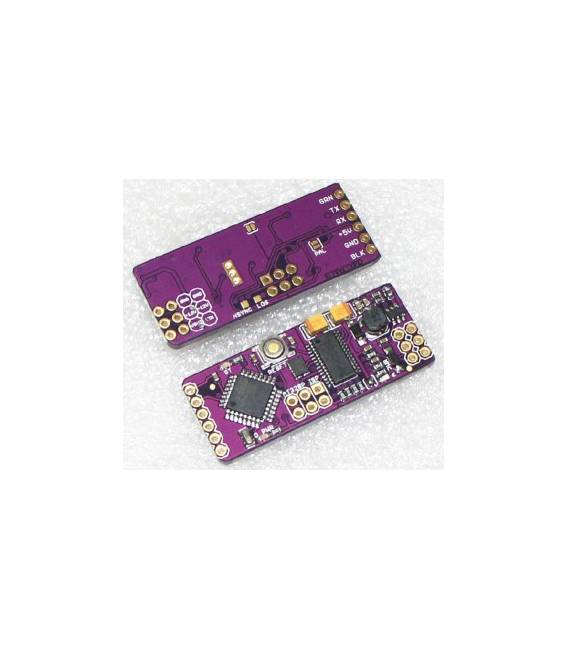
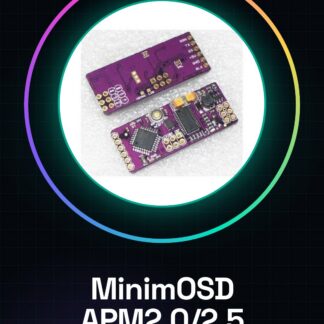
What is the MinimOSD for APM ArduPilot? The MinimOSD is a flight data display device designed specifically for APM2.0 and APM2.5 systems. This OSD (On Screen Display) allows pilots to monitor crucial drone parameters in real-time. Features: Flight data display system for APM ArduPilot, compatible with APM2.0 and APM2.5. What is it used for? The MinimOSD is ideal for beginner and intermediate drone pilots who want to monitor GPS position, battery levels, and other crucial flight information in real-time. To use it, mount the device on a drone with APM2.0/2.5, connect a compatible LCD display, and test the system for 10 minutes of flight. How to use MinimOSD: The OSD (On Screen Display) MinimOSD is a fundamental tool for beginner and intermediate drone pilots. It serves to display crucial flight parameters, such as GPS position, battery levels, and flight information. What does it require? Power connections, signal connections, LCD display, 5V power cable. Steps: 1. Ensure you have the MinimOSD, a 5V power cable, a compatible LCD display, and power and signal connections. 2. Power on your drone and verify that the APM2.0/2.5 is correctly configured for MinimOSD use. 3. Connect the 5V power cable to the MinimOSD. 4. Connect the LCD display to the MinimOSD, check the datasheet for correct pins. 5. Connect the power pins of the MinimOSD to your drone. 6. Connect the signal pins of the MinimOSD to your drone. 7. Start the MinimOSD and verify that the LCD display is correctly showing information. 8. Test the system in flight to ensure everything is working correctly. Mini-project: Mount the MinimOSD on a drone with APM2.0/2.5, connect an LCD display, and test the system in flight for 10 minutes. Common errors: Incorrectly connecting the LCD display pins. Incorrect power supply: Ensure you use a 5V cable. Incorrect APM2.0/2.5 configuration: Verify the configuration. Connection issues: Ensure all cables are securely connected. Recommended accessories: LCD display, 5V power cable, drone mounting kit, signal connection cable. Frequently asked questions: Can I use a different LCD display? Check the datasheet for compatible pins. What are the minimum power requirements? The MinimOSD requires a 5V power supply. Can I mount the MinimOSD on any drone? Ensure
Reviews
There are no reviews yet.