 EN
 IT Italiano
 ES Español
 FR Français
 DE Deutsch
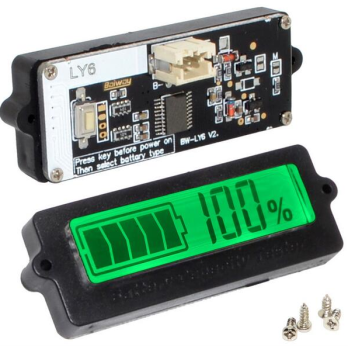
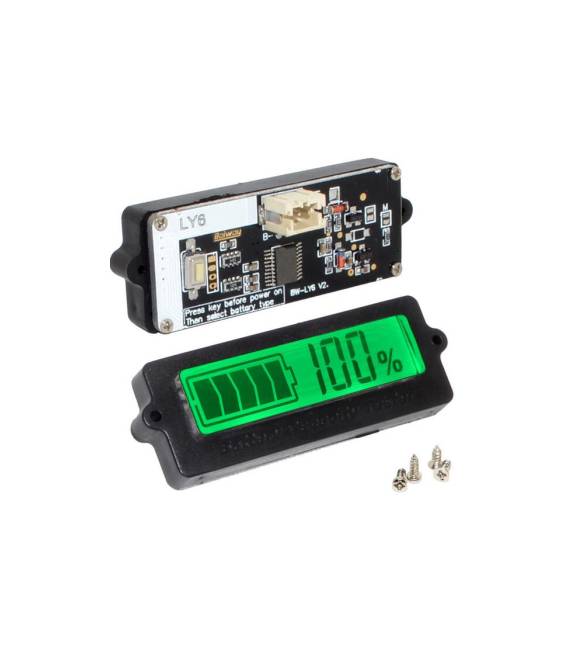
Description
What it is
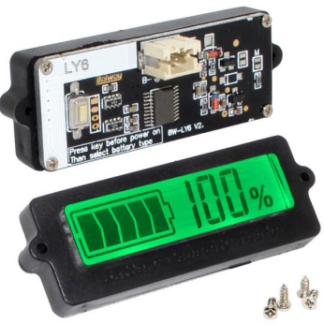
The LY6 digital battery monitor for lead/lithium batteries accurately tracks the capacity and state of your battery.
Features
- Battery capacity and state monitoring
- Compatibility with lead and lithium batteries
- Green/blue display
What it is for
Ideal for makers and electronic projects, the LY6 monitor helps you track your battery’s charge level. You can use it to create a battery low warning system by connecting the monitor to your project and using an LED to signal when the battery is nearly depleted.
Tutorial: How to use the LY6 Battery Capacity and State Monitor
This digital monitor helps you keep track of the state of your lead/lithium battery, essential for those managing batteries in various electronic projects.
What you need
- LY6 Battery Capacity and State Monitor
- Lead/lithium battery
- Arduino
- Power cable (5V)
Steps
- 1. Connect the power cable (5V) to the LY6 indicator.
- 2. Connect the indicator to the VCC and GND of your Arduino.
- 3. Connect the I2C pins (SDA and SCL) to your Arduino.
- 4. Load the following code onto your Arduino.
- 5. Check the datasheet to see if a pull-up resistor is necessary.
- 6. Turn on your Arduino and observe the display.
- 7. The display will show the battery charge level.
- 8. Check if the display is working correctly.
Example code
```
#include <Wire.h>
#include <Adafruit_GFX.h>
#include <Adafruit_SSD1306.h>

Adafruit_SSD1306 display(128, 64, &Wire);

void setup() {
  Wire.begin();
  display.begin(SSD1306_I2C_ADDRESS, 0x3C);
  display.clearDisplay();
  display.display();
}

void loop() {
  // Leggi la batteria e visualizza sul display
}
```
Mini project
Create a battery warning system when the charge level is low. Connect the indicator to your project and use an LED to warn when the battery is almost depleted.
Common mistakes
- Not having the power cable connected correctly.
- Not configuring the I2C pins correctly.
- Not checking if a pull-up resistor is necessary.
- Not using an Arduino compatible with I2C.
Recommended accessories
- Arduino UNO
- Red LED
- 10kΩ resistor
- 5V power cable
Frequently asked questions
Is the display not turning on?
Check if the power cable is properly connected.
The display does not show the charge level?
Check if the I2C pins are correctly configured.
Which pins to use for I2C?
Use the SDA and SCL pins of your Arduino.
Reviews
There are no reviews yet.