 EN
EN IT Italiano
 ES Español
 FR Français
 DE Deutsch
Description
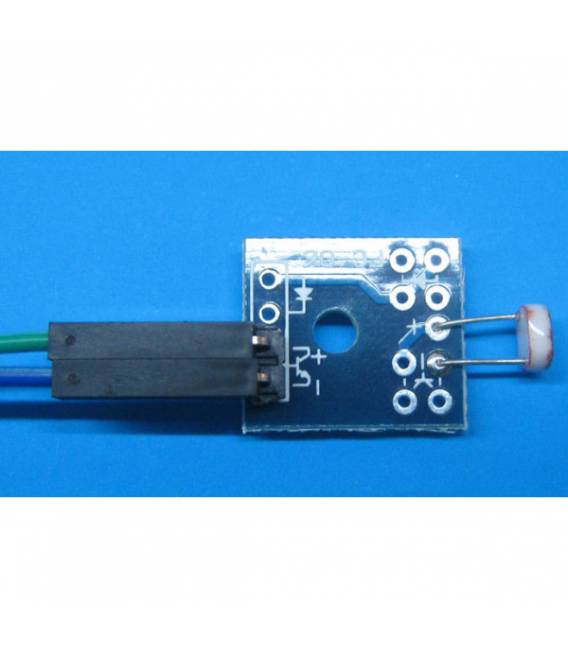
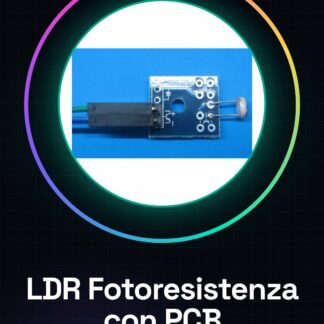
What is it The LDR light sensor with small PCB and Dupont wires is a component used to measure ambient light levels. This device is suitable for Arduino and other microcontroller projects, allowing you to detect light variations. Features LDR light sensor with small PCB Dupont wires included (20cm long) What is it used for This sensor is ideal for projects that require light detection, such as home alarms or step counters. It is compatible with Arduino and other microcontrollers. Tutorial: How to Use LDR Light Sensor with PCB and Dupont Wires The LDR light sensor is a useful component for projects that require light detection. It is ideal for beginners and intermediates, allowing you to create devices like home alarms or step counters. What you need Arduino Uno PCB with Dupont wires LDR light sensor Steps Connect the LDR sensor to the A0 analog pin on the Arduino using Dupont wires. Download and install the Arduino IDE on your computer. Upload the example sketch in the next step to the Arduino Uno. Open Serial Monitor in the Arduino IDE to view the sensor reading. Verify that the values change when the light level around the sensor is altered. If necessary, adjust the resistor connected to the sensor to calibrate the light detection range. Example code: “` int ledPin = 13; int sensorPin = A0; void setup() { Serial.begin(9600); } void loop() { int sensorValue = analogRead(sensorPin); Serial.println(sensorValue); } “` Mini-project Create a home alarm system that turns on a lamp when the light decreases at sunset. Common errors Connecting the sensor to the VCC voltage without a resistor. Not reading the datasheet to check the sensor specifications. Failing to connect the GND pin to the sensor. Using a digital pin instead of an analog one. Recommended accessories Variable resistors Arduino Uno R3 RGB LED Relay Module
Reviews
There are no reviews yet.