 EN
EN IT Italiano
 ES Español
 FR Français
 DE Deutsch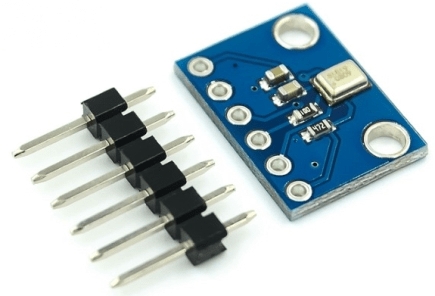
Description
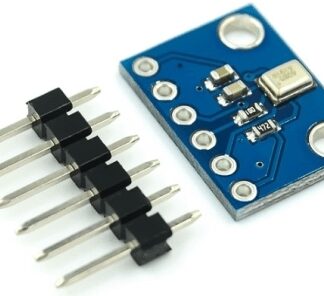
What is the GY-SPH0645LM4H? The GY-SPH0645LM4H is a digital MEMS microphone with an I2S interface. Features Interface: I2S Type: Digital MEMS Sensor: sound What does it do? The GY-SPH0645LM4H is ideal for electronic and Arduino projects requiring advanced audio processing. It can be used to create acoustic alarms, voice recognition systems, and other audio projects. Compatibility with Arduino and ESP must be verified in the datasheet. Tutorial How to use GY-SPH0645LM4H The GY-SPH0645LM4H is a digital I2S microphone with sound sensor ideal for electronic audio projects. Useful for beginners and intermediate makers. What you need Arduino or compatible Power cable (5V) Multimeter Protective case Steps 1. Ensure the Arduino is updated to version 1.8.12 or higher. 2. Install the Wire library for I2C. 3. Connect the GY-SPH0645LM4H to the Arduino: VCC to 5V, GND to GND, SDA to A4, SCL to A5, SCK to D13, WS to D12, DOUT to D11, RST to D10. 4. Check the datasheet for detection frequency. 5. Load the source code. 6. Configure audio output with an amplifier or headphones. 7. Test the microphone by emitting sounds. 8. Adjust volume and sensitivity using Sketch codes. Example Code “`cpp #include void setup() { Wire.begin(); Serial.begin(9600); } void loop() { int soundLevel = analogRead(A0); Serial.println(soundLevel); } “` Mini-project Create a sound-based alarm system with this microphone. Connect a relay to the output port and activate/deactivate a switch when the sound level exceeds a certain threshold. Common mistakes Not installing the Wire library. Incorrectly connecting pins. Not checking detection frequency. Not testing the microphone. Recommended accessories Relay Headphones Relays 5V Power Supply Frequently Asked Questions How can I check the detection frequency? Check in the datasheet. Can I use a different power supply than 5V? Check in the datasheet. Does this microphone work with Arduino Uno? Yes, but verify pin compatibility.
Reviews
There are no reviews yet.