 EN
EN IT Italiano
 ES Español
 FR Français
 DE Deutsch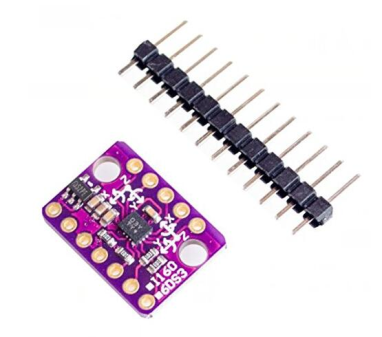
Description
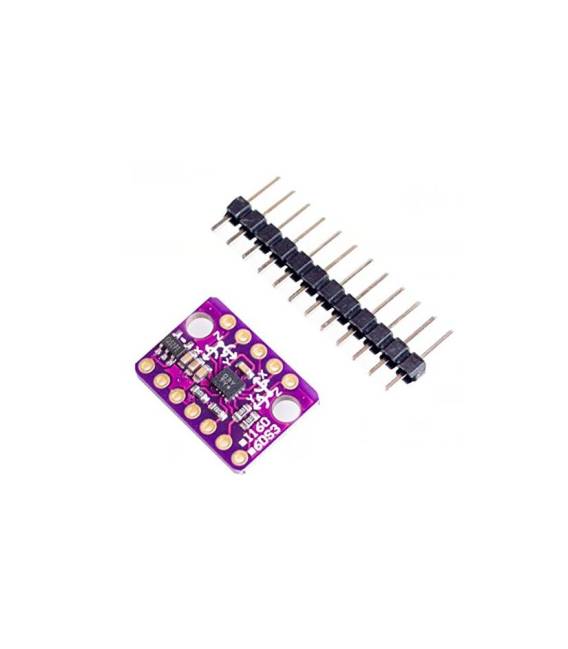
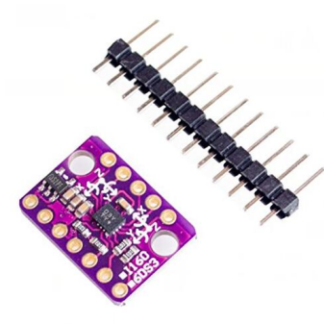
What is the GY-LSM303C LIS3MDL? The GY-LSM303C LIS3MDL is a 3-axis sensor module compatible with Arduino. It allows you to measure both acceleration and magnetic field in three directions.
Features:
– 3-Axis Accelerometer – Magnetometer Sensor Module
– Compatible with Arduino
SKU: ARD0010978 Price: £4.62
What is it for?
Ideal for navigation and orientation projects, such as building a digital compass that indicates the direction you are facing. It can also be used in robotics for movement and orientation control.
Tutorial: How to use GY-LSM303C
The GY-LSM303C is a multi-functional sensor measuring acceleration and magnetic field in 3 axes. Ideal for navigation and orientation projects.
What you need:
– Arduino or compatible
– Dupont cable
– 10kΩ resistor (for I2C interfacing)
– Power supply block 3.3V or 5V
Steps:
1. Installation: Download and install the latest version of Arduino IDE.
2. Connection: Connect the GY-LSM303C module to your Arduino using Dupont cables.
3. Configuration: Connect a 10kΩ resistor between the SCL pin and the SDA pin of the module.
4. Power Supply: Power the module with a 3.3V or 5V power supply block.
5. Code: Load the example code to read sensor data.
6. Verification: Check if the data is displayed correctly.
7. Testing: Move the module at various angles and observe the data change.
8. Debugging: If no data is shown, check the datasheet for module specifications.
Example Code:
“`cpp
#include
#include
LSM303DLHC lsm;
void setup() {
Wire.begin();
lsm.initialize();
}
void loop() {
lsm.getAccel();
Serial.print(“Acceleration: “);
Serial.print(lsm.ax, 2);
Serial.print(“, “);
Serial.print(lsm.ay, 2);
Serial.println(lsm.az, 2);
delay(1000);
}
“`
Mini-project: Build a digital compass that indicates the direction you are facing.
Common errors:
– Forgetting to connect the I2C resistor.
– Powering the module with voltages out of range.
– Using an incompatible Arduino.
– Downloading incorrect or outdated code.
Recommended accessories:
– Arduino Uno
– Dupont cable
– 5V power supply block
– LCD 16×2 display
Frequently Asked Questions:
How can I verify if the sensor is working correctly?
Load the example code and check the displayed data. If no data is shown, verify the connection and power supply.
Can I use this sensor with an Arduino Nano?
Yes, the Nano is compatible. Ensure that the power supply is appropriate.
Reviews
There are no reviews yet.