 EN
 IT Italiano
 ES Español
 FR Français
 DE Deutsch
Description
What it is
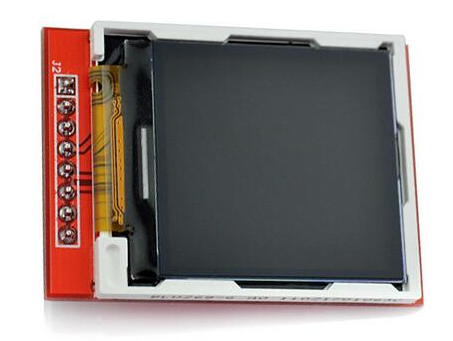
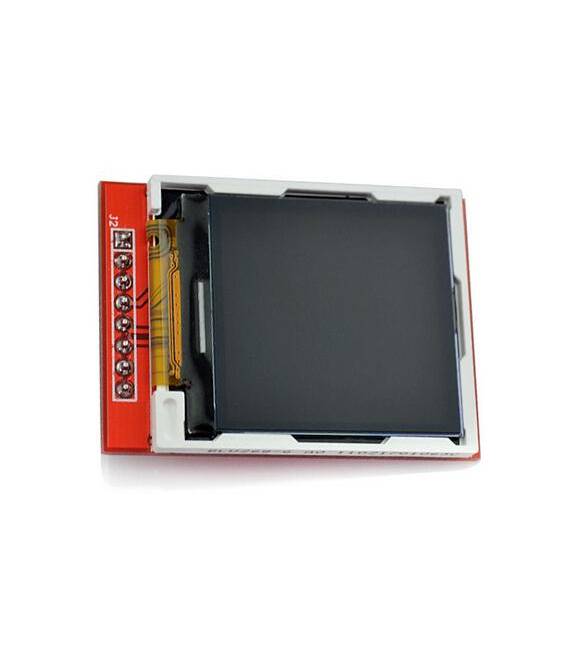
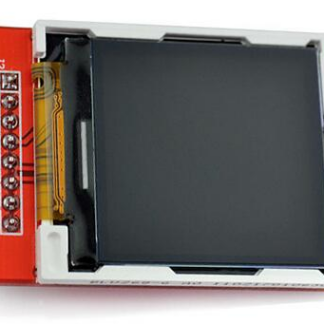
The 1.44″ Graphic LCD TFT SPI Serial 128×128 ST7735 display is an electronic component that allows for the display of graphical information on a small screen. Using SPI communication, the display can be controlled by microcontrollers such as Arduino or ESP, making it ideal for prototyping and development projects.
Features
- Screen size: 1.44 inches
- Resolution: 128×128 pixels
- Technology: TFT LCD
- Interface: Serial SPI
- Controller: ST7735
What it is for
The graphic display can be used to create graphical user interfaces for Arduino or ESP projects. For example, it can be used to display real-time data such as temperature, humidity, or sensor values. It can also be used to create interactive screens with buttons and menus, or to display images and graphs.
Tutorial: How to use Graphic LCD TFT SPI 128×128 Display
The graphic LCD TFT SPI ST7735 is ideal for displaying colorful and detailed information. This component is suitable for beginner and intermediate makers who want to add a visual interface to their projects.
What you need
- Arduino Uno or compatible
- USB cable to connect Arduino to PC
- Graphic display ST7735
- Pull-up resistors
Steps
- Connect the display to the microcontroller following the datasheet documentation.
- Install the necessary libraries through the Arduino IDE: Adafruit_ST77XX and GFX.
- Configure the SPI pins in the code, checking the datasheet.
- Initialize the display in the setup() function.
- Draw a simple square or white text on the screen in loop() to test the connection.
Example code
// Inserire qui lo sketch Arduino di esempio
#include <Adafruit_GFX.h>
#include <Adafruit_ST77XX.h>
// Collegamenti specifici del tuo display, verifica sul datasheet.
Mini project
Create a small digital clock with date and temperature that displays on the LCD TFT screen. Use a sensor network to read ambient temperatures.
Common mistakes
- SPI pin connection error
- Display initialization missing
- Insufficient power supply issues
Recommended accessories
- Arduino Uno R3
- 10kΩ pull-up resistors
- DHT22 temperature sensors
- USB A to B cable
Frequently asked questions
What is the display resolution?
The resolution is 128×128 pixels, check the datasheet.
How can I change the background color?
Use the setRotation() and fillScreen(color) methods from the Adafruit_ST77XX library.
Reviews
There are no reviews yet.