 EN
EN IT Italiano
 ES Español
 FR Français
 DE Deutsch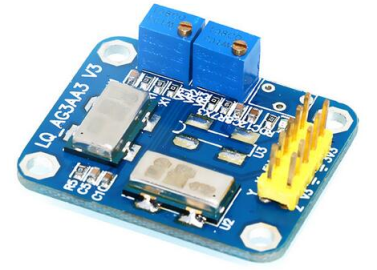
Description
What it is
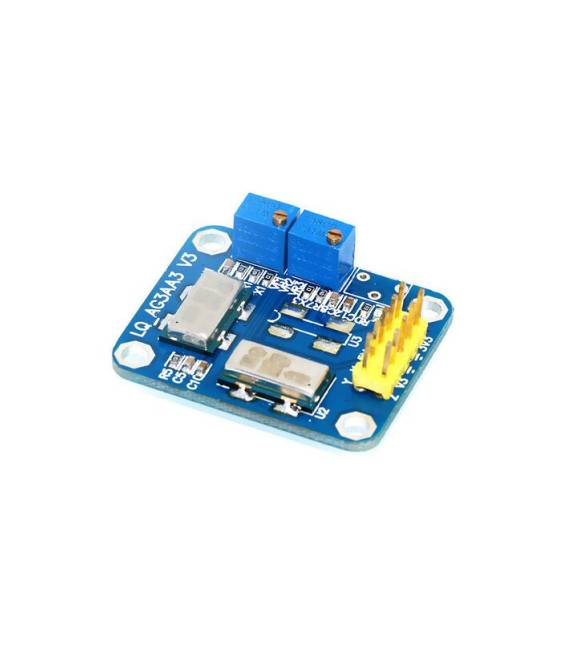
The ENC-03MB gyroscope sensor module + MMA7361 accelerometer is an electronic component designed to integrate into robotics, self-balancing vehicles, and stabilization systems projects. This module combines the functionalities of a 2-axis gyroscope and a 3-axis accelerometer.
Features
- 2-axis Gyroscope: ENC-03MB
- 3-axis Accelerometer: MMA7361
What it is for
Ideal for self-balancing robot and smart vehicle projects. Can be used with Arduino or ESP for precise movement and position control.
Tutorial: How to use Gyroscope Sensor Module ENC-03MB + Accelerometer MMA7361
This module combines a 2-axis gyroscope and a 3-axis accelerometer for precise movement control. Useful for self-balancing robot and stabilization system projects.
What you need
- Gyroscope Sensor Module ENC-03MB + Accelerometer MMA7361
- Arduino or compatible microcontroller
- Power supply cable
- Ground cable
Steps
- 1. Check that the module is functioning by verifying on the datasheet.
- 2. Connect the module to the Arduino: VCC to 5V, GND to ground, SDA and SCL to I2C pins.
- 3. Verify the I2C configuration for the sensor on the datasheet.
- 4. Load the provided Arduino code.
- 5. Enter calibration data from the datasheet.
- 6. Test data reading with Serial Monitor.
- 7. Implement robot balancing control based on the data.
- 8. Verify the accuracy of the data in various positions.
Example code
```cpp
#include <Wire.h>
#include <Adafruit_Sensor.h>
#include <Adafruit_MMA7660.h>

Adafruit_MMA7660 mma = Adafruit_MMA7660();

void setup() {
  Wire.begin();
  mma.begin();
}

void loop() {
  sensors_event_t a, g;
  mma.getEvent(&a, &g, NULL);
  Serial.print("X:"); Serial.print(a.acceleration.x);
  Serial.print(" Y:"); Serial.print(a.acceleration.y);
  Serial.print(" Z:"); Serial.print(a.acceleration.z);
  Serial.print(" Gx:"); Serial.print(g.gyro.x);
  Serial.print(" Gy:"); Serial.print(g.gyro.y);
  Serial.print(" Gz:"); Serial.print(g.gyro.z);
  Serial.println();
}
```
Mini project
Build a balanced robot using the module to control the robot’s movement and position.
Common mistakes
- Incorrect connection: Verify that VCC and GND are correctly connected.
- I2C communication issues: Verify the I2C configuration on the datasheet.
- Incorrect data: Check sensor calibration and configuration.
- Serial Monitor not working: Verify the baud rate configuration.
Recommended accessories
- Arduino Uno
- 5V power supply cable
- LiPo Battery
- Balanced Robot Support Frame
Frequently asked questions
How to calibrate the sensor?
Follow the calibration instructions in the datasheet for initial calibration.
Which pins to use for the gyroscope and accelerometer?
Check the datasheet for the correct I2C pin configuration.
Does the module work with Arduino Mega?
Check compatibility on the datasheet; the module may require modifications.
How can I improve the stability of the balanced robot?
Add a PID control algorithm based on sensor data.
Reviews
There are no reviews yet.