 EN
 IT Italiano
 ES Español
 FR Français
 DE Deutsch
Description
What it is
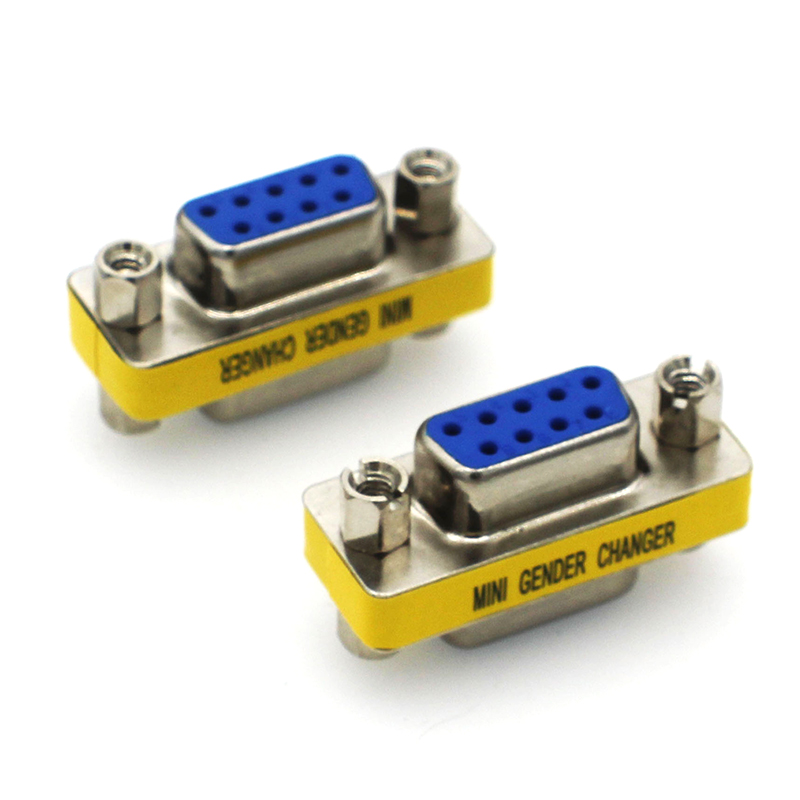
The DB9 RS232 female to female cable is a connector used to connect devices that use the RS232 interface, such as computers, 3D printers, and CNC systems. This cable is essential for sending commands and data between devices that support this interface.
Features
- DB9 RS232 Female to Female Cable
- Useful for electronics projects, 3D printing, and CNC
- Connector useful for connecting Arduino and other devices
What it is for
This cable is used to connect a 3D printer to a computer to send print commands. Additionally, it can be used to connect devices like Arduino and ESP to computers or other devices that support the RS232 interface.
Tutorial: How to use the DB9 RS232 female to female cable
The DB9 RS232 female to female cable is a connector useful for connecting devices that use the RS232 interface, such as computers, 3D printers, and CNC systems. This tutorial will guide you through the installation and use of this cable.
What you need
- computer with DB9 serial port
- device with DB9 serial port
- DB9 RS232 female to female cable
Steps
- 1. Check that both devices have a female DB9 serial port.
- 2. Connect one end of the cable to a device.
- 3. Connect the other end of the cable to the other device.
- 4. Verify the connection of the RS232 pins (TX, RX, GND) between the connected devices.
- 5. Configure the device software to use the correct serial port.
- 6. Test the communication by sending a test message.
- 7. If necessary, adjust the baud rate and RS232 communication parameters.
- Use the cable to transfer data between connected devices.
Mini project
Connect a 3d printer to a computer to send print commands using the DB9 RS232 cable.
Common mistakes
- The TX and RX pins are reversed.
- The baud rate is incorrect.
- The power supply voltage is not adequate.
- The protection filters are not configured correctly.
Recommended accessories
- DB9 male to female connector
- RS232 USB adapter
- 3d printer
- CNC system
Frequently asked questions
How can I verify the connection?
Use a test software like PuTTY to send and receive data between connected devices.
Which baud rates are supported?
Check the device’s datasheet to determine the supported baud rates.
Reviews
There are no reviews yet.