 EN
EN IT Italiano
 ES Español
 FR Français
 DE Deutsch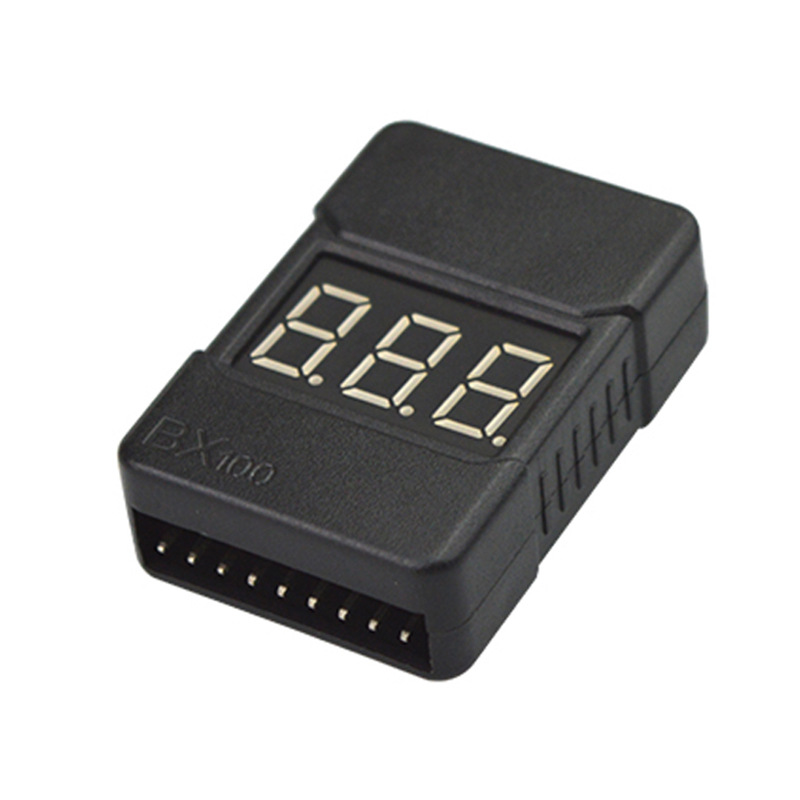
Description
What it is
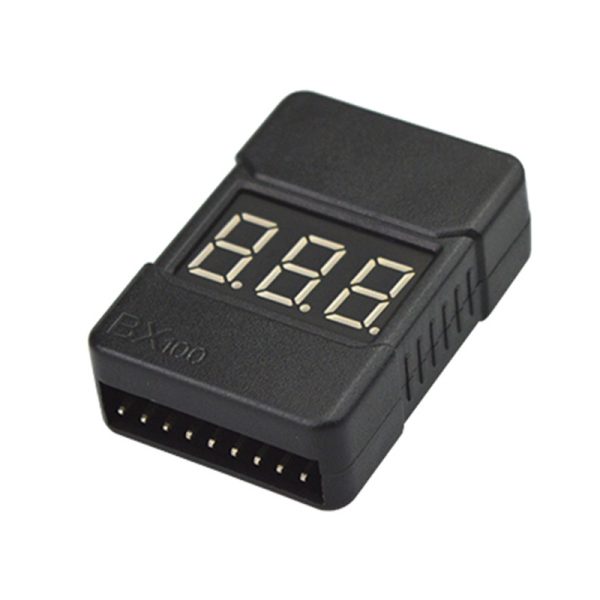
The BX100 is a Lipo battery voltage tester that allows you to monitor the voltage of batteries from 1 to 8 cells in series (S). This device offers an acoustic and visual alarm system when the battery voltage is too low, protecting your electronic devices.
Features
- Lipo Battery Voltage Tester 1-8S
- Battery Voltage Controller
- Low Voltage Beeper Alarm
- Power Supply LED Display
- Dual Speaker
What it is for
Ideal for makers and electronics enthusiasts who use Lipo batteries in their projects. You can use it to create a safety system for your 3D printer that warns you when the Lipo battery is about to run out. It is also useful for monitoring the voltage of batteries in drones and other devices that require precise battery management.
Tutorial: How to Use BX100 Lipo Battery Voltage Tester
The BX100 is a Lipo battery voltage tester that warns you when the voltage is too low, thus protecting your devices. Ideal for makers and electronics enthusiasts who use Lipo batteries in their projects.
What you need
- BX100 Lipo Battery Voltage Tester
- Lipo Battery
- Lipo Battery Connectors
Steps
- Connect the Lipo battery connectors to the BX100 tester.
- Turn on the tester by pressing the power button.
- Observe the LED display to see the battery voltage.
- If the voltage is too low, the tester will emit an alarm sound.
- Adjust the alarm level according to your device specifications (check the datasheet).
- Disconnect the battery when not in use to prolong the life of the tester.
- If the tester does not work, check the battery connection.
- Ensure that the tester is properly inserted into your project circuit.
Mini project
Create a security system for your 3D printer that alerts you when the Lipo battery is about to run out.
Common mistakes
- Do not adjust the alarm level.
- Do not check the battery connection.
- Use the tester with non-Lipo batteries.
- Do not disconnect the battery when not in use.
Recommended accessories
- XT60 connector for Lipo batteries
- Lipo battery 3S 5000mAh
- 3D Printer
- RC Drones with Lipo battery
Frequently asked questions
How to adjust the alarm level?
Press and hold the alarm button until the desired value is displayed on the LED display.
The tester does not emit sound?
Check the battery connection and that the tester is properly inserted into the circuit.
Reviews
There are no reviews yet.