 EN
 IT Italiano
 ES Español
 FR Français
 DE Deutsch
Description
What it is
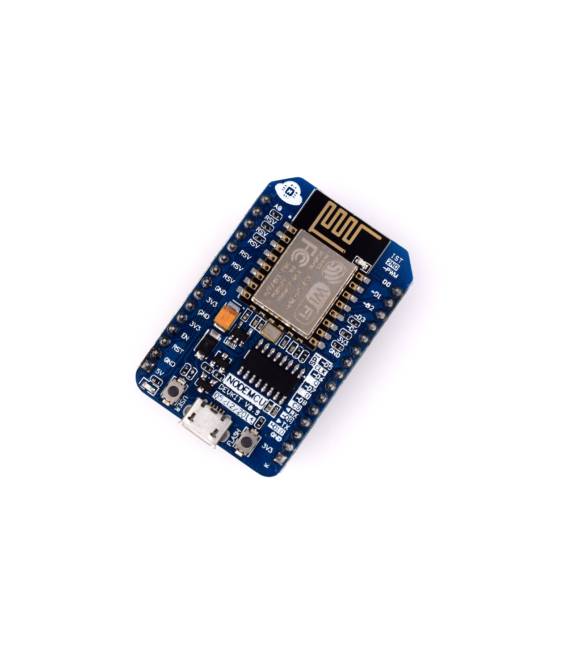
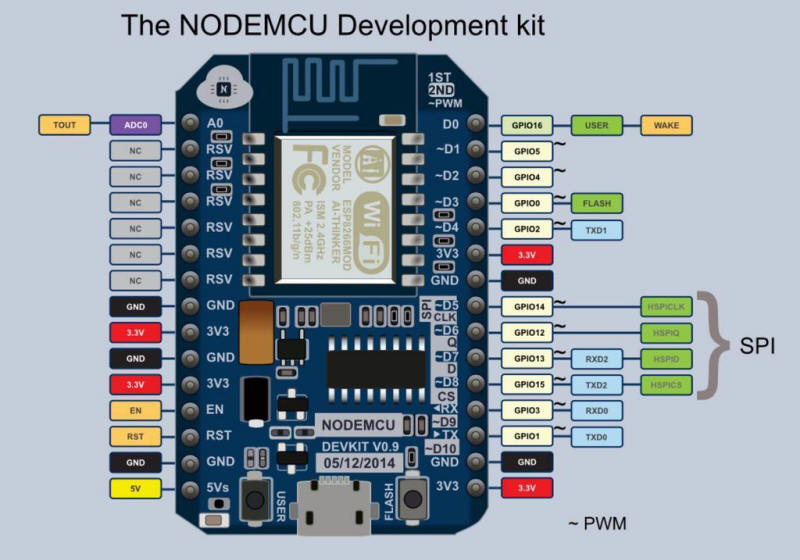
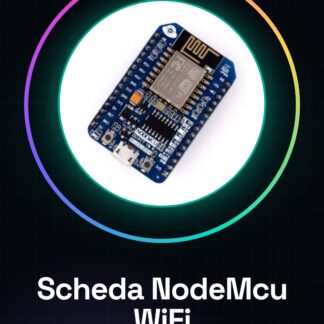
The NodeMcu Lua IoT ESP8266-12E/12F development board is an open-source solution for Internet of Things (IoT) projects. This WiFi module supports programming in Lua and can be used with platforms like Arduino.
Features
- ESP8266-12E/12F based development board
- Integrated WiFi support
- Programmable in Lua
What it is for
Ideally suited for IoT projects and applications requiring internet connectivity. Can be used by beginners and intermediates to create simple HTTP servers, send ‘Hello World’ HTML pages, or perform other basic functions.
Tutorial: How to use NodeMcu Lua IoT
The NodeMcu Lua IoT is a WiFi module for Arduino ideal for IoT projects and internet connectivity. Useful for beginners and intermediates.
What you need
- NodeMcu Lua IoT
- Arduino IDE
- USB cable
- 10kΩ resistor
- Sensors or relays
Steps
- 1. Download and install Arduino IDE.
- 2. Connect NodeMcu to the computer with USB cable.
- 3. Select ‘Arduino Pro or Pro Mini’ as board.
- 4. Choose ‘ESP8266 12E’ as CPU.
- 5. Load example sketch: ‘blink’.
- 6. Connect 10kΩ resistor between VCC and GND.
- 7. Load sketch ‘wifi_test’ to test WiFi connection.
- 8. Try sketch ‘http_server’ to create an HTTP server.
Example code
const server = new net.Server();
server.on('connection', function(socket) {
  socket.write('HTTP/1.1 200 OK
Content-Type: text/html
Connection: close

<html><body><h1>Hello World</h1></body></html>');
  socket.destroy();
});
server.listen(80);
Mini project
Create a simple HTTP server that sends an HTML page with ‘Hello World’.
Common mistakes
- Forget to connect the 10kΩ resistor.
- Use a board different from ‘Arduino Pro or Pro Mini’ or ‘ESP8266 12E’.
- Do not select the correct serial port.
- Write incorrect or incompatible code.
Recommended accessories
- Temperature sensors
- Relay
- LCD display
- LiPo battery
Frequently asked questions
How can I test the WiFi connection?
Load the ‘wifi_test’ sketch and check the Arduino console to see if the connection has been established.
Which sketches are pre-installed?
No sketches are pre-installed, but you can upload examples like ‘blink’, ‘wifi_test’, and ‘http_server’.
Can it work with Arduino IDE version 1.8.13?
Check the datasheet to verify compatibility.
Which sensors work well with NodeMcu?
Digital sensors like DHT22, BME280 or analog sensors like ADC work well.



Reviews
There are no reviews yet.