 EN
EN IT Italiano
 ES Español
 FR Français
 DE Deutsch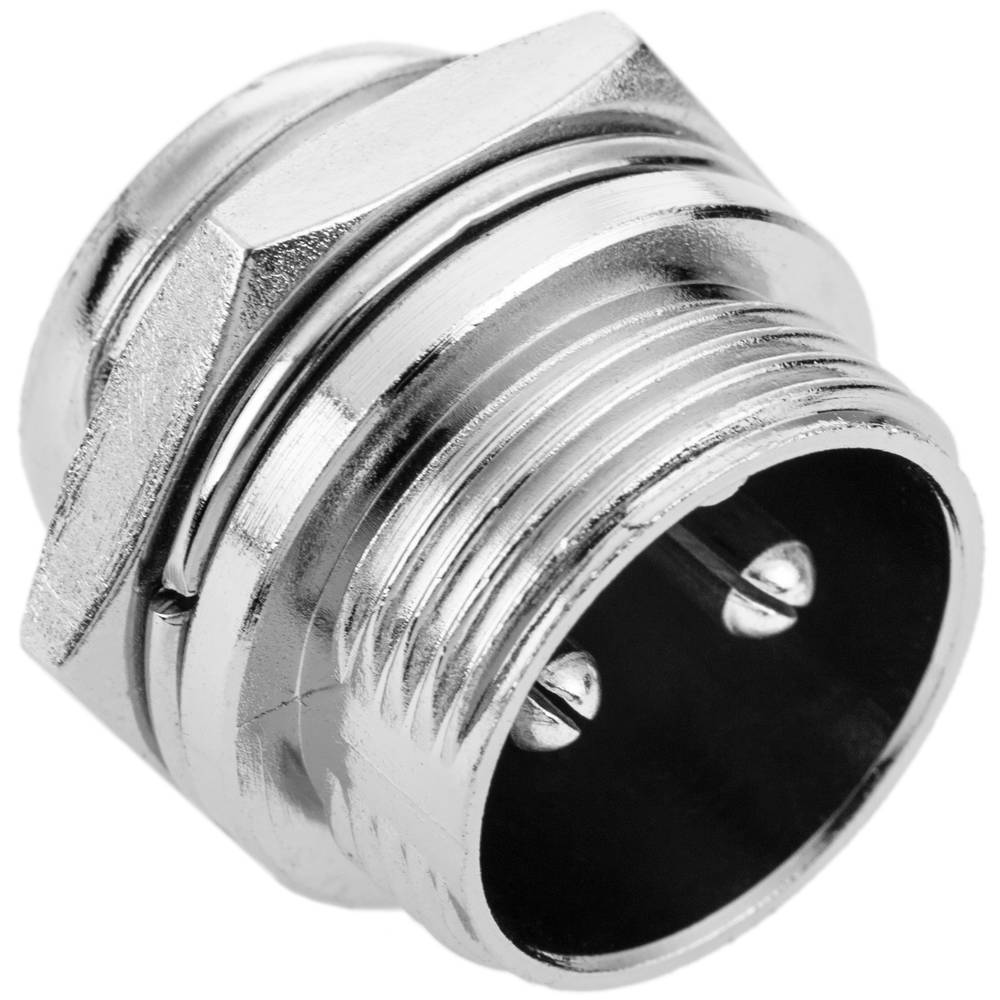
Description
What it is
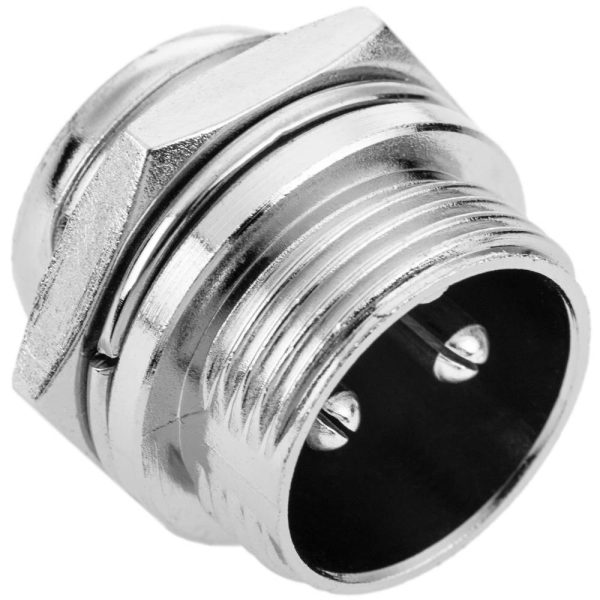
These aviation connector male GX16 2P pieces are useful components for connectivity in electronic projects, Arduino, 3D printing, and drones. They facilitate the quick and safe connection of electrical lines.
Features
- Type: Aviation connector male GX16 2P
- Number of contacts: 2
- Quantity: 2 pieces
What it is for
The aviation GX16 2P connectors are particularly useful for drone and radio control model projects, but can be used in any situation where a robust and easy-to-use connector is needed. They are suitable for connecting a separate power system in a small drone or for connecting circuits and components in Arduino projects.
Tutorial: How to use Aviation Connector Male GX16 2P
The aviation GX16 2P connector is ideal for quickly and safely connecting electrical lines. It is particularly useful for drone and radio control model projects, but can be used in any situation where a robust and easy-to-use connector is needed.
What you need
- Drone Projects
- Radio Control Models
- Robust Connectors for Electrical Lines
Steps
- Check the connector compatibility with the cable and board you want to connect.
- Cut the electrical cable to the desired length.
- Strip the outer insulation of the cable and separate the internal wires.
- Insert the wires into the GX16 2P connector, ensuring they are properly positioned.
- Use a crimp tool or soldering iron to secure the wires to the connector.
- Check the connector connection with a multimeter or another power source.
- Repeat the process for the female connector or to connect other electronics.
- Protect the connectors with a headset or protective cable.
Mini project
Project of a small drone with a separate power system. Connect the GX16 2P connector between the battery and the main circuit to facilitate battery replacement during testing.
Common mistakes
- Insert the wires into the connector incorrectly, causing short circuits.
- Do not secure the wires properly, risking losing the connection.
- Use an incompatible connector with the cable or board.
- Do not protect the connectors, increasing the risk of damage.
Recommended accessories
- Electric cable
- Crimp tool or soldering iron / soldering station / solder
- Protective headset
- Multimeter
Frequently asked questions
Is the GX16 2P connector compatible with Arduino?
Yes, but an appropriate connector is needed to connect it to an Arduino.
What is the resistance of the GX16 2P connector?
Check the datasheet.
Can I use the GX16 2P connector to connect two Arduino boards?
Yes, but make sure to use a compatible connector for each board.
Reviews
There are no reviews yet.