 EN
 IT Italiano
 ES Español
 FR Français
 DE Deutsch
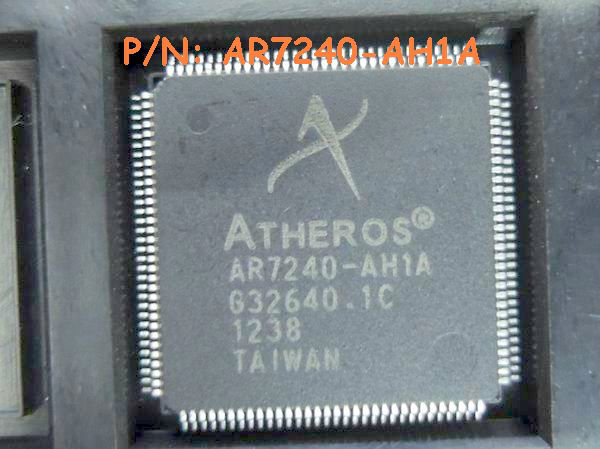
Description
Tutorial: How to Use AR7240-AH1A Atheros QFP128 IC
The AR7240-AH1A Atheros QFP128 IC is a key component for developing wireless network projects. It is ideal for makers who want to integrate Wi-Fi connectivity into their devices.
What you need
- Arduino or compatible microcontroller
- Wi-Fi connection
- development software
Steps
- Check the compatibility of your microcontroller with the AR7240-AH1A.
- Connect the AR7240-AH1A to the microcontroller following the documentation.
- Install the necessary libraries to manage the AR7240-AH1A.
- Write a sketch that initializes the AR7240-AH1A.
- Test the Wi-Fi connectivity.
- Implement desired features (e.g., data transmission).
- Verify the stability of the connection.
- Optimize the code to improve performance.
Example code
/* Esempio di codice per inizializzare l'AR7240-AH1A */
#include <WiFi.h>

void setup() {
  Serial.begin(9600);
  WiFi.begin(ssid, password);
  while (WiFi.status() != WL_CONNECTED) {
    delay(500);
    Serial.print(".");
  }
  Serial.println("nConnesso!");
}

void loop() {
  // Codice per trasmissione dati
}
Mini project
Create a smart home device that sends temperature and humidity data to a cloud platform.
Common mistakes
- Wi-Fi connection error
- Module initialization problems
- Incompatibility with the microcontroller
- Library configuration error
Recommended accessories
- Arduino Uno
- Temperature and humidity sensors
- Wi-Fi Antenna
- Raspberry Pi
Frequently asked questions
Which microcontrollers are compatible with the AR7240-AH1A?
Check the datasheet for the complete list of compatible microcontrollers.
How can I obtain the datasheet?
The datasheet is available on the Atheros manufacturer’s website.
Is it possible to use the AR7240-AH1A without a microcontroller?
Generally, the AR7240-AH1A requires a microcontroller for the software interface.

Reviews
There are no reviews yet.