 EN
 IT Italiano
 ES Español
 FR Français
 DE Deutsch
Description
What it is
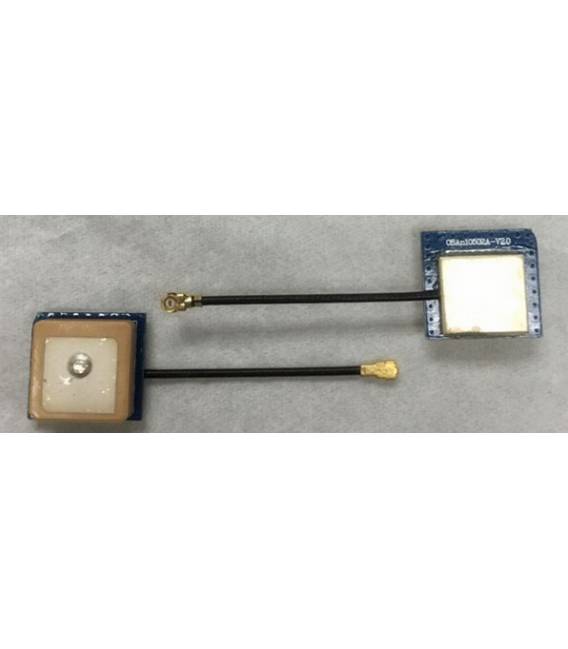
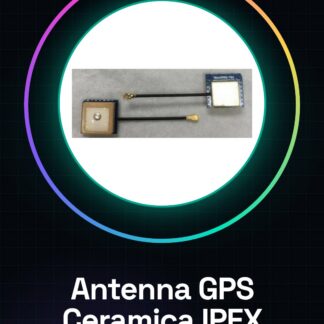
The active ceramic IPEX GPS antenna is an essential component to improve satellite reception in projects requiring precise positioning.
Features
- Type: Active Ceramic GPS Antenna
- Interface: IPEX
- Dimensions: 12*12*6.5 mm
What it is for
The antenna is ideal for Arduino projects that require accurate and reliable localization, such as real-time position monitoring systems or navigation devices.
Tutorial: How to Use Active Ceramic IPEX GPS Antenna
The active ceramic IPEX GPS antenna is ideal for improving satellite reception in projects requiring precise positioning. This component is particularly useful for makers and developers working on navigation systems, position monitoring, or any other device that requires precise GPS data.
What you need
- Arduino or compatible microcontroller
- IPEX connection to GPS module
- Potential power supply
Steps
- Connect the GPS antenna to the power supply and ensure that the voltage is in accordance with the datasheet specifications.
- Connect the IPEX connector of the antenna to the corresponding connector on the GPS module or microcontroller.
- Check with a multimeter that there are no shorts on the power and data pins.
- Configure the Arduino to read data from the connected GPS module via the antenna.
- Test the connection and reception of GPS signals using a library such as Adafruit_GPS or TinyGPS++.
Example code
// Esempio di codice per inizializzare il modulo GPS con l'antenna collegata
#include <SoftwareSerial.h>
SoftwareSerial gpsSerial(10, 11); // RX, TX
Adafruit_GPS GPS(&gpsSerial);
void setup() {
  Serial.begin(9600);
  GPS.begin(9600);
}
Mini project
Create a real-time position monitoring system with Arduino and the GPS antenna. Connect the antenna to the GPS module, then use your smartphone to receive data via Bluetooth.
Common mistakes
- Do not adhere to the specified power supply voltage.
- Poor IPEX connector connection.
- Ignore the need for a clear, open view of the sky to obtain a strong GPS signal.
- Configure the Arduino without testing the GPS data reception first.
Recommended accessories
- GPS module with IPEX interface
- 2-pin IPEX connector
- Digital multimeter
Frequently asked questions
How can I verify if the antenna is working correctly?
Check the GPS signal reception using a debugging software or a library like TinyGPS++.
What is the maximum range of the active ceramic IPEX GPS antenna?
Check the product datasheet for precise range information.
Reviews
There are no reviews yet.