 EN
EN IT Italiano
 ES Español
 FR Français
 DE Deutsch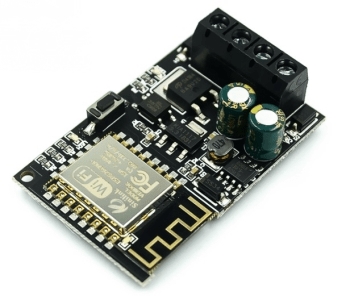
Description
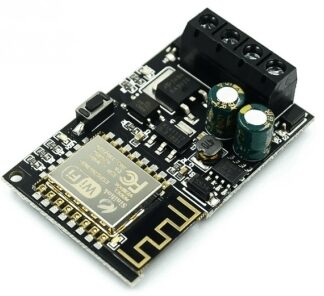
What is the 5V-36V WiFi Remote Control Module? This module allows remote control of smart home devices via a smartphone app. Features Compatibility: WiFi Power Supply: 5V-36V Control: Through smartphone app Usage: Smart home What does it do? This module can be used to manage electronic devices with a voltage range from 5V to 36V. It is ideal for creating remote lighting systems by connecting the module to a relay and controlling a chandelier via the app. Tutorial: How to use the WiFi Remote Control Module This module enables you to control smart home devices from your smartphone. Ideal for beginners and intermediate electronics enthusiasts. What do you need? Smartphone Arduino USB cable 10kΩ resistor Device to be controlled Steps 1. Download the dedicated app from Google Play Store or App Store. 2. Connect the module to your Arduino via specified pins. 3. Connect a 10kΩ resistor between GND and VCC of the module. 4. Connect the device to control to the module. 5. Upload the code to Arduino. 6. Configure the app to connect to the module. 7. Control the device through the app. 8. Check the datasheet for further settings. Example Code “` #include const char* ssid = “TUSSID”; const char* password = “TUPASSWORD”; void setup() { Serial.begin(9600); WiFi.begin(ssid, password); } void loop() { if (WiFi.status() == WL_CONNECTED) { Serial.println(“Connected to WiFi.”); } } “` Mini-project Create a remote lighting system. Connect the module to a relay and control the chandelier via the app. Common mistakes Forgetting to connect the 10kΩ resistor. Setting up WiFi connection data correctly. Not configuring the app properly. Connecting the module’s pins correctly. Recommended accessories Relay Chandelier Connection cable Arduino UNO Frequently Asked Questions The app does not connect to the module Check your WiFi configuration and connection code. The module does not respond Verify electrical connections and app settings. I cannot control the device Ensure that the device is properly connected to the module.

Reviews
There are no reviews yet.