 EN
 IT Italiano
 ES Español
 FR Français
 DE Deutsch
Description
What it is
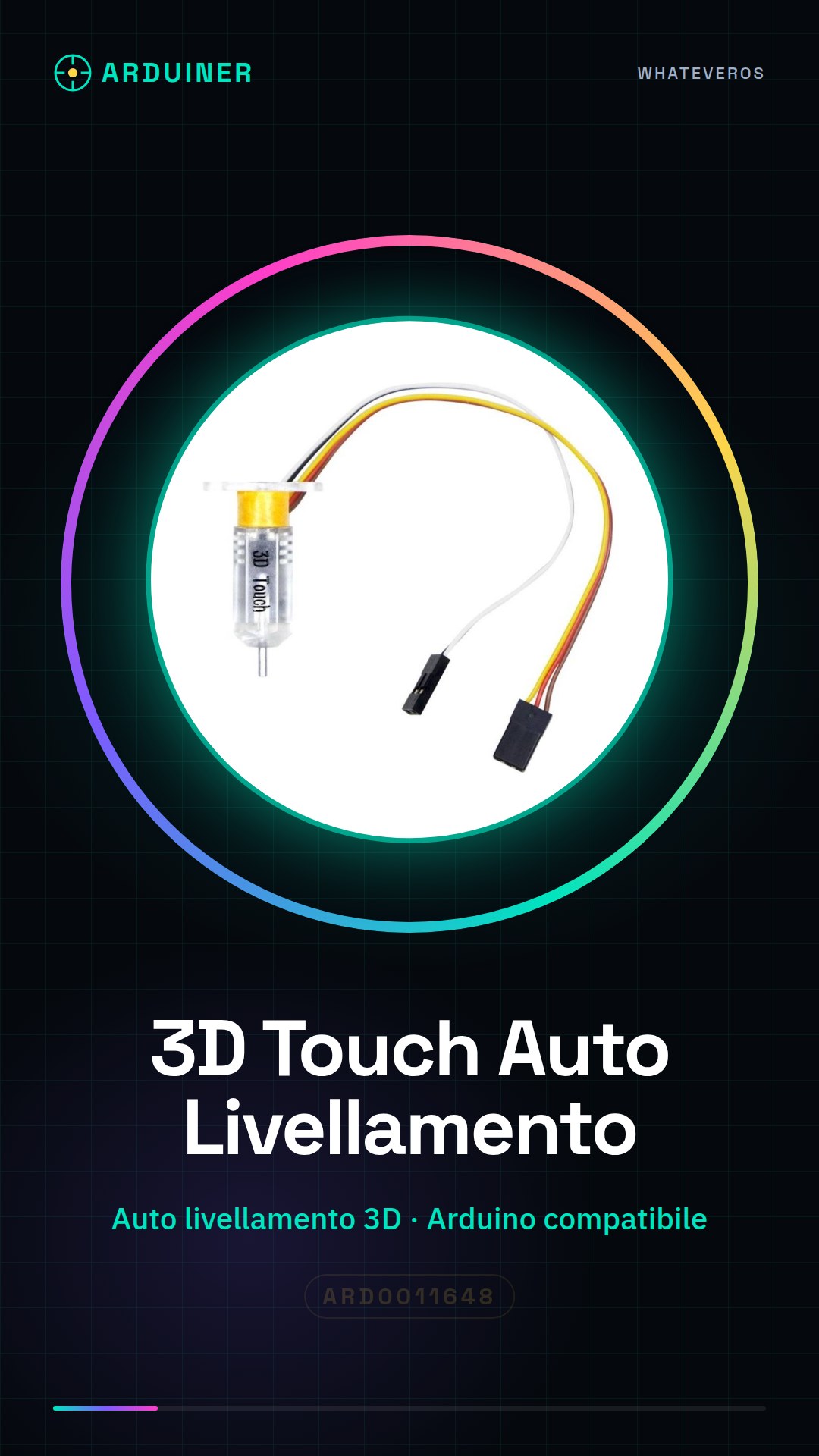
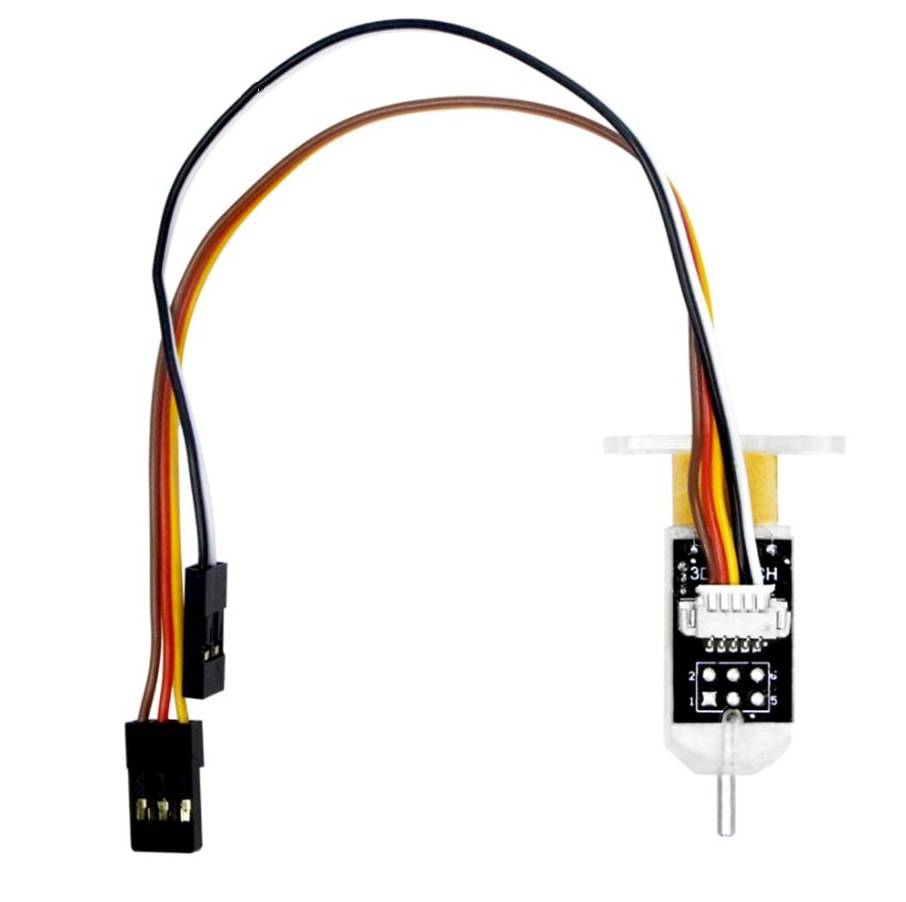
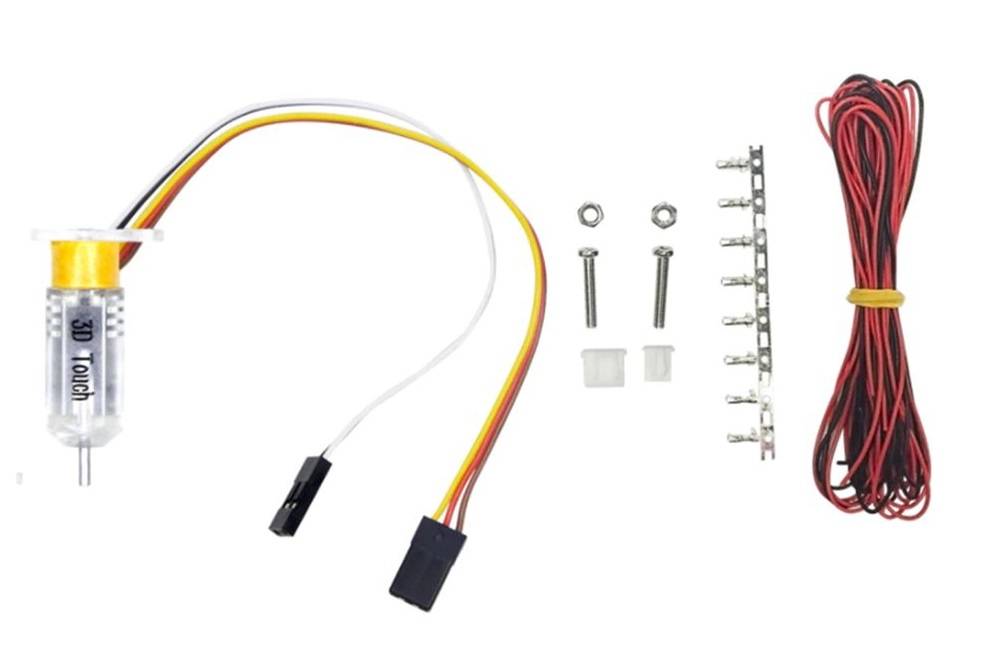
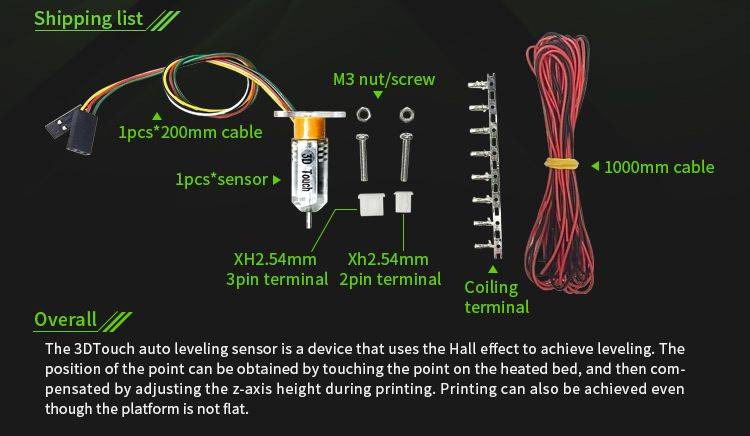
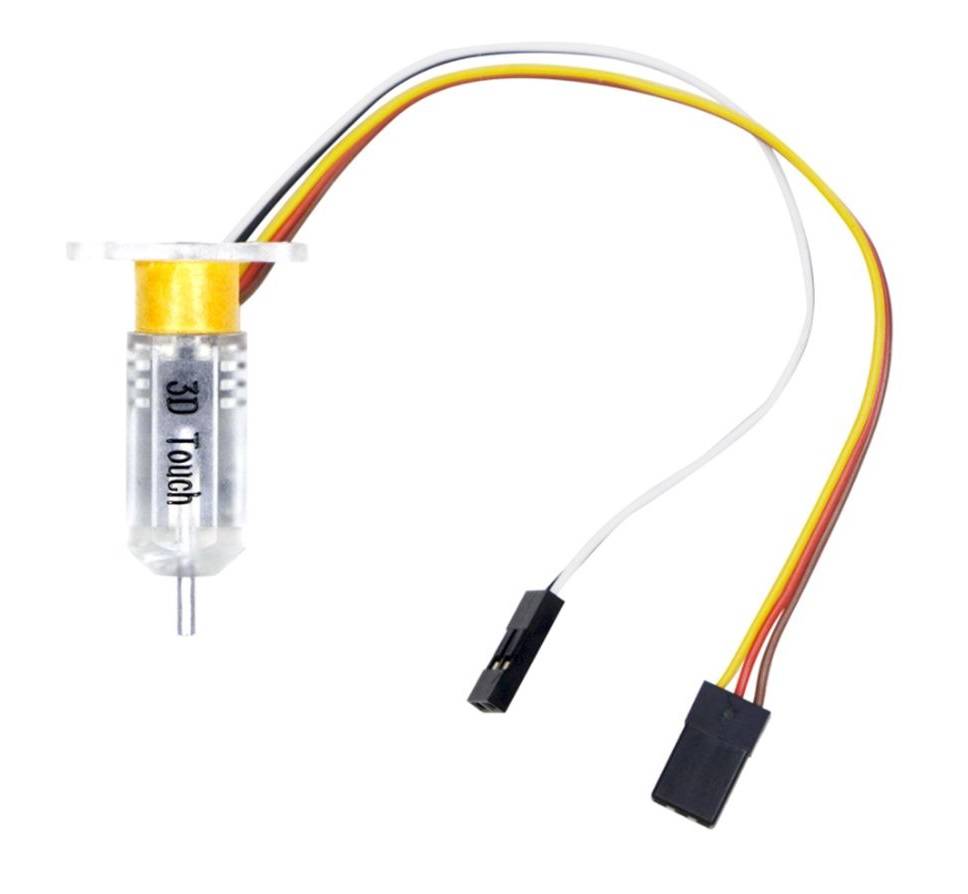
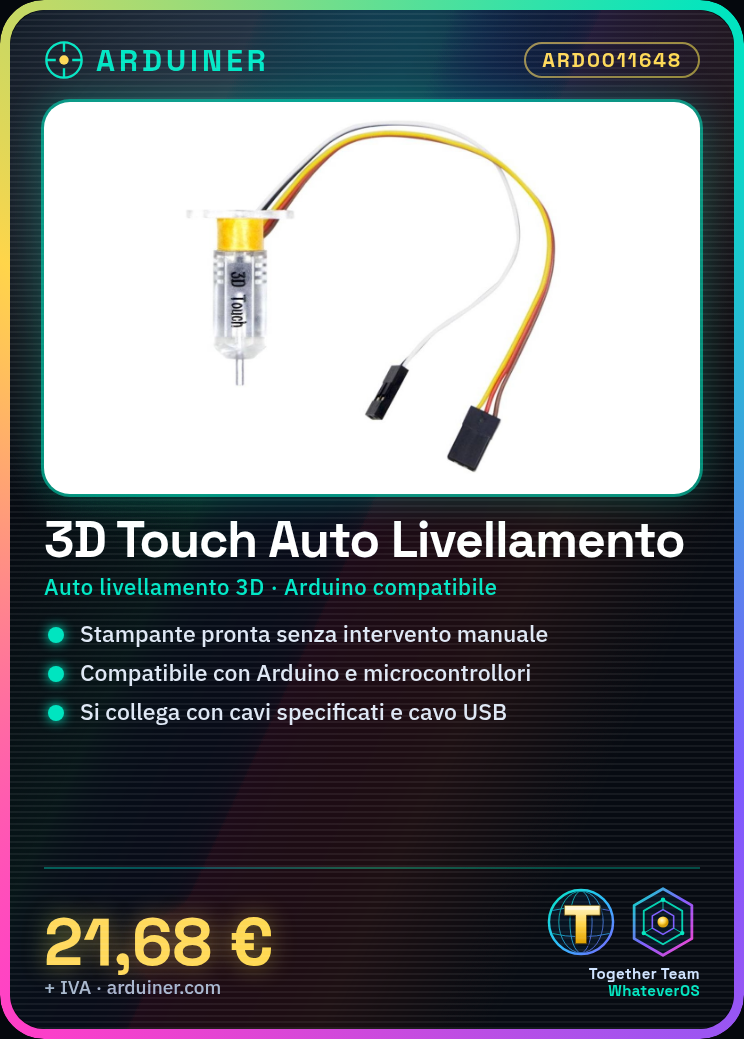
The 3D Touch ARD0011648 sensor is a device designed for automatic leveling in 3D printers, improving print accuracy and quality.
Features
- Automatic leveling for 3D printers
What it is for
This sensor is useful for makers who want to keep their 3D printer ready for printing without manual intervention. You can use it with Arduino or other compatible microcontrollers.
Tutorial: How to use 3D Touch Auto Leveling Sensor
This sensor helps keep your 3D printer ready for printing without manual intervention. Useful for all makers who don’t want to worry about leveling.
What you need
- 3D Touch Auto Leveling Sensor ARD0011648
- Compatible 3D printer
- Arduino or compatible
- USB cable
Steps
- 1. Check if the printer is compatible with the sensor.
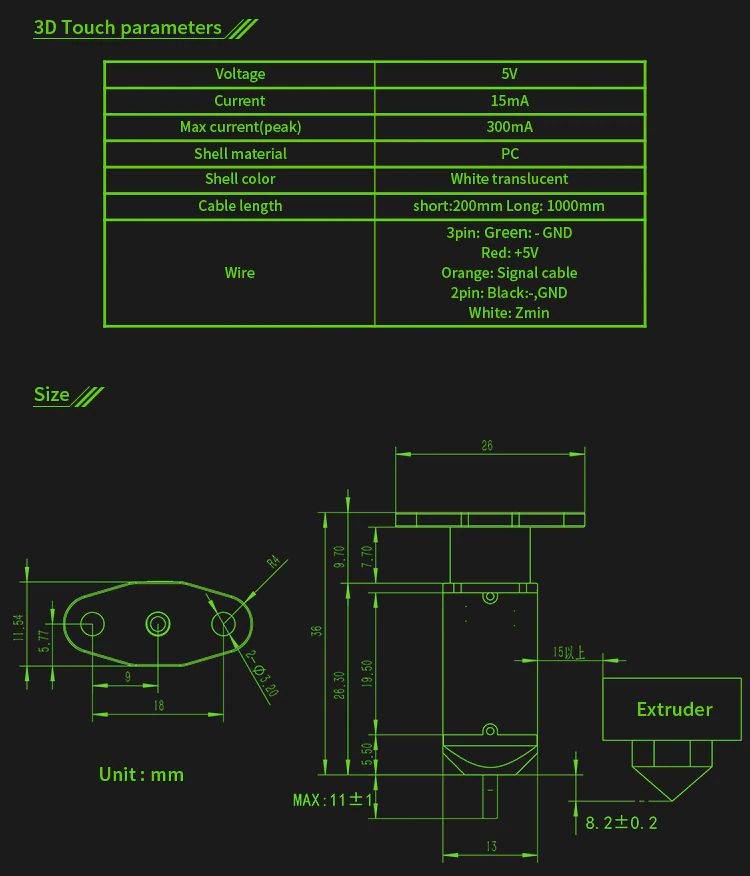
- 2. Read the sensor values from the datasheet.
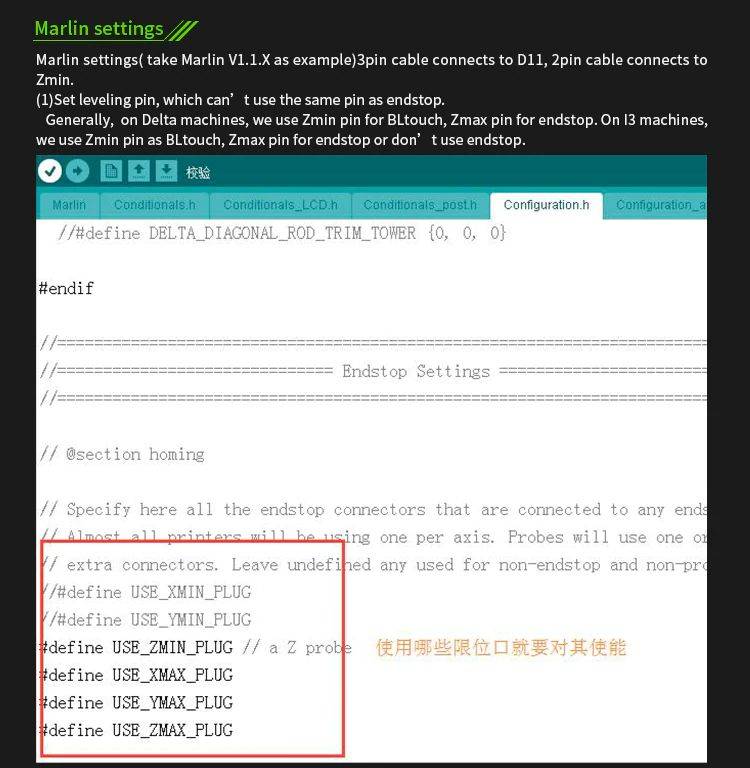
- 3. Connect the sensor to the printer using the specified cables.
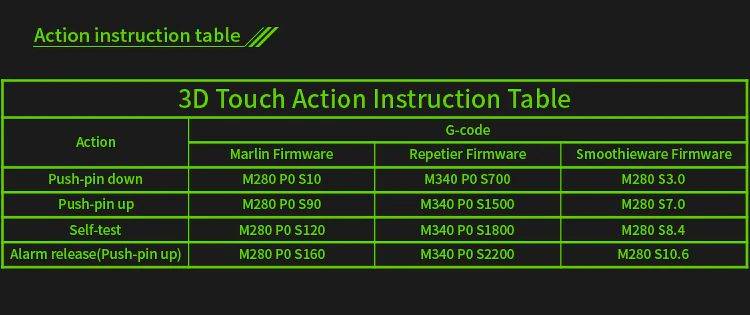
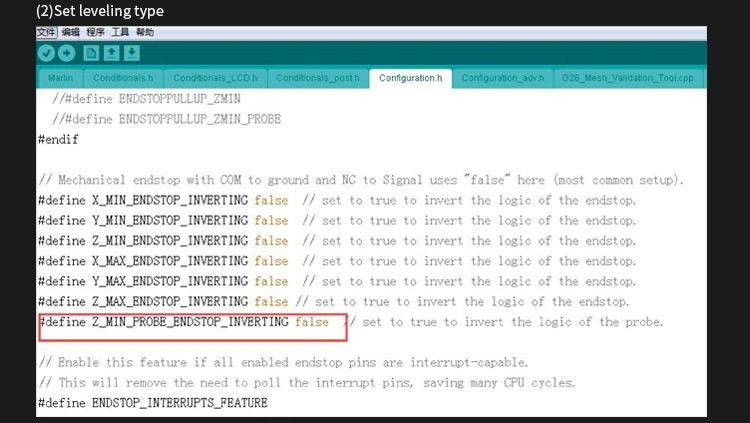
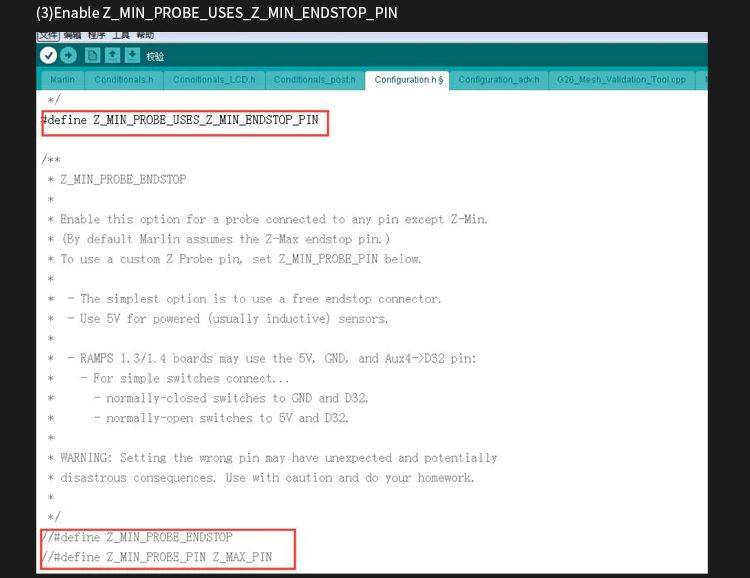
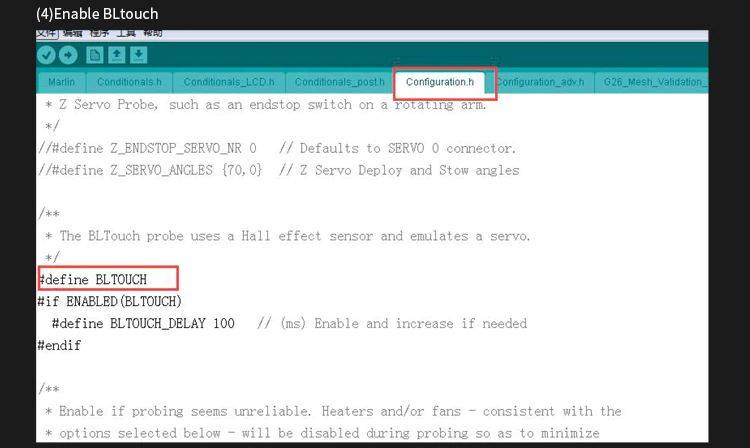
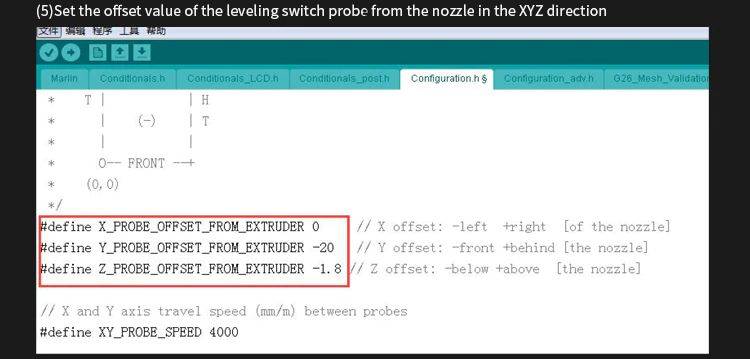
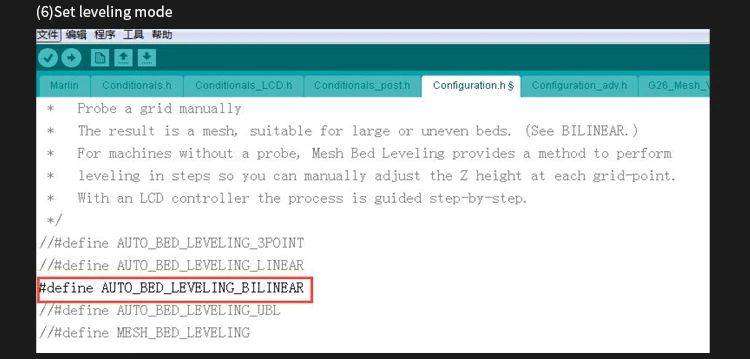
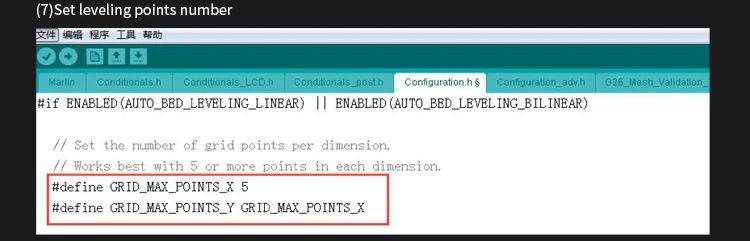
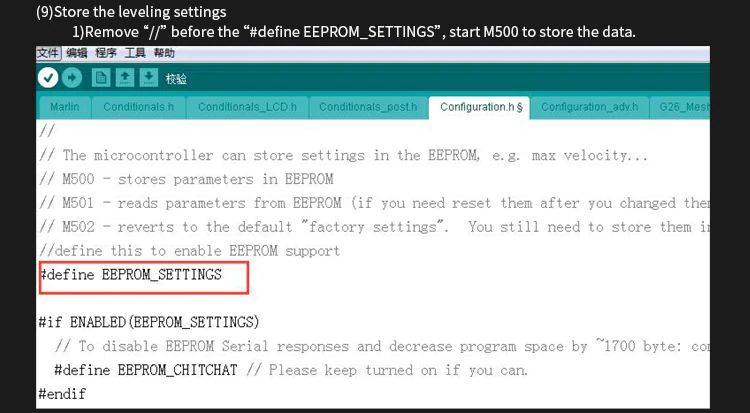
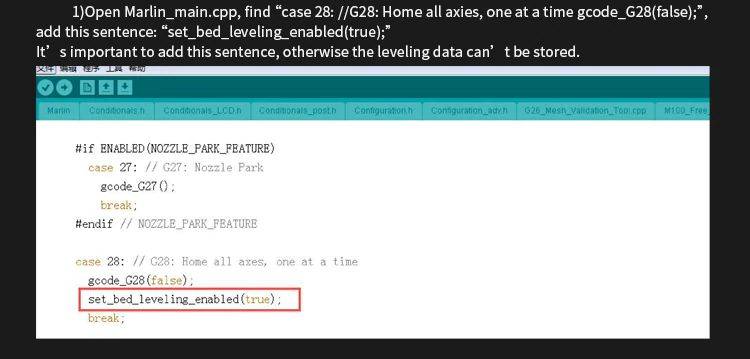
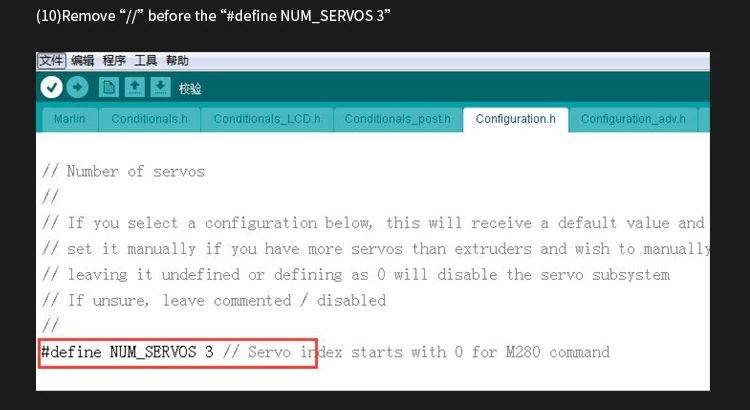
- 4. Configure the sensor in the Arduino code.
- 5. Verify the correct power supply in the datasheet.
- 6. Program the auto-leveling in the code.
- 7. Test the sensor to ensure it works correctly.
- 8. Configure the auto-leveling in the 3d printer software.
Mini project
Create a test support for the sensor using a piece of wood and an Arduino. Connect the sensor to the Arduino and verify the auto-leveling.
Common mistakes
- Connect the sensor with incorrect cables.
- Omit configuring the Arduino code.
- Fail to verify the correct power supply in the datasheet.
- Forget to test the sensor before use.
Recommended accessories
- Compatible Arduino
- USB cable
- Piece of wood for the support
- Compatible 3d printer
Frequently asked questions
Does the sensor work with all 3d printers?
Verify the compatibility with your 3d printer in the datasheet.
What power supply values should I use?
Verify the correct power supply in the datasheet.
Does the sensor connect directly to the Arduino?
Connect the sensor to the Arduino using the specified cables.
Reviews
There are no reviews yet.