 EN
 IT Italiano
 ES Español
 FR Français
 DE Deutsch
Description
What it is
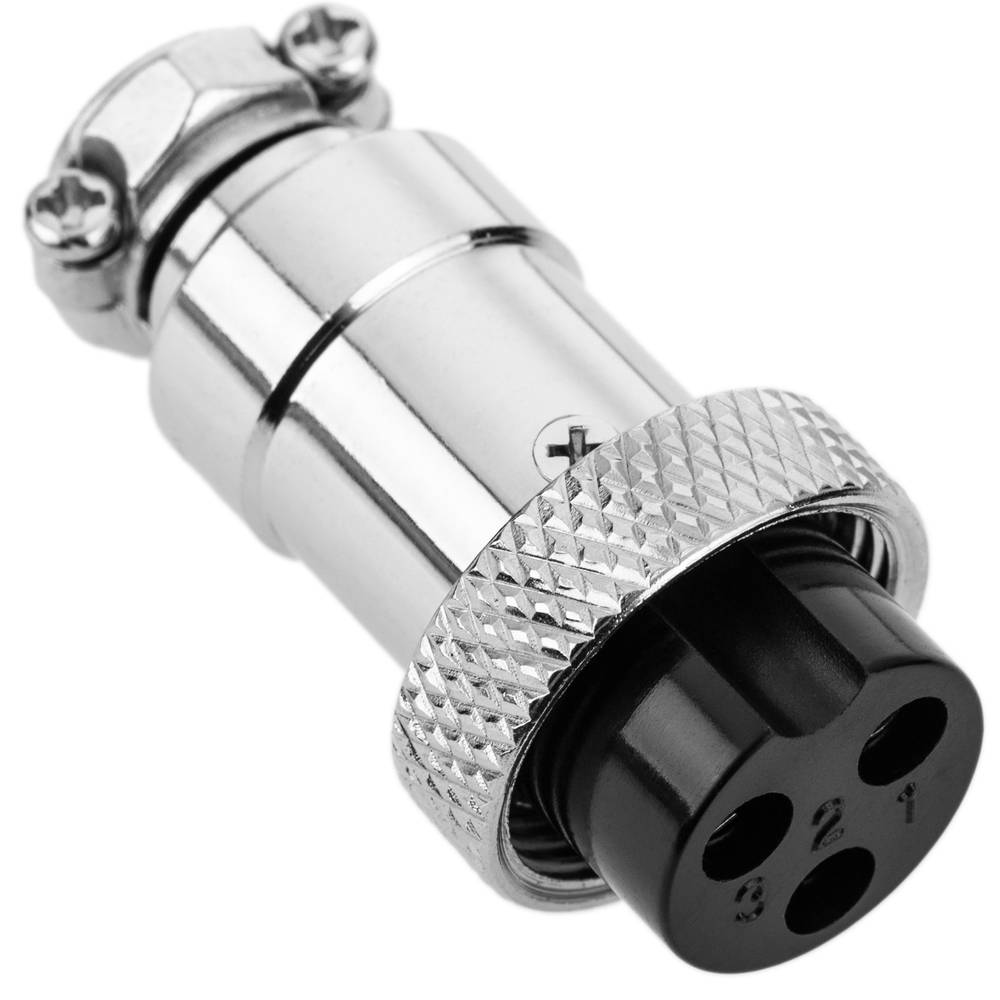
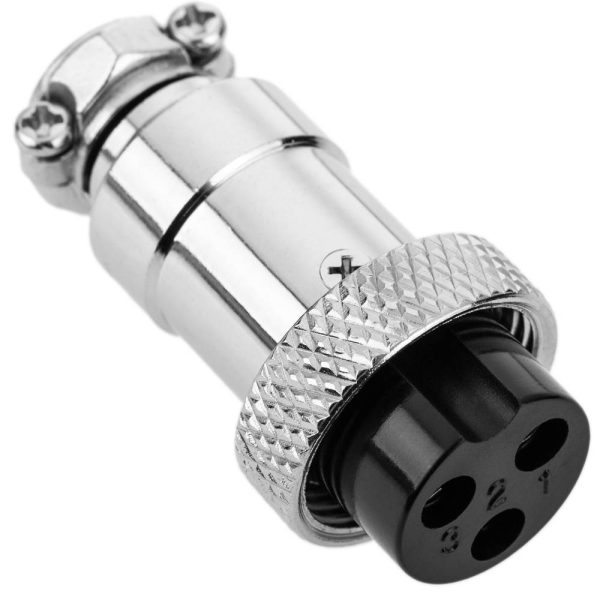
The GX12 3P aviation female connector is an electronic component used for connecting electronic circuits. This connector is particularly suitable for projects that require a secure and easy connection between components such as batteries and drone controllers.
Features
- Type: Aviation Female Connector GX12 3P
- Number of Contacts: 3
- Used in Arduino and 3D printing projects
What it is for
This connector is ideal for creating a power supply system for small drones, connecting the battery to the controller. Additionally, it is used in radio-controlled models and drone applications. It is compatible with various electronic projects that require a secure and reliable connection.
Tutorial: How to Use Aviation Female Connector GX12 3P
The GX12 3P female aviation connector is an essential component for electronic projects, particularly for RC models and drone applications. This connector is ideal for makers looking to easily connect electrical wires to their projects.
What you need
- drone projects
- RC models
- 3D printing projects
- Arduino projects
- Raspberry Pi projects
- electronic prototyping projects
Steps
- Check the datasheet for the type of male connector intended to be connected to the GX12 3P female connector.
- Prepare the male connector so that it is compatible with the GX12 3P connector.
- Connect the male connector to the GX12 3P connector by inserting the male connector contacts into the slots of the GX12 3P connector.
- Ensure that the connector is properly inserted without forcing.
- If necessary, use a clamp to secure the connectors together.
- Check the connection with a multimeter to ensure that the contacts are properly connected.
- If using the GX12 3P connector to power a device, verify that the voltage and current are compatible with the device.
- If using the GX12 3P connector to transmit signals, verify that the signals are correctly received by the device.
Mini project
Create a power system for a small drone using the GX12 3P connector to connect the battery to the controller.
Common mistakes
- Insert the male connector into the GX12 3P connector incorrectly.
- Do not verify the compatibility between the battery voltage and current and the device.
- Do not use a clamp to secure the connectors together.
- Do not check the connection with a multimeter.
Recommended accessories
- Aviation male GX12 3P connector
- Clamp
- Multimeter
- Compatible battery
Frequently asked questions
What is the difference between GX12 and GX16?
The GX16 has more contacts and larger dimensions compared to the GX12, so the choice depends on the project requirements.
How do you clean the connector contacts?
Use a slightly damp cloth to remove dust and a brush to clean between the contacts.
Is the GX12 3P connector compatible with Arduino?
Yes, but an adapter or a compatible connector will be necessary to connect it to an Arduino interface.
Reviews
There are no reviews yet.