 EN
 IT Italiano
 ES Español
 FR Français
 DE Deutsch
Description
Technical Description
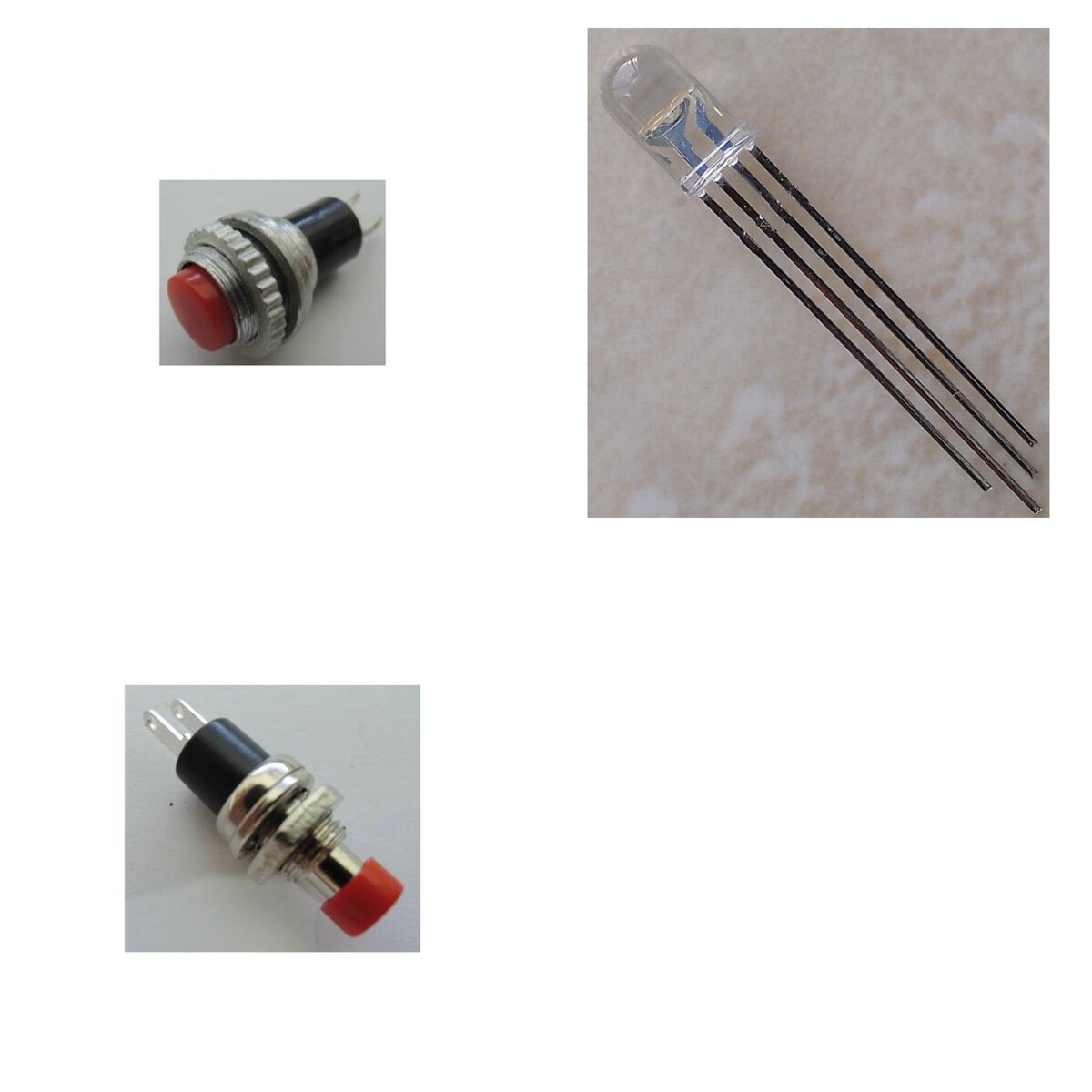
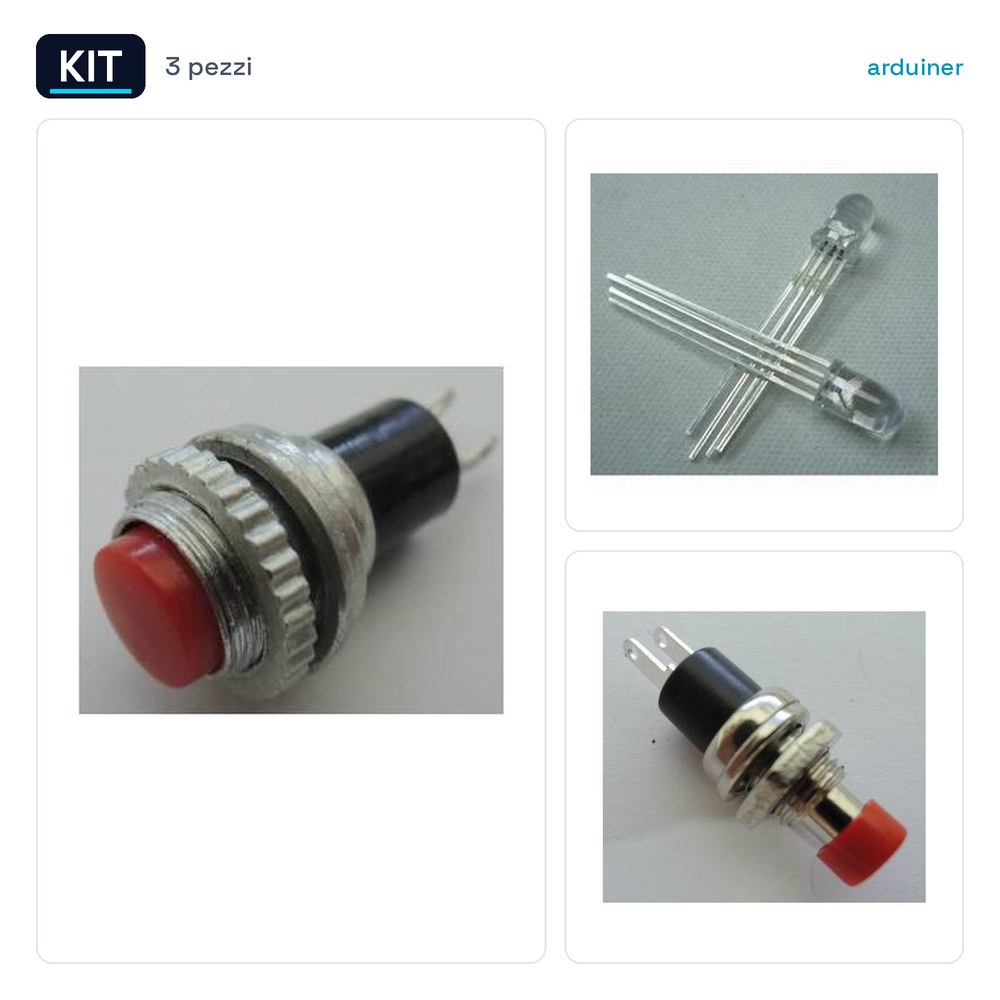
The ARD0014936 kit includes momentary panel push buttons, RGB multicolor LEDs, and MSPS103B buttons. These components are useful for electronic and prototyping projects that require visual input and output interfaces.
The momentary panel push buttons and MSPS103B buttons are used to activate or deactivate electronic circuits when pressed. The RGB multicolor LEDs offer a wide range of colors to indicate system status or for illumination.
This kit is designed to be used in projects that require user interaction and variable state visualization.
Key Specifications
| Parameter | Value |
| Momentary Push Button Model | ARD00521 |
| Quantity of Momentary Push Buttons | 4 |
| Dimensions of Momentary Push Buttons | Diameter 10mm |
| RGB Multicolor LED Model | ARD0039 |
| Quantity of RGB Multicolor LEDs | 3 |
| Dimensions of RGB Multicolor LEDs | 5mm |
| Model MSPS103B Push Button | ARD001158 |
| Quantity MSPS103B Push Button | 2 |
| Container | Kit |
Installation and Usage
- Verify the correct quantity of components in the kit.
- Connect the momentary push buttons to the printed circuit board according to the project.
- Connect the multi-color RGB LEDs to the printed circuit board, ensuring to correctly identify the anode pole.
- Connect the MSPS103B buttons to the printed circuit board.
- Test the functionality of the components with a test software.
Compatibility and Requirements
- This kit is compatible with Arduino and other electronic prototyping systems.
- A printed circuit board with appropriate connectors is required to connect the components.
- A programming software is required to control the behavior of the components.
Limitations and Important Notes
- The components do not include integrated connectors for direct connection to circuits.
- The brightness of the RGB LEDs can vary based on the applied voltage.
- Ensure that electronic components are not overloaded with excessive voltages or currents.
Troubleshooting
The RGB LEDs do not emit light.
Probable cause: The anode pole is not correctly identified.
Solution: Determine the polarity and correctly connect the LEDs.
The buttons do not activate the circuit.
Probable cause: The printed circuit board connectors may be damaged.
Solution: Check and replace the connectors if necessary.
The MSPS103B buttons do not work.
Probable cause: The control software may not be correctly configured.
Solution: Reload the control software and check the configuration.
The RGB LEDs emit light but do not change color.
Probable cause: The control software may not support color variability.
Solution: Check the software documentation and update if necessary.
Use cases
Parking Sensor for the Garage
Objective: Indicate parking space occupancy with RGB lights.
What’s Needed: Kit ARD0014936
Steps: 1) Connect the buttons to presence sensors. 2) Connect the RGB LEDs to a control circuit. 3) Program the circuit to change the color of the LEDs based on the sensor signals.
Expected Result: The LEDs change color to indicate the availability of parking spaces.
Control Interface for a Robot
Objective: Control the movement and functions of the robot.
What’s Needed: Kit ARD0014936
Steps: 1) Connect the buttons to movement commands. 2) Connect the RGB LEDs to status indicators. 3) Program the robot to respond to commands and change the LED lighting.
Expected Result: The robot responds to commands and changes the color of the indicators based on the active state.
Home Security System
Objective: Activate an alarm when a door is opened.
What’s needed: Kit ARD0014936
Steps: 1) Connect the buttons to door opening sensors. 2) Connect the RGB LEDs to an alarm circuit. 3) Program the circuit to activate the alarm and change the color of the LEDs.
Expected Result: The alarm is activated and the LEDs change color when the door is opened.
Control Interface for an Irrigation System
Objective: Regulate irrigation based on conditions.
What’s needed: Kit ARD0014936
Steps: 1) Connect the buttons to moisture sensors. 2) Connect the RGB LEDs to a control circuit. 3) Program the circuit to activate irrigation and change the color of the LEDs.
Expected Result: The irrigation system is activated and the LEDs change color based on humidity conditions.
Control Interface for a Security System
Objective: Activate a security system when a door is opened.
What’s Needed: Kit ARD0014936
Steps: 1) Connect the buttons to door opening sensors. 2) Connect the RGB LEDs to a security circuit. 3) Program the circuit to activate the security system and change the color of the LEDs.
Expected Result: The security system is activated and the LEDs change color when the door is opened.
Control Interface for a Lighting System
Objective: Adjust lighting based on conditions.
What’s Needed: Kit ARD0014936
Steps: 1) Connect the buttons to light sensors. 2) Connect the RGB LEDs to a control circuit. 3) Program the circuit to adjust lighting and change the color of the LEDs.
Expected Result: The lighting is regulated and the LEDs change color based on light conditions.
Control Interface for a Traffic Control System
Objective: Regulate traffic based on conditions.
What’s needed: Kit ARD0014936
Steps: 1) Connect the buttons to traffic sensors. 2) Connect the RGB LEDs to a control circuit. 3) Program the circuit to regulate traffic and change the color of the LEDs.
Expected Result: Traffic is regulated and the LEDs change color based on traffic conditions.
Control Interface for a Pedestrian Traffic Control System
Objective: Regulate pedestrian traffic based on conditions.
What’s needed: Kit ARD0014936
Steps: 1) Connect the buttons to presence sensors. 2) Connect the RGB LEDs to a control circuit. 3) Program the circuit to regulate pedestrian traffic and change the color of the LEDs.
Expected result: Pedestrian traffic is regulated and the LEDs change color based on pedestrian traffic conditions.
In the package
- Kit 4 Pieces Momentary Panel Push Buttons + 3 Pieces RGB MULTICOLOR 5mm LEDs + 2 Pieces MSPS103B Buttons
Complete the project
- 4 Pieces Momentary Panel Push Buttons Diameter: 10mm: For a pedestrian traffic control system.
- 3 Pieces RGB MULTICOLOR 5mm COMMON ANODE 8000mcd: For a vehicle traffic control system.
- Momentary Push Button Switch 12V 16MM Metal Panel Waterproof Anti-Vandal: For a lighting control system.
- Self-Locking ON/OFF Push Button Switch with Green LED 12V 16MM Metal Panel: For an irrigation control system.
- Self-Locking ON/OFF Push Button Switch with Red LED 12V 16MM Metal Panel: For a home alarm control system.
Technical FAQs
How to connect RGB LEDs?
Connect the anode of the RGB LEDs to the positive terminal of the circuit and the cathodes to the negative terminal.
Why don’t the buttons work?
Check that the circuit board connectors are properly connected to the buttons.
What components are needed for a traffic control system?
For a traffic control system, traffic sensors and an appropriate control circuit may be necessary.
How to change the color of RGB LEDs?
Program the control circuit to send color signals to the RGB LEDs based on the system status.
Reviews
There are no reviews yet.