 EN
EN IT Italiano
 ES Español
 FR Français
 DE Deutsch
Description
What it is
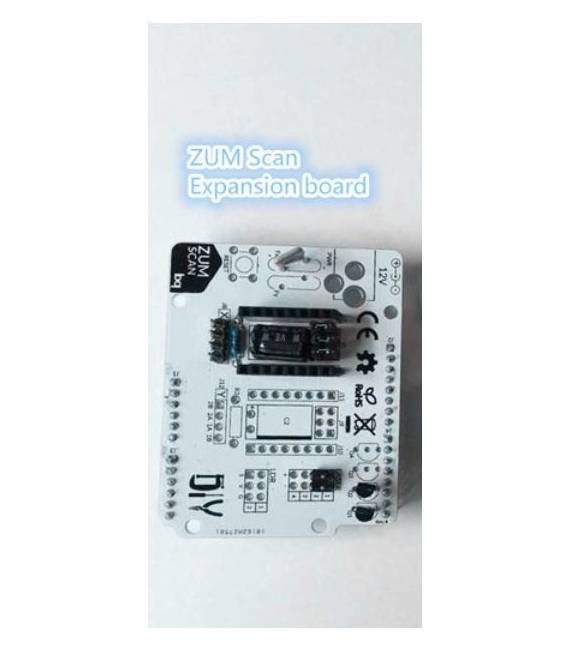
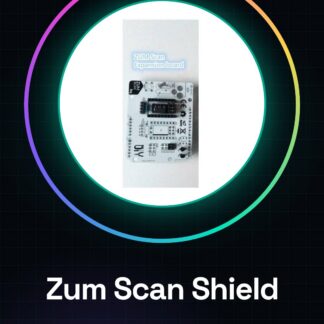
The Zum Scan Shield is an Arduino device that allows for the acquisition of 3D data of real objects and modification through Arduino software. This shield is designed to facilitate the creation of customized 3D models.
Features
- Allows for the acquisition of 3D data from real objects.
- Enables modification of colors and shapes of 3D models.
- Compatible with Arduino.
What it is for
The Zum Scan Shield is useful for makers who want to create customized 3D models of household objects or any other real object. You can use it to explore the world of 3D scanning and modification of 3D models.
Tutorial: How to use Zum Scan Shield
The Zum Scan Shield is a useful tool for makers who want to explore the world of 3D scanning. With this shield, you can acquire 3D data of real objects and modify them through Arduino.
What you need
- Arduino Uno or compatible
- Zum Scan Shield
- Computer with 3D processing software
- Objects to scan
Steps
- Connect the Zum Scan Shield to the Arduino Uno using the appropriate connectors.
- Install the 3D processing software on the computer.
- Download and install the necessary libraries for the Zum Scan Shield.
- Configure the 3D processing software to receive data from the scanner.
- Position the object to be scanned on the scanner’s platform.
- Start the scan and acquire the 3D data of the object.
- Process the acquired 3D data with the 3D processing software.
- Modify and customize the 3D model according to your needs.
Example code
/* Esempio di codice per inizializzare il Zum Scan Shield */
#include <ZumScanShield.h>

ZumScanShield scanner;

void setup() {
  scanner.begin();
  // Inizializzare ulteriori funzioni se necessario
}

void loop() {
  // Ciclo principale di acquisizione dati
}
Mini project
Create a 3D model of a household object and modify it to create a customized version.
Common mistakes
- Not having the necessary libraries installed.
- Positioning the object to be scanned too far from the scanner.
- Not configuring the 3D processing software correctly.
- Not verifying the acquired data before proceeding with processing.
Recommended accessories
- 3D Processing Software
- Arduino Uno
- Objects to Scan
- Lighting Lamps to Improve Scan Quality
Frequently asked questions
What Objects Can I Scan?
You can scan moderate-sized objects, avoiding those that are too large or too small.
How Can I Improve Scan Quality?
Use good lighting and position the object steadily.
Reviews
There are no reviews yet.