 EN
EN IT Italiano
 ES Español
 FR Français
 DE Deutsch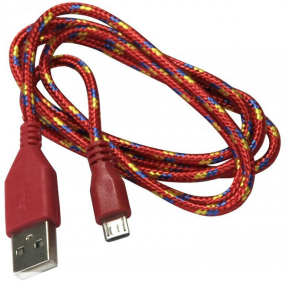
Description
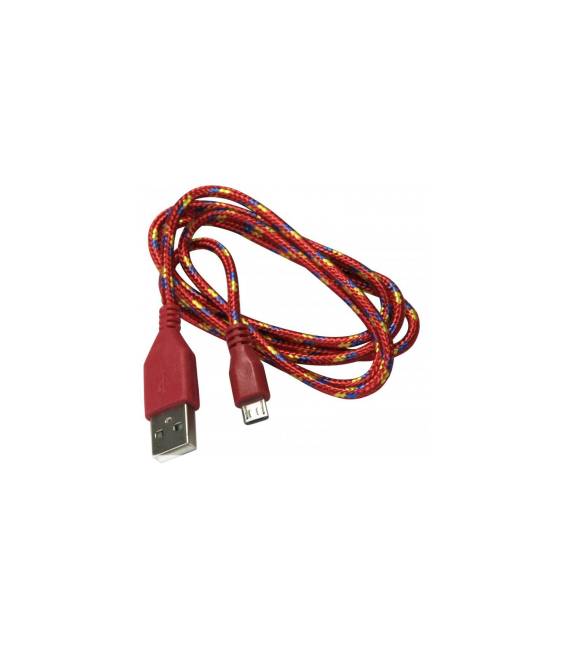
Woven Micro USB Cable 1m
Tutorial: How to Use 1m Micro USB Cable
This USB cable allows you to power and program your Arduino devices. Useful for those working with prototypes and small-scale projects.
What you need:
– Arduino or compatible device
– Computer USB port
Steps:
1. Check the datasheet for compatibility of your Arduino device with USB micro.
2. Wrap the cord around your Arduino device.
3. Connect the other end of the cable to your computer’s USB port.
4. Verify that your Arduino device is recognized by your computer.
5. If necessary, connect the cable to a power source to power your Arduino.
6. Verify correct power supply to your Arduino.
7. Use the cable to program your Arduino via the Arduino IDE software.
8. Verify that the code is loaded correctly.
Mini-project: Create a simple LED status indicator with Arduino. Connect an LED to your Arduino and use the USB cable to upload the code.
Common errors:
– Not checking the cable compatibility with your Arduino device.
– Connecting the USB cable to an incompatible device.
– Omitting the verification of correct power supply.
– Not using the cable to program your Arduino.
Recommended accessories: Arduino, LED, Resistor, Multimeter
Frequently asked questions:
– Does the cable work with all types of Arduino?
– Check the datasheet for compatibility of your Arduino device with USB micro.
– Can I use the cable to power devices other than Arduino?
– Verify the power supply compatibility with the device you intend to use.
– Can the cable be used for real-time data transfer?
– Use the cable for powering and programming your Arduino, not for real-time data transfer.
Reviews
There are no reviews yet.