 EN
EN IT Italiano
 ES Español
 FR Français
 DE Deutsch
Description
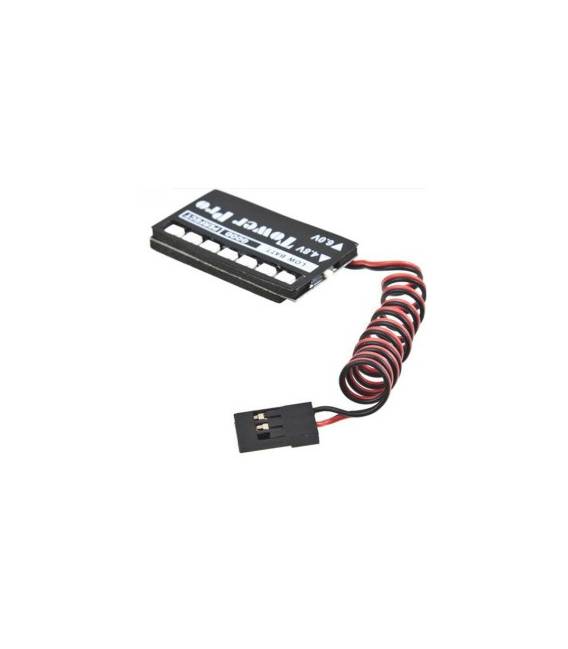
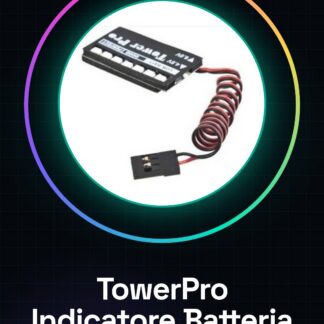
What is the TowerPro Airplane Battery Indicator? The TowerPro Airplane Battery Indicator is an essential device for makers and drone pilots. This tool allows real-time monitoring of battery voltage, ensuring safe and efficient flights. Features Battery voltage monitoring for aircraft and drones; Alarm system that alerts when the battery reaches a certain level of discharge. Why Use It? The TowerPro indicator is ideal for beginner makers who want to ensure their equipment is always ready. It can be used to create a custom alarm system. Tutorial: How to Use TowerPro Battery Indicator The TowerPro Battery Indicator is a simple tool for monitoring battery charge levels in aircraft and drones. This component is ideal for beginner makers who want to ensure their equipment is always ready. What You Need Arduino Uno USB cable 3S LiPo battery Steps Connect the battery indicator to the Arduino Uno according to the datasheet specifications. Ensure that the indicator LEDs light up correctly when the battery is connected. Write an Arduino sketch to read the battery charge level and display it on the serial monitor. Test the indicator with a fully charged 3S LiPo battery and then gradually discharge it. Adjust the sketch as needed to fit the specific project requirements. Example Code void setup() { Serial.begin(9600); } void loop() { // Code to read the battery charge level and send it to the serial monitor } Mini-Project Create an alarm system that alerts when the drone battery reaches a certain level of discharge. Common Mistakes Incorrectly connecting the indicator. Using an incompatible battery. Ignoring voltage monitoring for safety. Not testing the sketch before final use. Recommended Accessories 3S LiPo battery LiPo charging cable Digital multimeter Temperature sensors Frequently Asked Questions How can I check the battery charge level? Use the Arduino sketch to read and display the voltage on the serial monitor. What is the precision range of the indicator? Check the component datasheet.
Reviews
There are no reviews yet.