 EN
EN IT Italiano
 ES Español
 FR Français
 DE Deutsch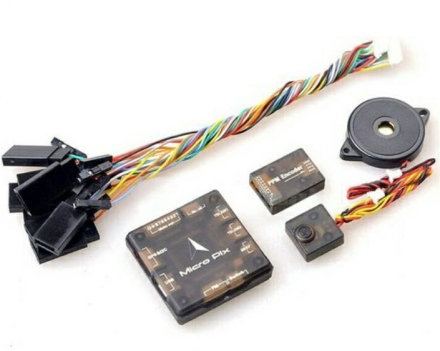
Description
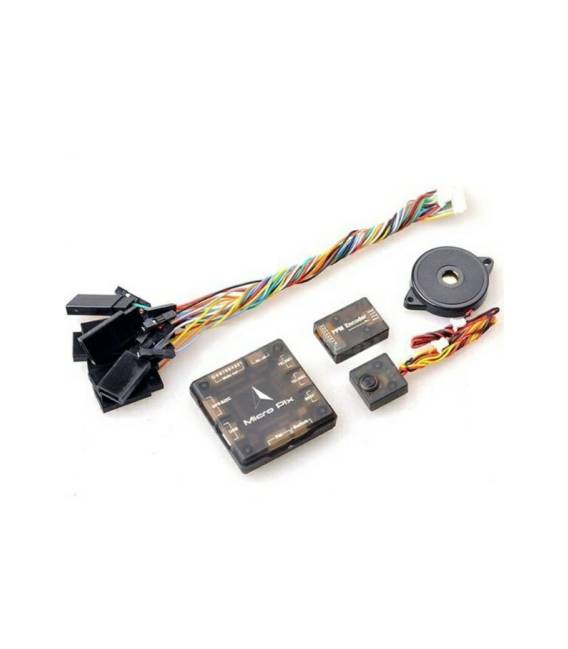
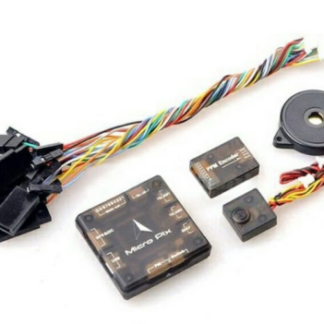
The Mini MicrPix 32 Bit Pixhawk 2.4.6 PX4 is a flight controller for drones. Ideal for building and customizing your drone. It includes a 32-bit STM32F427 processor with FPU, 168 MHz, 256 KB RAM, 2 MB Flash, and a 32-bit STM32F103 coprocessor. It features a fail-safe function, a ST Micro L3GD20H gyroscope, a ST Micro LSM303D accelerometer/magnetometer, and an Invensense MPU 6000 3-axis accelerometer/gyroscope. The barometer is a MEAS MS5611. The package includes: 1 x Micro Pix flight controller, 1 x PWM to PPM signal converter with case, 1 buzzer, 1 switch block, and 2 Xspan cables. Tutorial: How to Use Mini MicrPix 32 Bit Pixhawk 2.4.6 PX4
1. Check if your drone is compatible with the Mini MicrPix.
2. Verify the required battery specifications on the datasheet.
3. Connect the battery to the Mini MicrPix.
4. Connect the orientation and speed sensors to the Mini MicrPix.
5. Connect the flight motor to the Mini MicrPix.
6. Check the datasheet to ensure your motor is compatible with the Mini MicrPix.
7. Download and install the PX4 Fly firmware on the Mini MicrPix.
8. Power on the Mini MicrPix and check the sensor and motor connections.
Mini-project: Build a test airplane with the Mini MicrPix and a 250W motor. In 30 minutes, you can mount the Mini MicrPix, connect the battery and sensors, and test the flight.
Common Errors: Do not use incompatible batteries. Do not connect sensors and motors without verifying specifications. Do not forget to download the PX4 Fly firmware. Do not power on the Mini MicrPix without first checking the sensor and motor connections.
Recommended Accessories: LiPo 3S 1300 mAh battery, orientation and speed sensors, 250W flight motor, airplane frame.
Reviews
There are no reviews yet.