 EN
EN IT Italiano
 ES Español
 FR Français
 DE Deutsch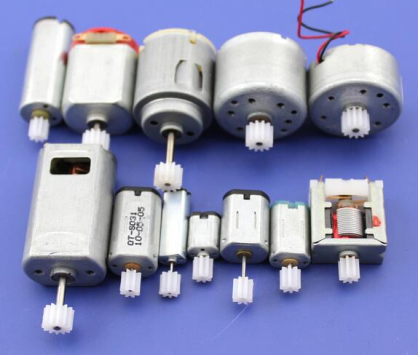
Description
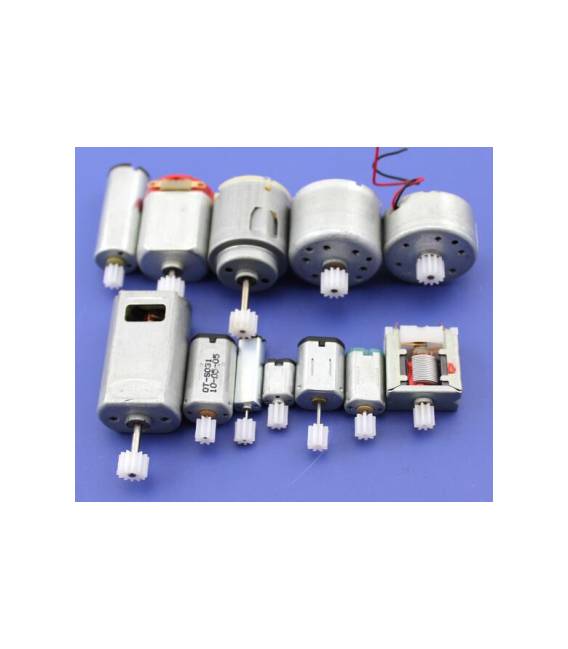
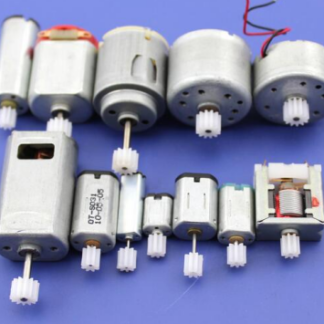
Kit of 12 pieces DC Micro Motors with various models: SRF300, K10, 140, 310, M20, 180, 130, 020, 1230, 90, N20, 5*7. Ideal for small electronic projects. Features: 12 DC motors of various models SKU: ARD009954 Price: €8.29 Use Case Perfect for Arduino, robotics and 3D printing prototype projects. Can be used to create oscillators, simple movement systems and other small-sized electronic applications. Tutorial How to use Kit of 12 Pieces DC Micro Motors DC micro motors for small-sized electronic projects, ideal for beginner and intermediate makers. What is needed: DC motors Connection wires Arduino or microcontroller Resistor of 220 ohm (for protection) Steps: 1. Check that the motors are in good condition. 2. Identify motor pins: VCC, GND and OUT. 3. Connect VCC to 5V of Arduino. 4. Connect GND to GND of Arduino. 5. Connect OUT to a digital pin of Arduino. 6. Add a resistor of 220 ohm between OUT and VCC for protection. 7. Load the example code: `digitalWrite(2, HIGH); delay(1000); digitalWrite(2, LOW);` 8. Check that the motors move correctly. Example Code: `digitalWrite(2, HIGH); delay(1000); digitalWrite(2, LOW);` Mini-project Create an oscillator with the motors connected to a digital pin and a capacitor to generate oscillation signals. Common mistakes Directly connecting VCC to a microcontroller pin without resistance can damage the motor. Do not use analog pins for motors, only use digital ones. Do not connect motors to voltages higher than 6V. Do not connect motors to pins before checking the output current on the datasheet. Recommended accessories: Arduino UNO Resistors of 220 ohm Capacitors of 100nF Wire protectors Frequently Asked Questions How can I control multiple motors simultaneously? Connect the motors to different digital pins and control them with separate Arduino codes. Can the motors work with different voltages? Check the datasheet, but generally they perform well between 4.5V-6V. How many motors can I connect to my Arduino? Check your microcontroller’s datasheet for current output limits. Are the motors compatible with Arduino Nano? Yes, but check the motor’s datasheet for current output.
Reviews
There are no reviews yet.