 EN
EN IT Italiano
 ES Español
 FR Français
 DE Deutsch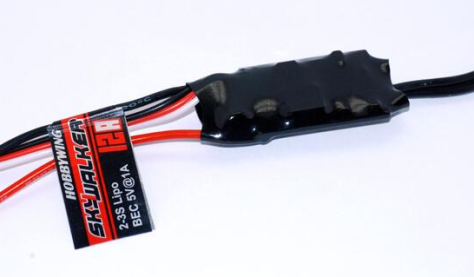
Description
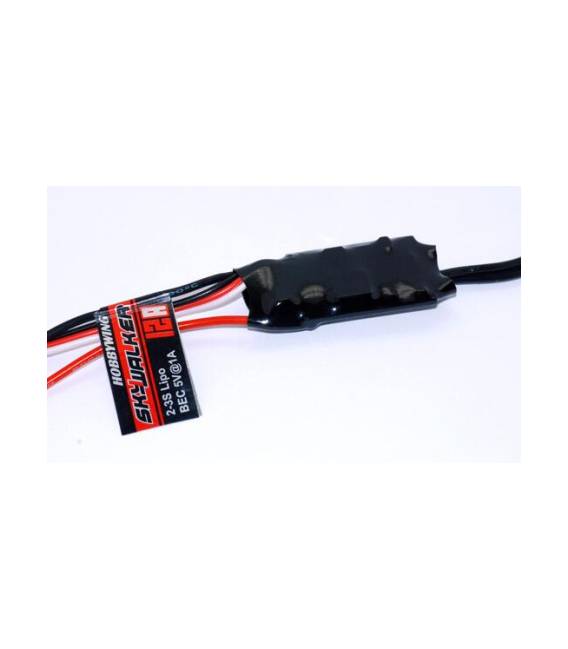
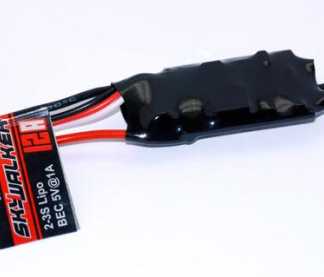
Hobbywing 12A Brushless Speed Controller – Colour: black – Material: glass fibre – Model: Pentium-30A – Continuous output: 30A, burst up to 40A for 10s – Input voltage: LiPo 2-4 cells or NiCd / NiMH 5-12 cells (not included) – BEC output: 2A / 5V (linear mode) – Maximum speed: 210,000 RPM for 2-pole motor, 70,000 RPM for 6-pole motor, 35,000 RPM for 12-pole motor – Suitable for R/C helicopters – User manual in English included. Dimensions: 1.97 in x 0.98 in x 0.39 in (5.0 cm x 2.5 cm x 1.0 cm) Weight: 27 g (0.95 oz) Tutorial: How to Use Hobbywing 12A Brushless Speed Controller The Hobbywing 12A brushless speed controller is a crucial component for R/C drone and model airplane enthusiasts seeking enhanced reliability and performance. This ESC, with its maximum current rating of 12A, is ideal for small to medium-sized models. What you need Motor Brushless LiPo battery compatible Flight controller (FC) or pilot Steps Verify that your brushless motor is compatible with the ESC Connect the battery to the ESC BEC connector Connect the flight controller (FC) to the ESC data connector Power on the system and configure via dedicated software such as BLHeliSuite Set the correct battery voltage limits, cutoff, and other features Test the ESC with a short flight If everything works well, mount the ESC on the airframe or drone Connect the brushless motor to the ESC motor connector Mini-project Build a small quadcopter drone using this Hobbywing 12A ESC, following the steps above. You can also add a video camera for real-time image transmission. Common errors Incorrectly configuring the ESC before flight Using an incompatible motor or battery Insufficient thermal protection during mounting Ignoring battery voltage limits during configuration Recommended accessories LiPo 3S-4S battery Compatible flight controller (FC) for ESC Brushless motor for drones ESC thermal protection kit Frequently asked questions Can this ESC be used on ground models? Check the datasheet to see if the ESC is designed for ground applications. Which software can I use to configure this ESC? Use BLHeliSuite or compatible software for brushless ESC configuration.
Reviews
There are no reviews yet.