 EN
EN IT Italiano
 ES Español
 FR Français
 DE Deutsch
Description
What it is
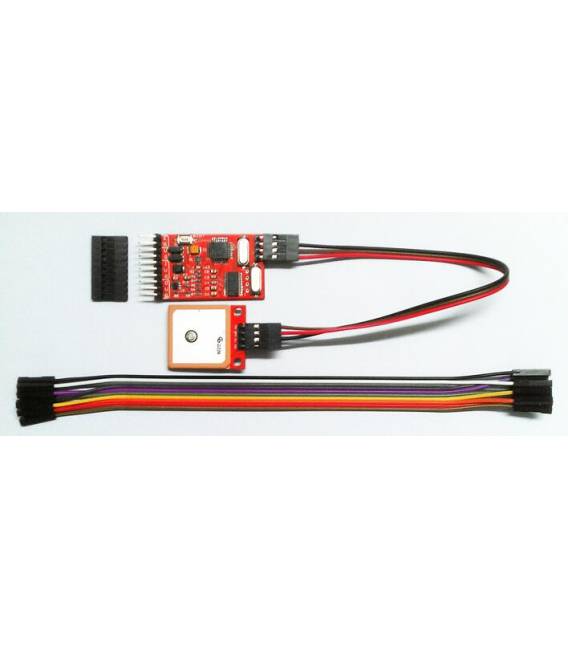
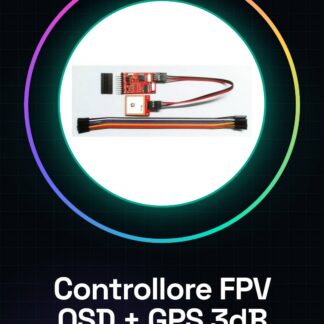
The FPV OSD Image Overlay Module + GPS System with Passive Antenna Amplified Signal 3db is a device designed to enhance the pilot’s experience in First Person View (FPV) flights on drones. This module combines image overlay information display and GPS location features, providing the pilot with precise guidance during flight.
Features
- FPV OSD with image overlay module
- GPS system with passive antenna amplified signal 3db
- Compatible with drones from 220g (check the datasheet for precise specifications)
What it is for
This module is ideal for drone pilots who want a first-person view (FPV) system with information overlay and GPS location. It works well for both beginner and intermediate pilots. To use it, mount the module on a compatible drone, connect the GPS antenna and the 5V power cable, start the system, and check the information overlay and GPS connection.
Tutorial: How to Use FPV OSD Module
This module is ideal for drone pilots who want a first-person view (FPV) system with information overlay and GPS location. It works well for both beginner and intermediate pilots.
What you need
- FPV OSD Module
- Compatible drone
- GPS antenna
- 5V power cable
Steps
- 1. Check that your drone is compatible with the module.
- 2. Connect the GPS antenna to the dedicated interface.
- 3. Connect the module to your drone using the power and signal connectors.
- 4. Check the datasheet for the correct power supply of the module.
- 5. Turn on the drone and verify the GPS connection.
- 6. Configure the OSD on your FPV receiver.
- 7. Verify the information overlay on the FPV video.
- 8. Test the system in flight to ensure everything is working correctly.
Mini project
Mount the module on a 220g drone, connect the GPS antenna and the 5V power cable. Start the system and verify the information overlay and the GPS connection.
Common mistakes
- Connect the GPS antenna only to the dedicated interface.
- Ensure that the correct power supply is provided.
- Verify that the module is correctly configured on the FPV receiver.
- Check the stability of the GPS connection before flying.
Recommended accessories
- GPS Antenna
- 5V Power Cable
- FPV Receiver
- FPV Remote Control
Frequently asked questions
Does the module work with all types of drones?
Check the datasheet to verify the compatibility of the module with your drone.
What information can the OSD display?
Check the datasheet for the list of supported information.
Does the module require software updates?
Check the datasheet to see if the module supports software updates.
Reviews
There are no reviews yet.