 EN
EN IT Italiano
 ES Español
 FR Français
 DE Deutsch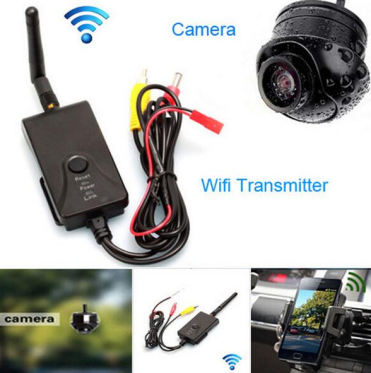
Description
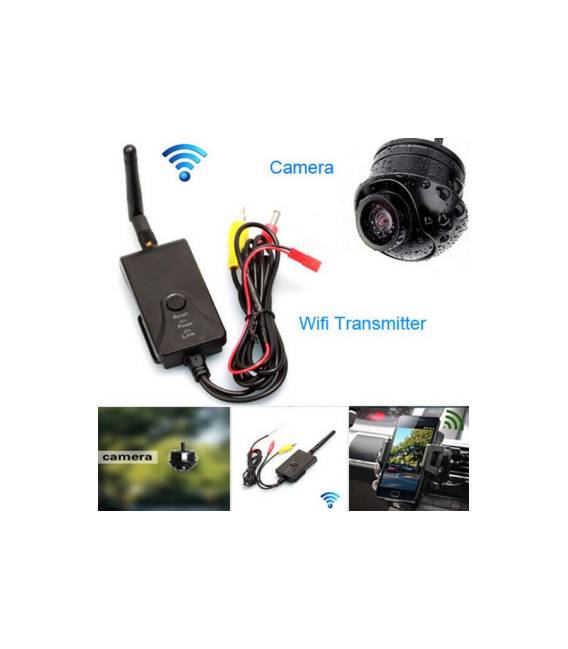
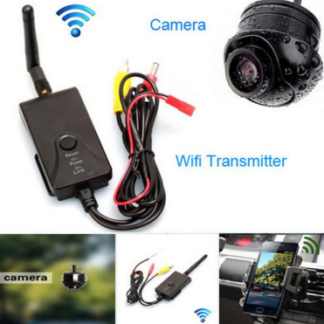
This real-time Wi-Fi video transmitter kit from Fochtech allows you to view the rear camera on an iOS or Android device in real-time, ideal for drivers and robotics builders. Follow these steps: 1. Connect the Wi-Fi transmitter to a computer for initial setup. 2. Check the datasheet for power specifications and follow the instructions. 3. Connect the 12V power supply to the transmitter. 4. Connect the rear camera to the transmitter. 5. Check the datasheet if Ethernet connection is needed. 6. Download the Fochtech app for iOS or Android. 7. Follow the app instructions to connect the transmitter. 8. Verify the connection and camera quality. Mini-project: Mount the camera on a vehicle and connect it to the transmitter. Download the Fochtech app on an iOS or Android device and connect the transmitter. Check the real-time camera feed.
Full description (Italian original)
The full description is shown below in Italian while the English translation is being completed.
Tutorial: Come usare il Kit Telecamera Retromarcia e Trasmettitore Wi-Fi Fochtech
Questo kit ti permette di visualizzare la telecamera retromarcia su un dispositivo iOS o Android in tempo reale, idealmente utilizzabile per guidatori e costruttori di robot.
Cosa serve
- Dispositivo iOS o Android
- Kit Telecamera Retromarcia e Trasmettitore Wi-Fi Fochtech
- Alimentatore 12V
- Collegamento Ethernet (opzionale)
Passi
- 1. Collega il trasmettitore Wi-Fi al computer per il setup iniziale.
- 2. Verifica sul datasheet le specifiche di alimentazione e segui le istruzioni.
- 3. Collega l’alimentatore 12V al trasmettitore.
- 4. Collega la telecamera retromarcia al trasmettitore.
- 5. Verifica sul datasheet se necessario collegare l’ethernet.
- 6. Scarica l’app Fochtech per iOS o Android.
- 7. Segui le istruzioni dell’app per connettere il trasmettitore.
- 8. Verifica la connessione e la qualità della telecamera.
Mini-progetto
Monta la telecamera su un veicolo e collegala al trasmettitore. Scarica l’app Fochtech su un dispositivo iOS o Android e connetti il trasmettitore. Controlla la telecamera in tempo reale.
Errori comuni
- Forgetta di verificare le specifiche di alimentazione sul datasheet.
- Non collega correttamente la telecamera al trasmettitore.
- Non segui le istruzioni dell’app per la connessione.
- Ometti il collegamento Ethernet se necessario.
Accessori consigliati
- Alimentatore 12V
- Collegamento Ethernet
- Telecamera retromarcia
- Dispositivo iOS o Android
Domande frequenti
Può il trasmettitore funzionare anche senza l’ethernet?
Sì, il trasmettitore supporta la connessione Wi-Fi diretta senza l’ethernet, ma verifica sul datasheet se è necessario.
Quali dispositivi supporta l’app Fochtech?
L’app supporta dispositivi iOS e Android.
Il trasmettitore richiede un aggiornamento software?
Verifica sul datasheet se il trasmettitore richiede aggiornamenti software.
Posso utilizzare il trasmettitore con un’alimentazione diversa da 12V?
Verifica sul datasheet le specifiche di alimentazione.
Reviews
There are no reviews yet.